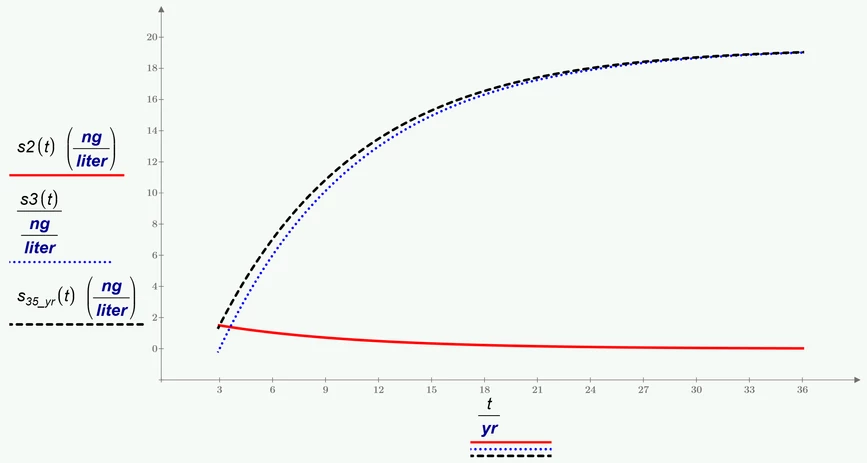
Not sure what position in the file you are talking about.
Prime will always give units in standard units which is kg in case of mass. If you see mg that must be either something you are responsible for or, if you didn't change anything after conversion of the sheet, the converter has once again made a big mess and you have to laboriously rework everything. Prime is just pretty junk, especially when it comes to backwards compatibility and diagrams.
Are you talking about this nonsense?
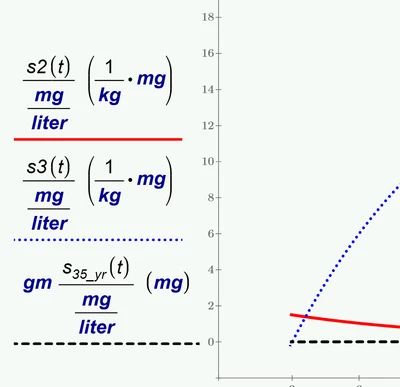
As Luc and me already explained you can either use the placeholder to put the desired units in OR you divide by the desired units as you are used from real Mathcad. But you should never mix these two methods.
If the converter caused this mess its probably because of the unit ng which you also had to define yourself in old Mathcad and which is not seen as a unit by the converter. But I would have no idea why the converter would turn ng/liter into mg/liter*mg/kg .... but its correct, this construct is really equivalent to ng/liter 😉
In the next pic you see that I used the legacy method of dividing in the second plot but its preferable to use the provided unit placeholders.
I used the desired ng/liter and because Prime is not aware of ng out of the box you have to define that unit yourself as already explained.