The "Units" drop down on the Math ribbon will show you all units Prime is aware of.
E.g. for Length and Volume:
If you are missing a unit, lets say dm, you can easily define it yourself. Just type dm:=10^-1 m and label the dm to be a unit - done.
If you display a variable, the default unit for that dimension will be shown. For volume this is L (liter). To display the result in another unit, you simply type that unit in place of the L. Don't forget to type mm^3, not just mm. Prime will correct your error but you probably won't like the result 😉
It looks like in your definition of V the "m" is not labeled as "unit"
Highlight the "m" and on the first ribbon in the "Labels" drop down chose "Unit".
This should solve the problem.
If not - attach your worksheet, not just a picture.
BTW, as I see that you were using the symbolics (solve). You have to be aware, that the symbolics does not know anything about units and treat units like unknown variables.
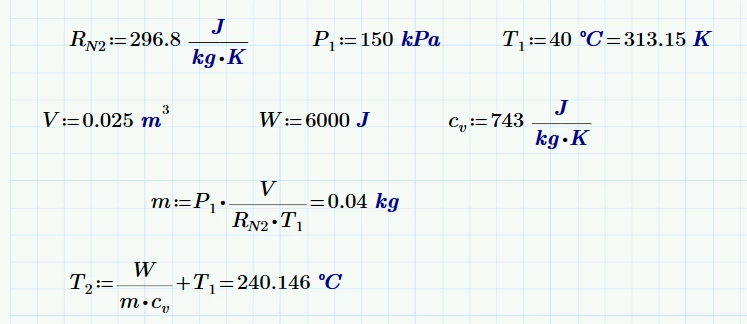
Temperatures other than K always are a special problem. To make your first symbolic solve work you would have to give T1 in K rather than in °C. You can do so by simply following the assignment with an evaluation as shown in the next screenshot:
EDIT: Ooops! I wondered why Freds result differed from mine and now I noticed that I had defined kJ as 100J instead of 1000 J 😞