I finally succeeded. Here is the fixed file.
At least I could open it with Prime10 (don't have P7 installed).
EDIT: As I have P6 installed and there is a trick to easily convert a P7 sheet into P6 format I did so and was able to open the converted sheet in Prime 6. So I guess you should not have any troubles opening the file in P7. It probably would not be necessary but for whatever it may be worth I also attach the Prime 6 version.
I think you have learned that making backups on a regular basis is boring and time consuming but it could be a real life saver 😉
Especially when you are using a software like Prime which does not has support for autosaving backup copies.
EDIT: In case somebody is interested. To fix the worksheet only one small modification is necessary. Because we see in the "media" directory that the file "Image891.1" has a wrong extension "1", we have to look for "region-id="891" in the file "worksheet.xml" and there we have to replace the wrong file type "1" (see picture) by "png" .

Thats all thats needed. At the end all seems to be that easy 🙂
It would not have been necessary, but I additionally changed the extension of the file "Image891" in the "media" subdir to "png" and also edited the file "worksheet.xml.rels" to reflect that change in file name.
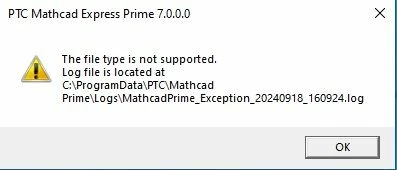
I could bang my head as when I first played around with the file I did exactly what I just described but when I rezipped the directory of files I always accidentally created a nested archive and so an invalid Prime file (Primes error message is not very helpful, indeed).
Its a shame that the act of embedding a picture with a wrong file extension makes a file completely unusable - not very professional software design. I tend to call it a bug which should be fixed by PTC.