Solved
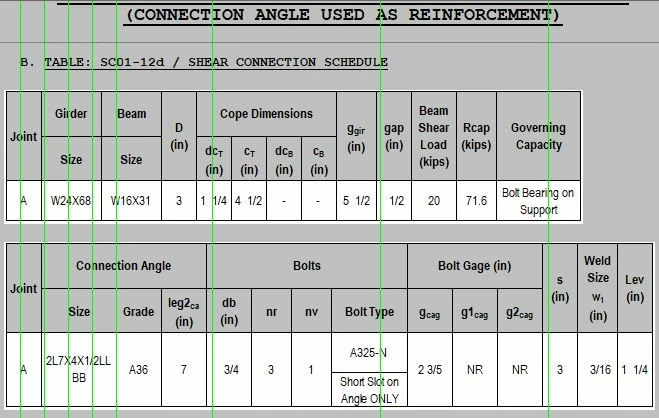
Excel Table has no values on mathcad 15 M050
Hi,
I recently updated my windows from 7 to 10. I also updated my mathcad 15 from M010 to M050 since I found out that it is more compatible with windows 10.
After updating, I checked one of my previous mathcad file, i found out that it wont display the text that are entered on it. I've try reinstalling the matchad 15 M050, or using matchad 15 M010, but it looks like its the windows that has the problem. Are there workarounds for this?
![2021-03-25 14_57_27-Mathcad - [XXX_SC01-12d_(14th)].png](https://uploads-us-west-2.insided.com/ptc-en/attachment/1769af40-a1b9-c044-ff44-46de255b82b5.png "2021-03-25 14_57_27-Mathcad - [XXX_SC01-12d_(14th)].png")
![2021-03-25 14_58_06-Mathcad - [XXX_SC01-12d_(14th)].png](https://uploads-us-west-2.insided.com/ptc-en/attachment/1c7232c5-1d34-b15a-b980-18262d5724f8.png "2021-03-25 14_58_06-Mathcad - [XXX_SC01-12d_(14th)].png")