
5-Regular Member
October 22, 2014
Question

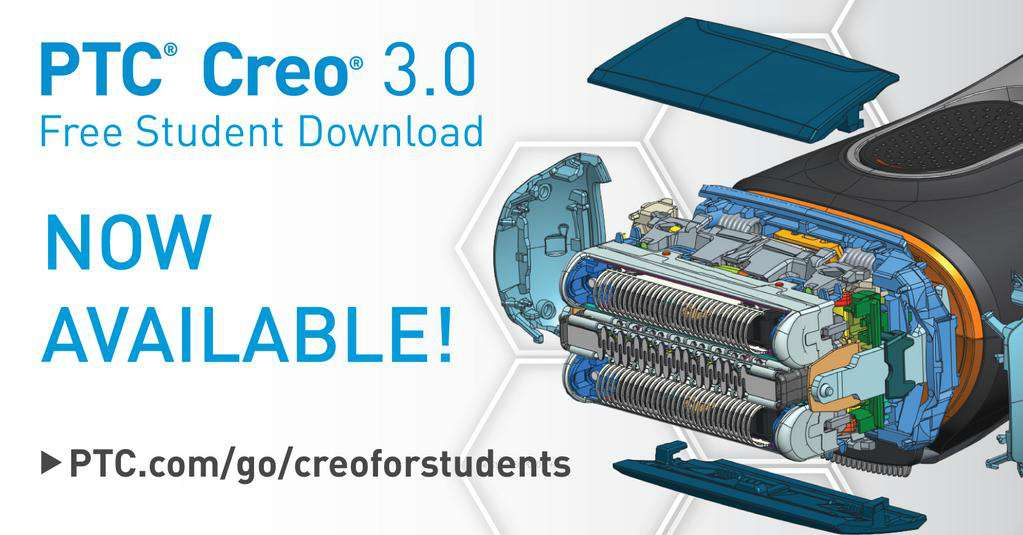
PTC Creo 3.0 Now Available!
  • October 22, 2014
  • 8 replies
  • 34939 views

B0kRUk6IUAEh5g4.png

PTC is pleased to announce the release of PTC Creo 3.0 for K-12 schools!

For more information on what's new in PTC Creo 3.0 - http://www.ptc.com/product/creo/new


Register for your free copy of PTC Creo 3.0 - www.ptc.com/go/creoforstudents

Once you have registered, you will receive download instructions for PTC Creo 3.0. We also recommend configuring PTC Creo 3.0 with the “Schools” configuration.

Instructions to configure PTC Creo 3.0 for Schools - http://apps.ptc.com/schools/references/config_creo_schools.pdf

    8 replies

    12-Amethyst
    October 22, 2014

    This is great news, several of the enhancements will be very useful in schools.

    Am I correct in thinking the 'Schools' configuration uses inches and ASMI drawing standards?

    If so, this will cause problems in regions using other units and drawing standards particularly on school networks and protected laptops where teachers and students rarely have permissions to re-configure software.

    What else does the 'Schools' configuration change/add to PTC Creo?

    1-Visitor
    October 23, 2014

    Hi Tim,

    have you installed it yet?

    i Have downloaded installed but I'm waiting for a licence key.

    I Selected the available one that was showing during the install but it won't run.

    I assume it is because this is a Creo 2 licence, and need a Creo 3 licence.

    i filled the form out ( several times due to issues with the download manager) but had no licence in retun from PTC.

    cheers

    phil

    1-Visitor
    October 23, 2014

    Hi Tim,

    Is there an offical roll out??

    Our IT techs are going to work on adding the fframework eextension over half term, but if v3 is an improvement I'll ask them to wait.

    Many thanks

    Peter

    1-Visitor
    October 23, 2014

    Downloading as we speak - I will report back on my findings compared to the Academic2 Creo 2.0 license I currently have.

    Rgds,

    James

    1-Visitor
    October 29, 2014

    Ok - so I've had a chance to have a quick play this evening - removed all trace of existing Creo 2.0 install including the program data license folder etc.

    At install I went to configure the installer to add the Advanced Framework Extension. It's not in the config list.

    Update - it looks like it's installed automatically - that's good.

    Otherwise install was slick and looks very good (icon updates are clearer) - I'll have to update my own creo_standards installer to get everything set the way I like it.

    Did I read something about a simplified schools tab?? Or was I dreaming as usual. Scratch that - I've found it but it didn't seem to load as standard - I manually loaded the creo_parametric_admin_customization.ui file. The five render shortcuts don't seem to work though - mapkeys don't seem defined.

    Yes definitely like the Schools section in both parts and assemblies.

    JC

    1-Visitor
    October 23, 2014

    Mark,

    Would it be possible to clarify the branches / releases of Creo 3.0 within the whole academic programme and their included features & applications? I'm really struggling to get my head around it;

    So far I've seen;

    MarkCheli wrote:

    For K-12 the students now have PTC Creo 3.0 Schools Edition Standalone and PTC Creo 3.0 Schools Edition Lab.

    University students can get PTC Creo 3.0 Student Edition Standard and purchase PTC Creo 3.0 Student Edition Premium on our e-store.

    K-12 will have no meaning to people in the UK.

    Scott E Morris wrote:

    If you need more of the advanced NC solutions and the ability to create and customize your own post processor, you can request a University license from the Academic tem.

    What are the feature sets for ;

    Schools Edition Standalone

    Schools Edition Lab

    Student Edition

    Student Edition Premium

    University License from the Academic Team?

    Regards,

    James

    MarkCheli5-Regular MemberAuthor
    5-Regular Member
    October 23, 2014

    Hi James,

    Sure! You've got most of the information, but I’ll expand a little on the actual features.

    Schools Edition Standalone - Essentially the same functionality as Creo 2.0 Student Edition. New license options include Creo View MCAD functionality as well as the features new to Creo 3.0 (Unite, design exploration, etc.)

    Schools Edition Lab - Same as Schools Edition Standalone

    Student Edition - Same as Creo 2.0 student edition with the features new to Creo 3.0 (Unite, design exploration, etc.)

    Student Edition Premium - Same as what was known as "Academic Individual" in Creo 2.0. This license is in between the Creo Academic license that universities get and Creo Student.

    Academic Edition (aka University+) - This is our most inclusive license including almost all modules of Creo.

    As you would expect, the schools licenses are meant for secondary schools while the Student editions and Academic editions are meant for the university market. The student edition premium is purchased through our E-store and the Academic edition is sold directly to Universities.

    We chose to make the distinction between a "schools" edition and "student" to make sure that we better address our different user groups. We wanted to make sure that we do our best to allow our software to fit the specific needs of secondary schools without compromising another group of users.

    Please feel free to give any kind of feedback about this change, I helped put together the package for Creo 3.0 and we're already looking for idea for Creo 4.0!

    1-Visitor
    October 23, 2014

    Hi Mark,

    As James mentions, it would be helpful to have the feature set of each license. Previously, local FIRST, FRC teams had access to what I believe is now the "Academic Edition". I've seen them use everything from Manikin, ISDX to manufacturing. Since I currently am unable to install Creo 3, I'm unable to determine if the Schools Edition includes enough manufacturing capability to create G-Code to route a 2.5D part.

    Also, I understood that Unite technology is not available in corporate Creo 3 until release M030. Will the current student version of Creo 3 be able to open a Solidworks file without converting it to a new file type?

    Thanks,

    Josh

    12-Amethyst
    October 25, 2014

    When I try to configure PLMS4Schools I get the error message below.

    PLMS4Schools+path.PNG

    MarkCheli5-Regular MemberAuthor
    5-Regular Member
    October 27, 2014

    Hi Tim,

    We're looking into this now, we should have a quick fix for you shortly.

    1-Visitor
    October 27, 2014

    HI mark

    having successfully installed creo3 I now find that it will not open files I created with creo2 schools edition. Also, what's happened to advanced rendering- I can only find photolux.

    thanks

    roy

    1-Visitor
    October 27, 2014

    I Also notice that the is no Sheetmetal available in this version.

    is this just a version issue or is PTC cutting down the options available to schools??

    Regards

    Phil.

    1-Visitor
    October 27, 2014

    Phil,

    Creo3

    I seem to have the usual access to sheetmetal through File/new/sheetmetal and also under 'Operations' to convert an existing solid to sheet and both routes work fine!?

    I tried the install again (on Vista) and confirm it works if you type in the install code rather than copy and paste... strange eh, thanks for the tip.

    Regards,

    Bob

    12-Amethyst
    November 8, 2014

    Mark,

    The reduced menu in sketcher is preventing me from doing what I want for example, the sketcher display filters drop down is missing from the graphics toolbar.

    I tried running configure.bat and choosing option 4 but still have the schools menu.How do I get rid of the schools config but keep mm/Kg/sec with BS 8888

    Thanks

    Tim

    1-Visitor
    November 8, 2014

    Delete creo_ parametric_admin_customization.ui in the text folder. The same folder as configure.pro.

    Rgds, James

    12-Amethyst
    November 9, 2014

    James,

    Sorry I missed this from your previous post. All sorted.

    Many thanks.

    Tim

    1-Visitor
    November 18, 2014

    I got this and now I can't use it because it refuses to generate a license. It simply greys out the option to enter the product code, so there is nothing I can do. I tried contacting support but they have not responded. I had to uninstall version 2 to get this on, so I am sitting here unable to do anything.

    12-Amethyst
    November 19, 2014

    Security on your computer is preventing the install program communicating with the PTC servers. PTC normally has a web form where you enter your Host ID (MAC address) and product code. Once submitted, you get an email back with your license attached.

    You need to ask for the web form address for your cersion/type of license.

    9-Granite
    March 3, 2015

    Installed Creo 3.0 at home with a view to install Creo 3.0 at school over Easter. However it seems that Creo 3 files are not backwards compatible with Creo 2.0 which we are currently running in school. Am I missing something all Creo says is model cannot be retrieved??
    P.S. What's happening to the UK Trainer network???

    12-Amethyst
    March 3, 2015

    Creo 3 will open older files no problem but you are correct in saying Creo 3 files cannot be opened in Creo 2. This is common in other software so I try to remember to model in Creo 2 so I can share files with schools running 2.0.