


Question
How to make scroll wheel zoom work in Windows 10 with Creo Parametric
I had a very difficult time finding a solution for this. I opened a call and PTC said Windows 10 wasn't a supported configuration. Fortunately a curious co-worker discovered the fix. Not having zoom with the scroll wheel was a show stopper for me. Here's how to make it work as before:
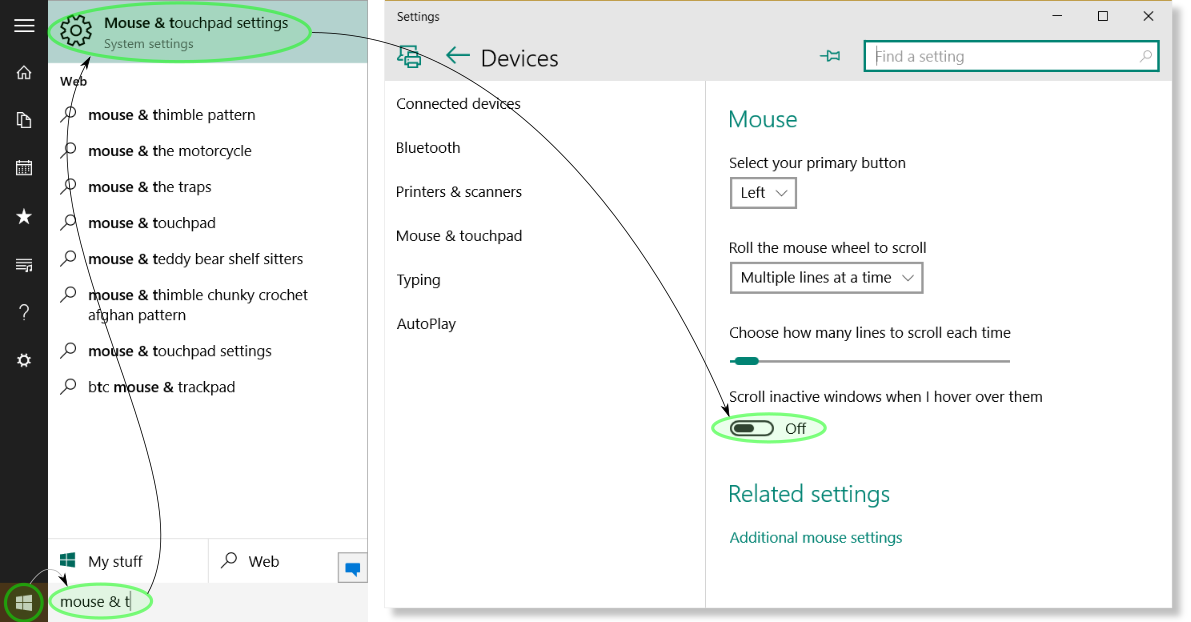
1. Select the Start button
2. Type "mouse & t" in the search area and press Enter
3. In the Mouse & touchpad settings dialog select the toggle for Scroll inactive windows when I hover over them until it displays Off.
4. Launch Creo Parametric and marvel at mouse wheel zooming