3-Newcomer
September 7, 2023
Solved

IFX not loading fasteners into assembly

  • September 7, 2023
  • 4 replies
  • 2758 views
I am using Creo Parametric Release 9.0 and Datecode9.0.4.0

I am using IFX to load fasteners into my assembly. When I go to re-open my assembly, the fasteners are missing from the model and give errors in the model tree. Is there any configuration settings I need to make to specify a path for these fasteners?
    Best answer by MartinHanak

    Hi,

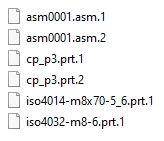
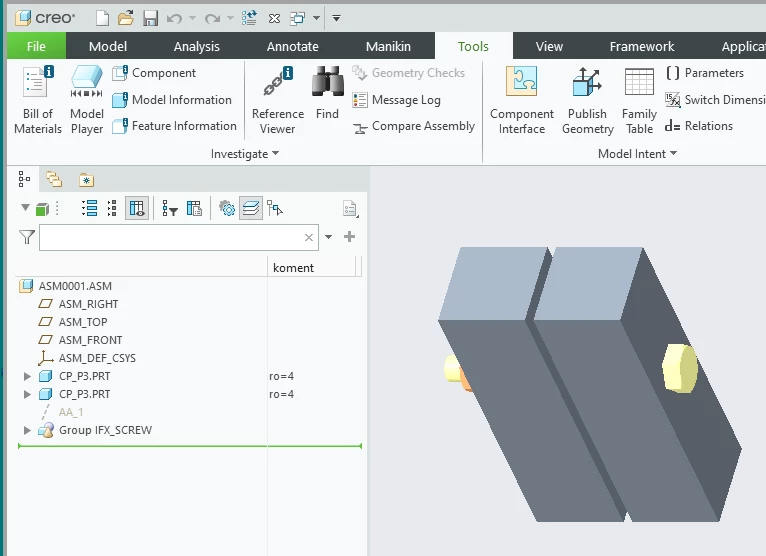
    I tested adding screw ... see picture.

    MartinHanak_0-1694155393328.png

    When I saved the assembly fastener models were saved into working directory. This is the way how Creo works.

    MartinHanak_1-1694155492247.png


    4 replies

    Dale_Rosema
    23-Emerald III
    23-Emerald III
    September 7, 2023

    What is your error?


    If the folder/path for fasteners is not called out in your config file Creo doesn't know where to look for them.


    Is it "missing component" and you can go a retrieve the component?

    3-Newcomer
    September 7, 2023

    It is missing component.  I am familiar with editing the config file for search paths, however I do not know where Creo stores the fasteners they use in the IFX tool, so I'm not sure on how to specify that path. 

    23-Emerald III
    September 7, 2023

    The are under the <Creo loadpoint>/Common Files/ifx

    Use <Creo Loadpoint>/Common Files/ifx...  in your search path file so Creo will search in the sub-folders without specifying them directly.

    23-Emerald III
    September 7, 2023

    I am guessing no Windchill, so it then comes down to search paths and definitions of where the IFX library is located for your Creo session to pull the files.

    Adding them to an assembly by navigating to their location requires nothing special in Creo configuration. You just browse through the folders to find the files and assembly them in your model. Creo only saves the component name, not its location. To reopen an assembly and load the components, you need search paths so Creo knows where to look for the component objects.

    A word of caution with search paths, be careful of the order of the search path folders and file names. If you have the same file name in 2 folders, Creo will pull the first occurrence it finds, which could be the wrong object.

    24-Ruby III
    September 8, 2023

    Hi,

    I tested adding screw ... see picture.

    MartinHanak_0-1694155393328.png

    When I saved the assembly fastener models were saved into working directory. This is the way how Creo works.

    MartinHanak_1-1694155492247.png


    3-Newcomer
    September 8, 2023

    Thank you all for the help.  If you use the ANSI standard fasteners in Creo, by default, Creo knows where to look to locate them in IFX file locations.  If you use generic fasteners, the generated files are stored in the working directory which needs to be specified in a search path for the assembly to re-open them.