

23-Emerald IV
November 19, 2014
Question

Titleblock Designs (formats and templates)

  • November 19, 2014
  • 2 replies
  • 9554 views

Curious if anyone is willing to share a picture of their titleblock. I am working on a redesign of ours and would like some fresh ideas. I feel like more and more stuff keeps getting crammed into it.


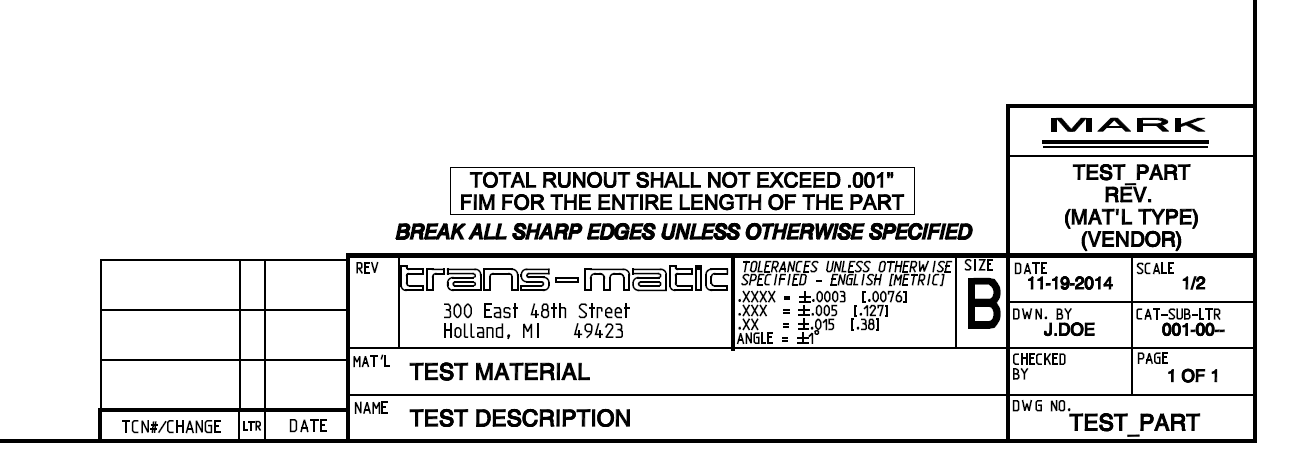
For reference, here is our current "B" size format (for individual parts)
B_CURRENT.PNG


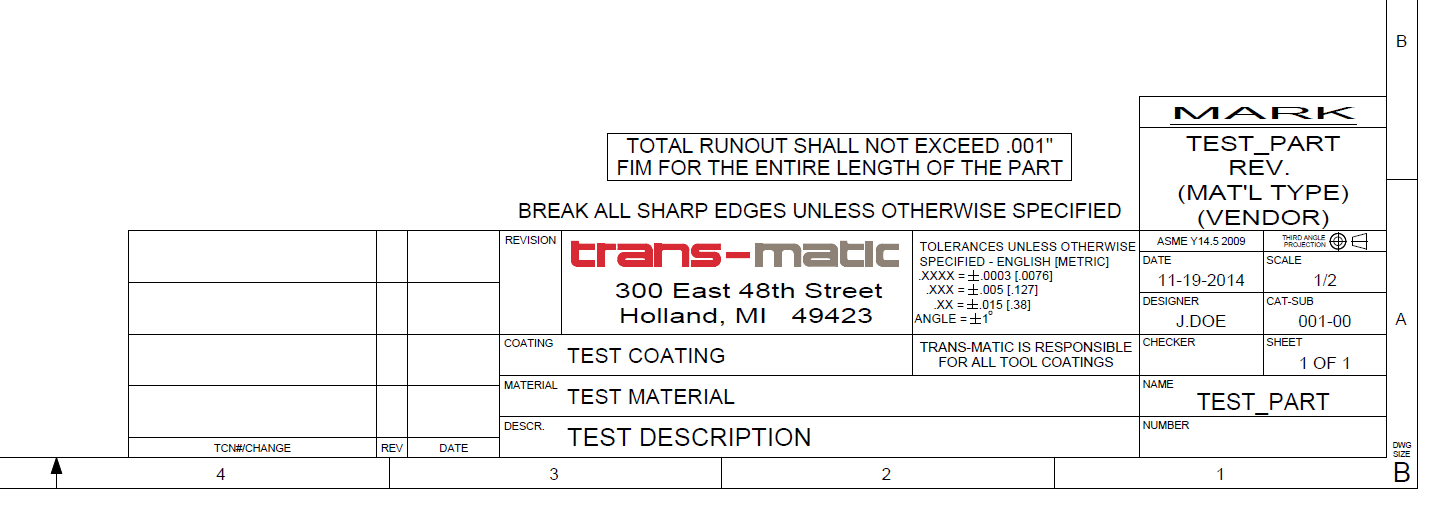
And here is the new version (still in development).
B_NEW.PNG


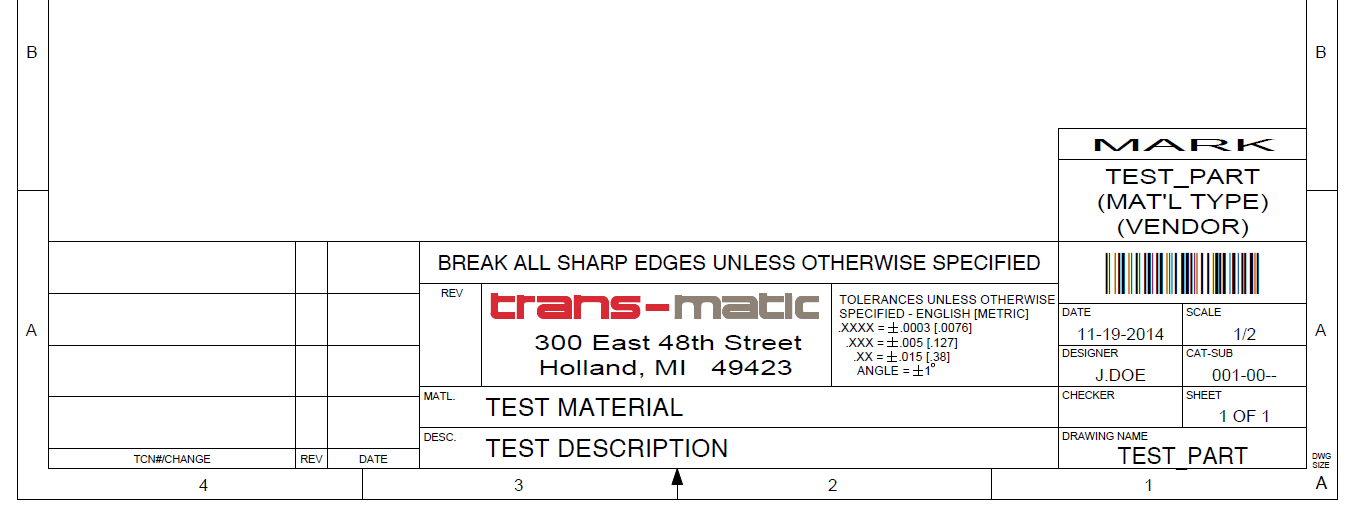
Unfortunately I now need to add a barcode as well. Here is a simplified "A" size with that.
a_barcode.PNG


I'd love to see what other people's title blocks look like. Thanks!

2 replies

17-Peridot
November 19, 2014

I don't have any I can share, but yes, they get complex.

Since I have multiple clients, and I cannot see charging a client for format development. I end up either biting the bullet for a major account or making it a dumb import. Fortunately I can quickly copy and paste all the annotation from one drawing to another. the last format I made took me more time to get the logo to print right (Bitmap image) than any other aspect of the creation process.

May 11, 2015

I am currently atempting to create a barcode on a drawing. I am trying two fonts that others on the forum have said were functional code 128.ttf and code 39 30.ttf. One font works in Microsoft Word the other does not. If you have gotten your title blocks to work successfully could you offer some guidance.

Thanks,

Bill

TomU23-Emerald IVAuthor
23-Emerald IV
May 11, 2015

Bill,

I'm using "code128.ttf". (Attached) You just copy it to your fonts directory and you're good to go. This works fine in both Word and Creo.

Keep in mind that code 128 requires a start character, an end character, and a checksum character. My approach was to create a top level parameter in the model named "barcode" and then add feature relations via a UDF (annotation feature) to calculate the proper values based on the model's name. (See picture and attached UDF.)

bc1.PNG

To use this on a drawing, I simply display the parameter value (&barcode) and set the font to code128.

Be careful when printing. If you make it too small the scanner won't be able to read it. Using stroked fonts vs. TrueType fonts when printing as well as pen table values can have a big impact on the scan-ability. I settled on .25" high.

4-Participant
July 31, 2018

Dear Sir,

      I was Created Bar-code by your help but that is working. It was came like what I was attached below.

Please share the passable Solution sir.