5-Regular Member
August 9, 2024
Solved

Section View in Creo Drawing

  • August 9, 2024
  • 2 replies
  • 3157 views

Hi All, 

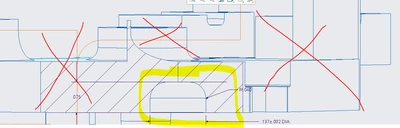
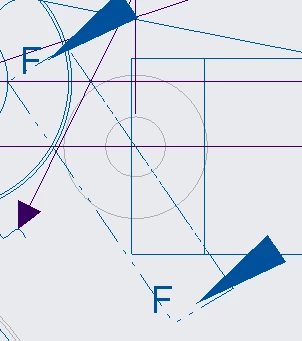
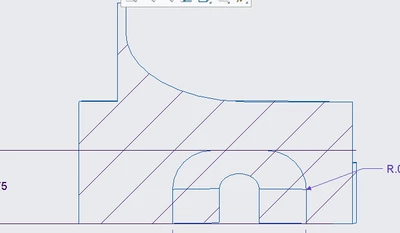
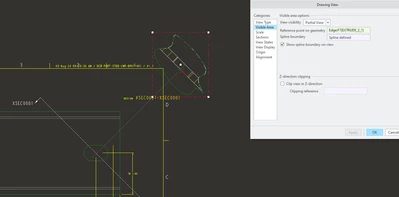
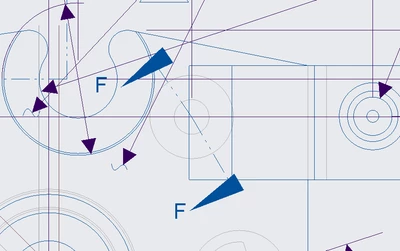
I know the basics of creating a section view. i am trying to get a specific section view if possible? below are images. I want to cut a section view on this part shown in the first image just like this with the arrows placed the way it is, but only show this specific part and not the whole part (shown in image 2). how can I do this? I tried so many ways, but cannot do it. the only way to do this is by creating a square cut to only obtain that area. by doing this, the arrows on the main view will be weird( Image 3 & 4). is there a possibility? 
FY_10378206_0-1723229245893.pngFY_10378206_1-1723229280686.png

FY_10378206_2-1723229533798.png

FY_10378206_3-1723229561437.png

thank you all


Best answer by StephenW

Make your section as you want. Create the  view of the whole part, set the cross section, change that view to a partial view and sketch the spline so it shows only the area you want to see.


StephenW_0-1723230733544.png


2 replies

22-Sapphire II
August 9, 2024

Would a local section meet your requirements? It would be unconventional to show the section as you have proposed without any other geometry in a view. You could use alocal section combined with a detail view to get very close to what you show as the desired result.


A local cross section uses a breakout to see through an outer surface to a portion of an inner cross section.


tbraxton_0-1723230175265.png


StephenW23-Emerald IIIAnswer
23-Emerald III
August 9, 2024

Make your section as you want. Create the  view of the whole part, set the cross section, change that view to a partial view and sketch the spline so it shows only the area you want to see.


StephenW_0-1723230733544.png


5-Regular Member
August 12, 2024

thank you sir! you are a savior!