

Surface Symbol Orientation changes after "edit Attachment"
Hello
If I create a 2D drafting view, derived from a 3D Combination State the surface symbols describing the surface of a groove side walls, the symbols cannot be moved (dragged by mouse).
So far I can change the position only by the option of "edit Attachment" in 2D drafting, selecting the belonging groove-width value, then the position on the whiteness line and then the corresponding geometry.
But now the Surface Finish symbol changes it direction, now it is pointing away from the surface.
Surface Finish Annotations in 3D modeling
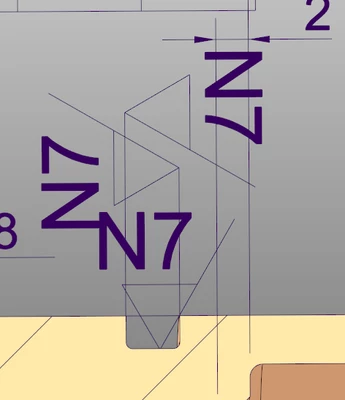
Surface Finish Annotation in 2D drafting detailed view.
The two vertical symbols cannot be moved by mouse dragging. Therefore I try to change its attachment.
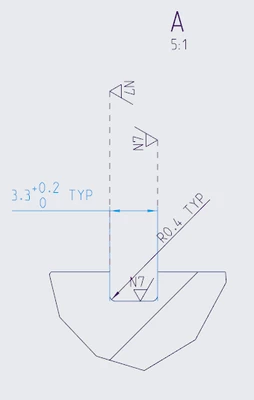
But now the symbol points in wrong direction.
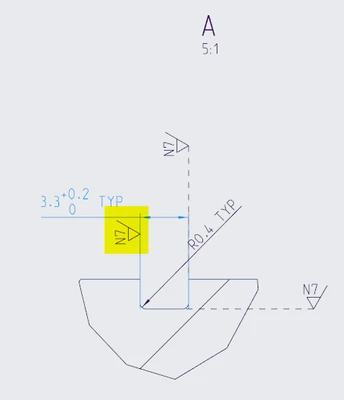
As you can see the symbol for the bottom of the groove can be moved by dragging.
Does anybody have an hint how to move these Surface Finish symbols by mouse dragging or how to change the orientation of the symbols after the "edit Attachment" operation.
Regards
PB