
Solved
How to form a matrix with variables defined with range?
Hello,
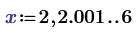
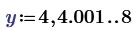
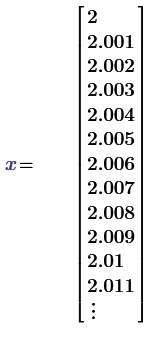
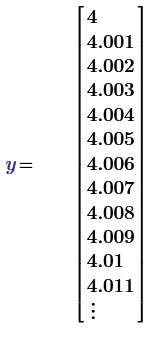
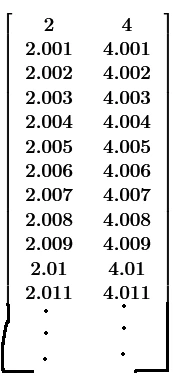
I want that x and y to be in a single matrix with 2 columns:


Hello,
I want that x and y to be in a single matrix with 2 columns:
Nice idea!
Your approach works OK as long as "last" is not actually a member of the result vector
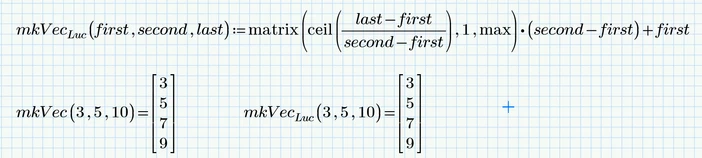
but it fails if it is
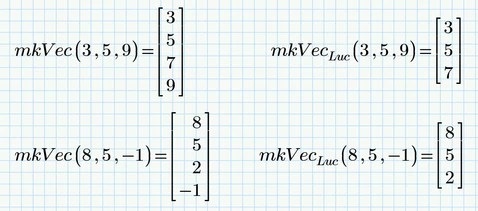
For the example given it works OK, though,
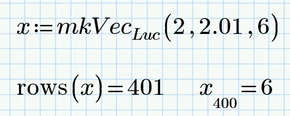
but the reason is a round-off error which forces ceil to return the correct number 401
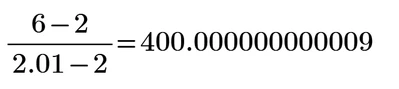
Using floor(...)+1 instead of ceil(...) should fix it (unless we find an example with a numerical inaccuracy in the opposite direction)
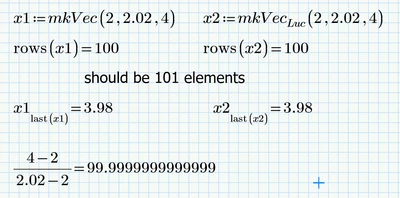
EDIT: And the example wasn't hard to find. Both your versions (the orginal with ceil(..) and the suggested fix with floor(..)+1) fail and also my version fails 😞
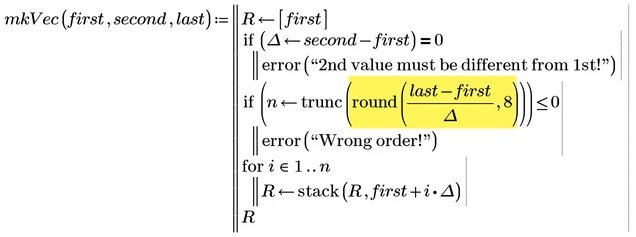
A possible fix might be to to round to something like 7 decimals first and only then apply floor(...), or trunc(...) .
No account yet? Create an account
Enter your E-mail address. We'll send you an e-mail with instructions to reset your password.