Best answer by ttokoro

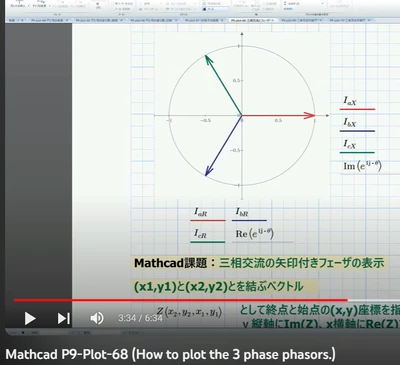
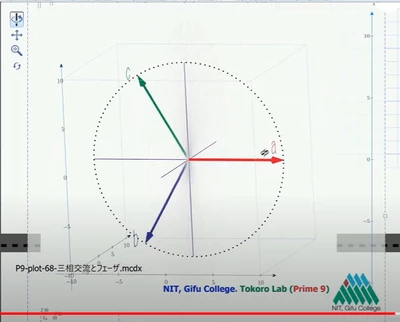
I will share you my Prime 9 file.
If you use Prime 8 only, you can install Prime 9 with same computer.
You can copy and past one by one from P9 to P8.

Plots and program functions are also can use from P9 to P8 one by one.

Text is Japanese but you can use all functions.

2 replies

ttokoro
21-Topaz I
ttokoro21-Topaz IAnswer
21-Topaz I
August 29, 2023

I will share you my Prime 9 file.
If you use Prime 8 only, you can install Prime 9 with same computer.
You can copy and past one by one from P9 to P8.

Plots and program functions are also can use from P9 to P8 one by one.

Text is Japanese but you can use all functions.

t.t.
25-Diamond I
August 29, 2023

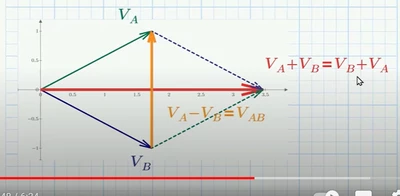
The pics you show are ttokoros work and so you already have got the "original" from him.


Concerning drawing arrows/vectors you may also look at the attachment from Tom Gutman here
https://community.ptc.com/t5/Mathcad/Simpel-2D-vector-plot/m-p/225321/highlight/true#M88180

which as far as I remember was used by me in parts to implement vector field plots

https://community.ptc.com/t5/Mathcad/Vector-Field-Plots-in-2D-for-Mathcad-15-and-Prime-2/td-p/448198

where I added an option for different arrow head shapes

Werner_E_1-1693314767929.png


For 3D vector plot you may have a look at the work of Stuart Bruff here

https://community.ptc.com/t5/Mathcad/Plotting-electric-field-in-3D/m-p/415039/highlight/true#M162553

Werner_E_2-1693315044881.png

I guess his 3D plot examples won't work in Prime, though.


Maybe you'd also be interested in this thread  Solved: Plotting complex numbers in Mathcad Prime 2.0 - PTC Community