
1-Visitor
April 10, 2017
Solved

Embedded Browser Issues

  • April 10, 2017
  • 5 replies
  • 21068 views

On a brand new install of Creo, I'm having an immediate issue with the embedded browser...


The contents of all tabs in the embedded browser are shifted to the right so that a portion is cutoff. Resizing the window only changes the amount of white blank space to the left of the content. I don't have Windchill setup currently to see if it is affected as well.
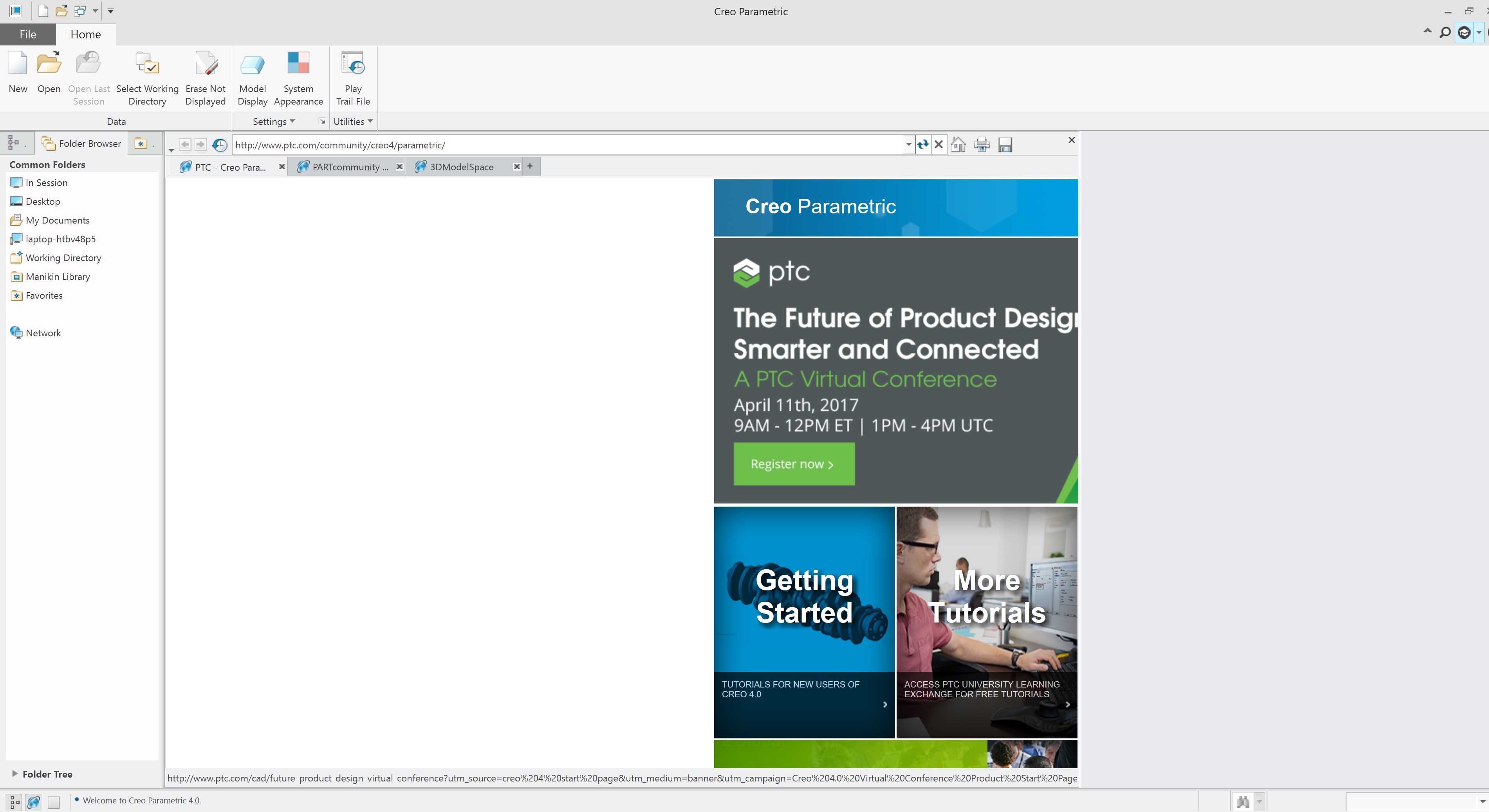
issue1.jpg

I've done some quick Community searches and haven't seen any similar issues posted in the past. I've also tried some config.pro modifications to see if I could fix it myself to no avail.

Thanks.
Best answer by jbutler-2

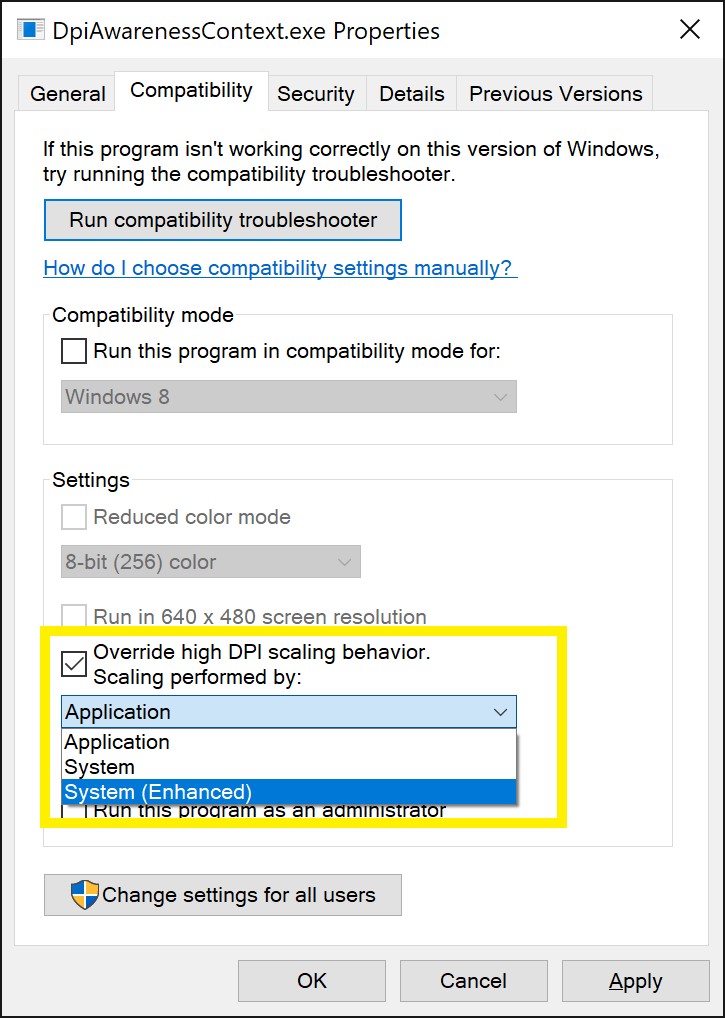
Set the override high dpi scaling behaviour drop-down in the application properties to "System".

This option is only present in build 15063 onwards (officialy released yesterday), for prior versions you have to do stuff which involves messing around with application manifest files.

4-58dee24e8ee4a.jpg

5 replies

23-Emerald III
April 10, 2017

What build of Creo?

What browser?

jflynn1-VisitorAuthor
1-Visitor
April 10, 2017

Creo 4.0, IE11

24-Ruby III
April 11, 2017

What Windows version ?

jflynn1-VisitorAuthor
1-Visitor
April 11, 2017

Win 10 Pro

24-Ruby III
April 11, 2017

Hi,

put following option into config.pro and test Creo.

WINDOWS_BROWSER_TYPE  CHROMIUM_BROWSER

MH

16-Pearl
April 11, 2017

Have you tried to reset the zoom?  Use CTRL-0 (zero).  It's worth a shot.

Dan N.

jflynn1-VisitorAuthor
1-Visitor
April 11, 2017

Just tried, didn't work. It doesn't really look zoomed in to me. It's like the HTML code is adding a large "filler" section. See below... the page header stretches all the way across....

issue3.jpg

23-Emerald III
April 11, 2017

Local machine install or network install of Creo?

If local, try removing Creo, cleaning up the registry of any Creo traces and reinstall.

If it is a network install and only you are  having problems, check in all files, remove all workspaces and clean up the pdm10 folder. Actually do that if local, too.

jflynn1-VisitorAuthor
1-Visitor
April 12, 2017

Local machine. I'm the first one with Creo installed on a brand new laptop. When I get a chance, I'll try to reinstall and clean registry.

1-Visitor
April 12, 2017

Pretty sure this is due to running on a high-dpi display. I haven't yet found a way to fix it (and have instead forced Creo to be scaled up by Windows as I'm running on a laptop - this is easy in Windows 10 1703). Probably best to log a support case.

You could try having the browser in a separate window

web_browser_in_separate_window yes

jflynn1-VisitorAuthor
1-Visitor
April 12, 2017

This sounds like it might be the issue (high dpi display). How do you force Creo to scale up?

The separate window didn't work ...

issue4.jpg

jbutler-21-VisitorAnswer
1-Visitor
April 12, 2017

Set the override high dpi scaling behaviour drop-down in the application properties to "System".

This option is only present in build 15063 onwards (officialy released yesterday), for prior versions you have to do stuff which involves messing around with application manifest files.

4-58dee24e8ee4a.jpg