
1-Visitor
July 12, 2017
Question

Thingworx: Status 401 or white screen

  • July 12, 2017
  • 4 replies
  • 11688 views

Good afternoon!

Installed on my computer Thingworx 8.0


Windows 10

Tomcat 8.0.44

Postgresql 9.4.12

Java: jdk-8u131-windows-x64


Installation conducted on video instructions
As a result, I received a screen with an error.
I reinstalled many times, including instructions.
Tried to install:
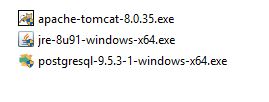
3.JPG
At startup either a white screen or an error 401.
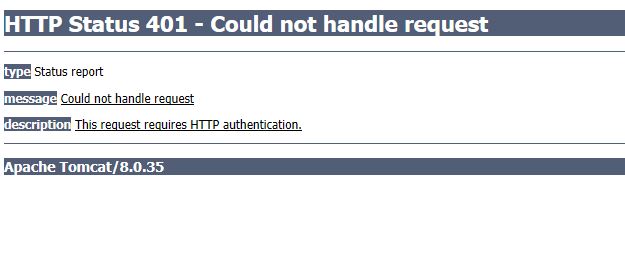
1.JPG

I tried with versions 7.x - the same result

I ask for your help.

Thanks for every answer.

4 replies

20-Turquoise
July 12, 2017

What  does your platform-settings.json look like? Where is your ThingworxPlatform folder located?

If you open your pgadmin III and expand the thingworx database all the way, how many tables are you seeing?

atsarev1-VisitorAuthor
1-Visitor
July 13, 2017

1. platform-settings.json

2.JPG

2. C:\ThingworxPlatform

All applications are on drive C
Tomchat and PostgraSK in the folder C: \ Program Files

3. pgadmin III

7.JPG

20-Turquoise
July 13, 2017

Could you please supply your tomcat configuration too, particularly this line?

Another thing to verify is that the folders ThingworxPostgresqlStorage and ThingworxPlatform both have permissions set on Everyone Full Control:

17-Peridot
July 14, 2017

Hi Andrey, Could you please ensure that there is only one Thingworx folder under Tomcat/Webapps. Renamed previous folder might also cause the problem.

atsarev1-VisitorAuthor
1-Visitor
July 14, 2017

Hi Yamini.

In the folder one file .war and the folder Thingworx.

12.JPG

The screenshot has version 7.1 installed.

But I also copy file ".war" version 8.1.

17-Peridot
July 14, 2017

Could you also please ensure that you are using the right password in platform-settings.json file.

1-Visitor
July 17, 2017

Is Thingworx and DB on  same server .

Is database server accessible . Can you share your platform setting.json file.

atsarev1-VisitorAuthor
1-Visitor
July 17, 2017

Yes, on the same server.

The file platform-settings.json looks like this:

{

"PersistenceProviderPackageConfigs": {

"PostgresPersistenceProviderPackage": {

"ConnectionInformation": {

"jdbcUrl": "jdbc:postgresql://localhost:5432/thingworx",

"password": "password",

"username": "twadmin"

}

}

}

}

1-Visitor
July 17, 2017

Have you changed the default schema name .

If the default schema name is changed (from public), you must add <databasename>?currentSchema=<name of schema>

For example, if the schema name is mySchema, it would be:

jdbc:postgresql://<DBServer>:<DBPort>/<databasename>?currentSchema=mySchema.

Can you please upload your platform setting.json file here . You  can remove the db username and and password if you want.

1-Visitor
July 18, 2017

Same with me here,  (not answer only to share)

I have fully completed the Installation step in installation document for TW 8.0 and also TW 7.4 (plus video) in my fresh machine with windows 7. and when reaching the step to launch, go to

localhost/Thingworx

in my browser (Chrome 59, Firefox 54, IE 11) only get redirected to localhost/Thingworx/home with blank white screen.

Here my specification:

- Windows 7 (16GB ram / i7)

- Java JDK/JRE 1.8 build 131

- Apache Tomcat/9.0.0.M22 (tried with 8.5 got the same result)

- PostgreSQL 9.4.12

- Thingworx Platform Postgres 8-0-1_SP1 (tried with 7.4 got the same result)

(all in 1 machine)

Here my Tomcat setting:

installation wizard with:

-HTTP/1.1 connection port 80

adding java options:

-Dserver -Dd64

-XX:+UseG1GC

-Dfile.encoding=UTF-8

-Djava.library.path=C:\Program Files\Apache Software Foundation\Tomcat 9.0\webapps\Thingworx\WEB-INF\extensions

modification in file server.xml :

<Connector port="80" protocol="org.apache.coyote.http11.Http11NioProtocol"

              connectionTimeout="20000"

              redirectPort="8443"

  />


adding line in file context.xml :

<Context>

.

.

<Resources

cacheMaxSize="501200"

cacheObjectMaxSize="2048"

cacheTtl="60000"/>

</Context>


Here my postgreSQL (pgAdmin3) setting:

add C:\Program Files\PostgreSQL\9.4\bin to my environtment variable

create folder C:\ThingworxPostgresqlStorage

run this script to set database :

thingworxpostgresDBSetup -h localhost -p 5432 -d thingworx -t thingworx -a postgres -u twadmin -l C:\ThingworxPostgresqlStorage

run this script to set schema :

thingworxPostgresSchemaSetup -h localhost -p 5432 -d thingworx -s public -u twadmin -o data

Configuring file platform-settings.json like this :

{

  "PersistenceProviderPackageConfigs": {

      "PostgresPersistenceProviderPackage": {

        "ConnectionInformation": {

        "jdbcUrl": "jdbc:postgresql://localhost:5432/Thingworx",

        "password": "twadminpass",

        "username": "twadmin"

        }

      }

  }

}

and put json file above in C:/ThingworxPlatform

then the last step is deploying thingworx.war file with apache server GUI (success with some tweaking in around maxpostinglimit)

here all the picture:

tomcat setting

Tomat.png

postgreSQL

pgadmin.png

folder :

folder.png

Tomcat server localhost :

server.png

and here the log (Applicationlog) :

2017-07-18 15:40:55.403+0700 [L: INFO] [O: c.t.s.ThingWorxBootstrapper] [I: ] [U: SuperUser] [S: ] [T: http-nio-80-exec-9] ========================================

2017-07-18 15:40:55.404+0700 [L: INFO] [O: c.t.s.ThingWorxBootstrapper] [I: ] [U: SuperUser] [S: ] [T: http-nio-80-exec-9] ThingWorx Version Information

2017-07-18 15:40:55.404+0700 [L: INFO] [O: c.t.s.ThingWorxBootstrapper] [I: ] [U: SuperUser] [S: ] [T: http-nio-80-exec-9] ========================================

2017-07-18 15:40:55.406+0700 [L: INFO] [O: c.t.s.ThingWorxBootstrapper] [I: ] [U: SuperUser] [S: ] [T: http-nio-80-exec-9] majorVersion = 8

2017-07-18 15:40:55.406+0700 [L: INFO] [O: c.t.s.ThingWorxBootstrapper] [I: ] [U: SuperUser] [S: ] [T: http-nio-80-exec-9] minorVersion = 0

2017-07-18 15:40:55.406+0700 [L: INFO] [O: c.t.s.ThingWorxBootstrapper] [I: ] [U: SuperUser] [S: ] [T: http-nio-80-exec-9] revision = 1

2017-07-18 15:40:55.406+0700 [L: INFO] [O: c.t.s.ThingWorxBootstrapper] [I: ] [U: SuperUser] [S: ] [T: http-nio-80-exec-9] build = b39

2017-07-18 15:40:55.407+0700 [L: INFO] [O: c.t.s.ThingWorxBootstrapper] [I: ] [U: SuperUser] [S: ] [T: http-nio-80-exec-9] schemaVersion = 1000

2017-07-18 15:40:55.408+0700 [L: INFO] [O: c.t.s.ThingWorxBootstrapper] [I: ] [U: SuperUser] [S: ] [T: http-nio-80-exec-9] ========================================

2017-07-18 15:40:55.408+0700 [L: INFO] [O: c.t.s.ThingWorxBootstrapper] [I: ] [U: SuperUser] [S: ] [T: http-nio-80-exec-9] ========================================

2017-07-18 15:40:55.408+0700 [L: INFO] [O: c.t.s.ThingWorxBootstrapper] [I: ] [U: SuperUser] [S: ] [T: http-nio-80-exec-9] ThingWorx System Environment Settings

2017-07-18 15:40:55.408+0700 [L: INFO] [O: c.t.s.ThingWorxBootstrapper] [I: ] [U: SuperUser] [S: ] [T: http-nio-80-exec-9] ========================================

2017-07-18 15:40:55.408+0700 [L: INFO] [O: c.t.s.ThingWorxBootstrapper] [I: ] [U: SuperUser] [S: ] [T: http-nio-80-exec-9] OS: Windows 7

2017-07-18 15:40:55.408+0700 [L: INFO] [O: c.t.s.ThingWorxBootstrapper] [I: ] [U: SuperUser] [S: ] [T: http-nio-80-exec-9] OS arch: amd64

2017-07-18 15:40:55.408+0700 [L: INFO] [O: c.t.s.ThingWorxBootstrapper] [I: ] [U: SuperUser] [S: ] [T: http-nio-80-exec-9] OS version: 6.1

2017-07-18 15:40:55.410+0700 [L: INFO] [O: c.t.s.ThingWorxBootstrapper] [I: ] [U: SuperUser] [S: ] [T: http-nio-80-exec-9] Total Processors: 8

2017-07-18 15:40:55.410+0700 [L: INFO] [O: c.t.s.ThingWorxBootstrapper] [I: ] [U: SuperUser] [S: ] [T: http-nio-80-exec-9] Default encoding: UTF-8

2017-07-18 15:40:55.410+0700 [L: INFO] [O: c.t.s.ThingWorxBootstrapper] [I: ] [U: SuperUser] [S: ] [T: http-nio-80-exec-9] JAVA vendor: Oracle Corporation

2017-07-18 15:40:55.410+0700 [L: INFO] [O: c.t.s.ThingWorxBootstrapper] [I: ] [U: SuperUser] [S: ] [T: http-nio-80-exec-9] JAVA version: 1.8.0_131

2017-07-18 15:40:55.410+0700 [L: INFO] [O: c.t.s.ThingWorxBootstrapper] [I: ] [U: SuperUser] [S: ] [T: http-nio-80-exec-9] JAVA install location: C:\Program Files\Java\jre1.8.0_131

2017-07-18 15:40:55.410+0700 [L: INFO] [O: c.t.s.ThingWorxBootstrapper] [I: ] [U: SuperUser] [S: ] [T: http-nio-80-exec-9] JVM Max Memory: 4072 (MB)

2017-07-18 15:40:55.410+0700 [L: INFO] [O: c.t.s.ThingWorxBootstrapper] [I: ] [U: SuperUser] [S: ] [T: http-nio-80-exec-9] ========================================

2017-07-18 15:40:55.410+0700 [L: INFO] [O: c.t.s.ThingWorxBootstrapper] [I: ] [U: SuperUser] [S: ] [T: http-nio-80-exec-9] WebApp starting...

2017-07-18 15:40:55.745+0700 [L: INFO] [O: c.t.s.ThingWorxServer] [I: ] [U: SuperUser] [S: ] [T: http-nio-80-exec-9] HA mode not enabled. Initializing and starting in standalone mode.

2017-07-18 15:40:55.746+0700 [L: INFO] [O: c.t.s.ThingWorxPersistenceHandler] [I: ] [U: SuperUser] [S: ] [T: http-nio-80-exec-9] Default Persistence Provider Name = ThingworxPersistenceProvider

2017-07-18 15:40:55.746+0700 [L: INFO] [O: c.t.s.ThingWorxPersistenceHandler] [I: ] [U: SuperUser] [S: ] [T: http-nio-80-exec-9] Default Persistence Provider Package Name = PostgresPersistenceProviderPackage

2017-07-18 15:40:55.755+0700 [L: INFO] [O: c.t.p.p.PostgresDatasource] [I: ] [U: SuperUser] [S: ] [T: http-nio-80-exec-9] Reading configuration from configTableCol

2017-07-18 15:40:55.978+0700 [L: INFO] [O: c.t.s.ThingWorxServer] [I: ] [U: SuperUser] [S: ] [T: http-nio-80-exec-9] Managers...INITIALIZED

2017-07-18 15:40:55.981+0700 [L: INFO] [O: c.t.s.ThingWorxServer] [I: ] [U: SuperUser] [S: ] [T: http-nio-80-exec-9] Database initialization started...

2017-07-18 15:41:26.398+0700 [L: WARN] [O: c.m.v.r.BasicResourcePool] [I: ] [U: SuperUser] [S: ] [T: C3P0PooledConnectionPoolManager[identityToken->1hge1iz9pnjm6g61ngzq4t|a6b6c9e]-HelperThread-#1] com.mchange.v2.resourcepool.BasicResourcePool$ScatteredAcquireTask@34a6964b -- Acquisition Attempt Failed!!! Clearing pending acquires. While trying to acquire a needed new resource, we failed to succeed more than the maximum number of allowed acquisition attempts (3). Last acquisition attempt exception:

2017-07-18 15:41:26.399+0700 [L: WARN] [O: c.m.v.r.BasicResourcePool] [I: ] [U: SuperUser] [S: ] [T: C3P0PooledConnectionPoolManager[identityToken->1hge1iz9pnjm6g61ngzq4t|a6b6c9e]-HelperThread-#1] Having failed to acquire a resource, com.mchange.v2.resourcepool.BasicResourcePool@d22ce38 is interrupting all Threads waiting on a resource to check out. Will try again in response to new client requests.

2017-07-18 15:41:26.399+0700 [L: WARN] [O: c.m.v.r.BasicResourcePool] [I: ] [U: SuperUser] [S: ] [T: C3P0PooledConnectionPoolManager[identityToken->1hge1iz9pnjm6g61ngzq4t|a6b6c9e]-HelperThread-#2] com.mchange.v2.resourcepool.BasicResourcePool$ScatteredAcquireTask@23cf9c7b -- Acquisition Attempt Failed!!! Clearing pending acquires. While trying to acquire a needed new resource, we failed to succeed more than the maximum number of allowed acquisition attempts (3). Last acquisition attempt exception:

2017-07-18 15:41:26.403+0700 [L: WARN] [O: c.m.v.r.BasicResourcePool] [I: ] [U: SuperUser] [S: ] [T: C3P0PooledConnectionPoolManager[identityToken->1hge1iz9pnjm6g61ngzq4t|a6b6c9e]-HelperThread-#2] Having failed to acquire a resource, com.mchange.v2.resourcepool.BasicResourcePool@d22ce38 is interrupting all Threads waiting on a resource to check out. Will try again in response to new client requests.

2017-07-18 15:41:26.406+0700 [L: WARN] [O: c.m.v.r.BasicResourcePool] [I: ] [U: SuperUser] [S: ] [T: C3P0PooledConnectionPoolManager[identityToken->1hge1iz9pnjm6g61ngzq4t|a6b6c9e]-HelperThread-#5] com.mchange.v2.resourcepool.BasicResourcePool$ScatteredAcquireTask@41754979 -- Acquisition Attempt Failed!!! Clearing pending acquires. While trying to acquire a needed new resource, we failed to succeed more than the maximum number of allowed acquisition attempts (3). Last acquisition attempt exception:

2017-07-18 15:41:26.406+0700 [L: ERROR] [O: c.t.s.ThingWorxServer] [I: ] [U: SuperUser] [S: ] [T: http-nio-80-exec-9] [message: Connections could not be acquired from the underlying database!]

2017-07-18 15:41:26.406+0700 [L: WARN] [O: c.m.v.r.BasicResourcePool] [I: ] [U: SuperUser] [S: ] [T: C3P0PooledConnectionPoolManager[identityToken->1hge1iz9pnjm6g61ngzq4t|a6b6c9e]-HelperThread-#5] Having failed to acquire a resource, com.mchange.v2.resourcepool.BasicResourcePool@d22ce38 is interrupting all Threads waiting on a resource to check out. Will try again in response to new client requests.

2017-07-18 15:41:26.411+0700 [L: INFO] [O: c.t.p.p.PersistenceProvider] [I: ] [U: SuperUser] [S: ] [T: http-nio-80-exec-9] Connection ThingworxPersistenceProvider, type PostgresPersistenceProviderPackage stopped

2017-07-18 15:41:26.411+0700 [L: WARN] [O: c.t.p.p.PersistenceProvider] [I: ] [U: SuperUser] [S: ] [T: http-nio-80-exec-9] Could not find persistenceProviderPackage PostgresPersistenceProviderPackage and thus could not stop data processing

2017-07-18 15:41:26.413+0700 [L: ERROR] [O: c.t.s.ThingWorxBootstrapper] [I: ] [U: SuperUser] [S: ] [T: http-nio-80-exec-9] [message: Unable to initialize and start system: Connections could not be acquired from the underlying database!]

2017-07-18 15:41:26.413+0700 [L: ERROR] [O: c.t.s.ThingWorxBootstrapper] [I: ] [U: SuperUser] [S: ] [T: http-nio-80-exec-9] *** Web Application STATE is being set to ERROR! ***

2017-07-18 15:41:26.422+0700 [L: WARN] [O: c.m.v.r.BasicResourcePool] [I: ] [U: SuperUser] [S: ] [T: C3P0PooledConnectionPoolManager[identityToken->1hge1iz9pnjm6g61ngzq4t|a6b6c9e]-HelperThread-#0] com.mchange.v2.resourcepool.BasicResourcePool$ScatteredAcquireTask@625ac15d -- Acquisition Attempt Failed!!! Clearing pending acquires. While trying to acquire a needed new resource, we failed to succeed more than the maximum number of allowed acquisition attempts (3). Last acquisition attempt exception:

2017-07-18 15:41:26.422+0700 [L: WARN] [O: c.m.v.r.BasicResourcePool] [I: ] [U: SuperUser] [S: ] [T: C3P0PooledConnectionPoolManager[identityToken->1hge1iz9pnjm6g61ngzq4t|a6b6c9e]-HelperThread-#0] Having failed to acquire a resource, com.mchange.v2.resourcepool.BasicResourcePool@d22ce38 is interrupting all Threads waiting on a resource to check out. Will try again in response to new client requests.

2017-07-18 15:41:26.428+0700 [L: WARN] [O: c.m.v.r.BasicResourcePool] [I: ] [U: SuperUser] [S: ] [T: C3P0PooledConnectionPoolManager[identityToken->1hge1iz9pnjm6g61ngzq4t|a6b6c9e]-HelperThread-#6] com.mchange.v2.resourcepool.BasicResourcePool$ScatteredAcquireTask@624e1793 -- Acquisition Attempt Failed!!! Clearing pending acquires. While trying to acquire a needed new resource, we failed to succeed more than the maximum number of allowed acquisition attempts (3). Last acquisition attempt exception:

2017-07-18 15:41:26.429+0700 [L: WARN] [O: c.m.v.r.BasicResourcePool] [I: ] [U: SuperUser] [S: ] [T: C3P0PooledConnectionPoolManager[identityToken->1hge1iz9pnjm6g61ngzq4t|a6b6c9e]-HelperThread-#6] Having failed to acquire a resource, com.mchange.v2.resourcepool.BasicResourcePool@d22ce38 is interrupting all Threads waiting on a resource to check out. Will try again in response to new client requests.

2017-07-18 15:42:10.050+0700 [L: ERROR] [O: c.t.s.a.AuthenticationFilter] [I: ] [U: ] [S: ] [T: http-nio-80-exec-12] Could not handle request

2017-07-18 15:57:56.022+0700 [L: ERROR] [O: c.t.s.a.AuthenticationFilter] [I: ] [U: ] [S: ] [T: http-nio-80-exec-14] Could not handle request

2017-07-18 15:58:15.163+0700 [L: ERROR] [O: c.t.s.a.AuthenticationFilter] [I: ] [U: SuperUser] [S: ] [T: http-nio-80-exec-16] Could not handle request

2017-07-18 15:59:32.865+0700 [L: ERROR] [O: c.t.s.a.AuthenticationFilter] [I: ] [U: ] [S: ] [T: http-nio-80-exec-11] Could not handle request

this :

2017-07-18 15:39:12.143+0700 [L: ERROR] [O: S.c.t.s.a.AuthenticationFilter] [I: ] [U: ] [S: ] [T: http-nio-80-exec-4] Could not handle request

2017-07-18 15:39:19.515+0700 [L: ERROR] [O: S.c.t.s.a.AuthenticationFilter] [I: ] [U: ] [S: ] [T: http-nio-80-exec-6] Could not handle request

2017-07-18 15:40:08.154+0700 [L: ERROR] [O: S.c.t.s.a.AuthenticationFilter] [I: ] [U: SuperUser] [S: ] [T: http-nio-80-exec-3] Could not handle request

2017-07-18 15:41:26.439+0700 [L: INFO] [O: S.c.t.s.a.s.SSOContext] [I: ] [U: SuperUser] [S: ] [T: http-nio-80-exec-9] SSOContext created...

2017-07-18 15:41:26.516+0700 [L: ERROR] [O: S.c.t.s.a.AuthenticationFilter] [I: ] [U: SuperUser] [S: ] [T: http-nio-80-exec-9] Could not load session timeout from database, using default: null

2017-07-18 15:41:26.523+0700 [L: INFO] [O: S.c.t.s.s.SCIMProvider] [I: ] [U: SuperUser] [S: ] [T: http-nio-80-exec-9] Initializing SCIMProvider servlet...

2017-07-18 15:41:26.524+0700 [L: ERROR] [O: S.c.t.s.s.SCIMProvider] [I: ] [U: SuperUser] [S: ] [T: http-nio-80-exec-9] SCIMProvider initialization failure.  Thingworx Server is not running

2017-07-18 15:42:10.048+0700 [L: ERROR] [O: S.c.t.s.a.AuthenticationFilter] [I: ] [U: ] [S: ] [T: http-nio-80-exec-12] Could not handle request

2017-07-18 15:57:56.022+0700 [L: ERROR] [O: S.c.t.s.a.AuthenticationFilter] [I: ] [U: ] [S: ] [T: http-nio-80-exec-14] Could not handle request

2017-07-18 15:58:15.161+0700 [L: ERROR] [O: S.c.t.s.a.AuthenticationFilter] [I: ] [U: SuperUser] [S: ] [T: http-nio-80-exec-16] Could not handle request

2017-07-18 15:59:32.864+0700 [L: ERROR] [O: S.c.t.s.a.AuthenticationFilter] [I: ] [U: ] [S: ] [T: http-nio-80-exec-11] Could not handle request

thats is, really needed guidance here, i have tried every possible configuration i know, but had same result and sometimes even worse .

20-Turquoise
July 18, 2017

Please try with tomcat 8.0.44.

Also try leaving this default

<Connector port="80" protocol="HTTP/1.1"

               connectionTimeout="20000"

               redirectPort="8443" />

Have you checked browser dev tools for errors when loading Thingworx?

atsarev1-VisitorAuthor
1-Visitor
July 18, 2017

I have all the settings equal to that of Anugrah.

I tried HTTP / 1.1 - it did not help.

I had another idea - if I change the password for the twadmin in the file platform-settings.json, then the tomcat will not start.

(Which was specified when the user was created twadmin in PostgreSQL)

For example, 12345678 or another.

{

"PersistenceProviderPackageConfigs": {

"PostgresPersistenceProviderPackage": {

"ConnectionInformation": {

"jdbcUrl": "jdbc:postgresql://localhost:5432/thingworx",

"password": "12345678",

"username": "twadmin"

}

}

}

}

And if I leave "password" by default, it does not start Thingworx.

log:

Снимок4.JPG

If I specify in the platform-settings.json the login and password from tomcat - the error is the same.

What login and password do I need to specify in this file?

Checked on:

Снимок5.JPG