1-Visitor
November 29, 2017
Solved

Uploading an image through REST api to an image property

  • November 29, 2017
  • 2 replies
  • 8125 views

Hello!

If I set up a property as an Image, how do I upload an image to that property using the REST api.

I have tried binary using Postman, I have tried base64, and several other. Usually I get 403 Request Forbidden response.

Application key is set. The problem is how to actually do the PUT request.

/Magnus
Best answer by posipova

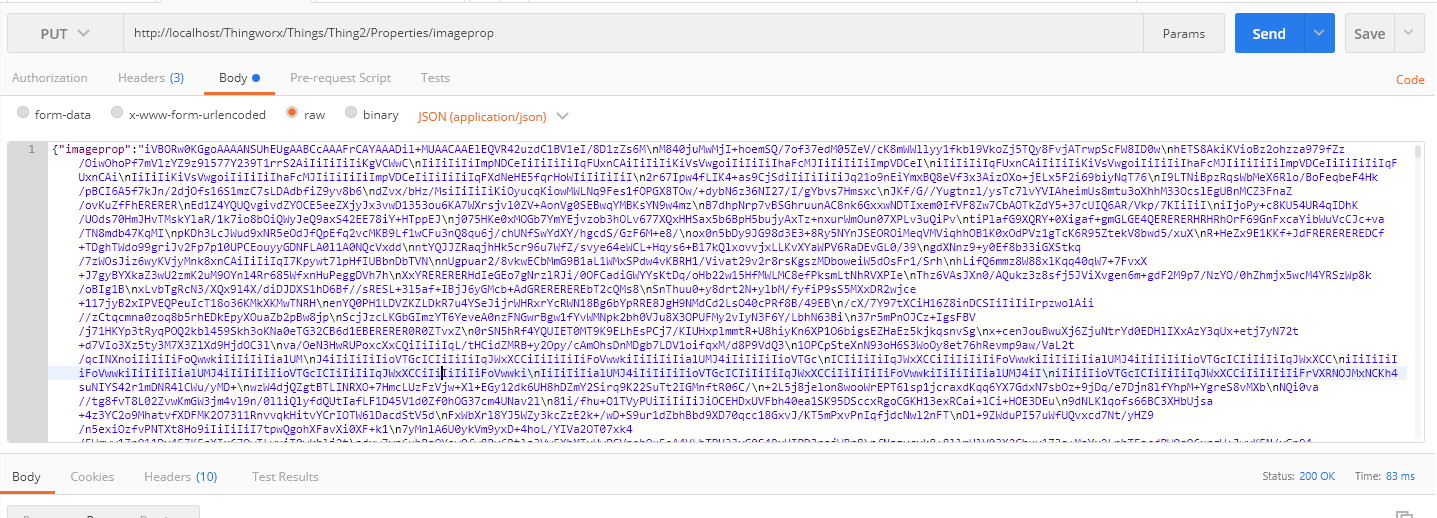
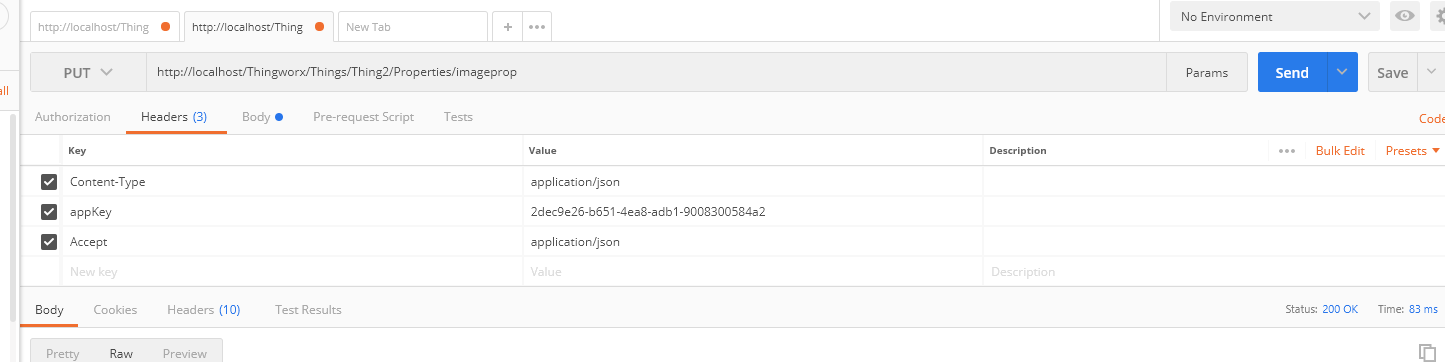
You would need the following headers: content-type, Accept, appkey.

You would send the image as application/json

For example:

The image will be in json:

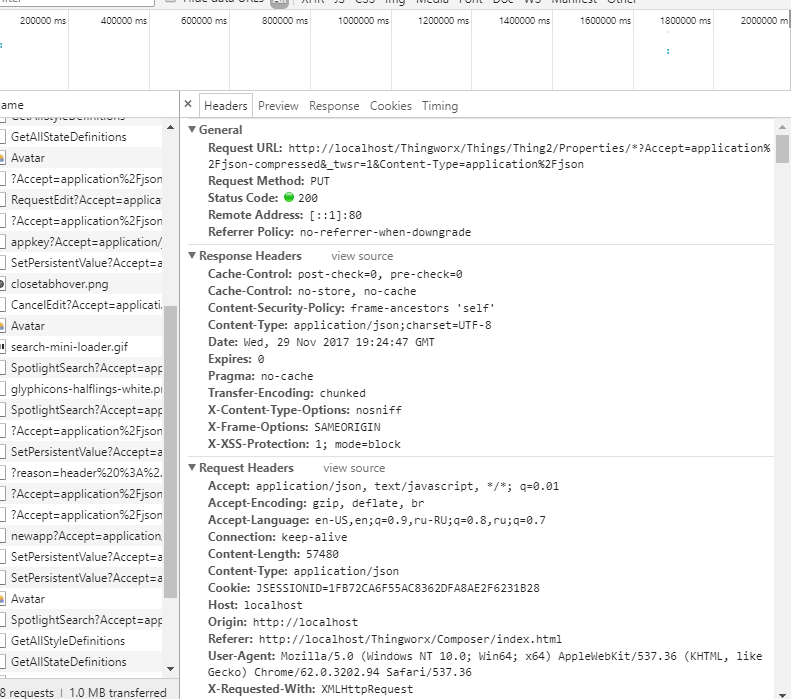
Hint: you may use your browser dev tools (Chrome - f12) to see the REST call structure when assigning an image property through the composer:

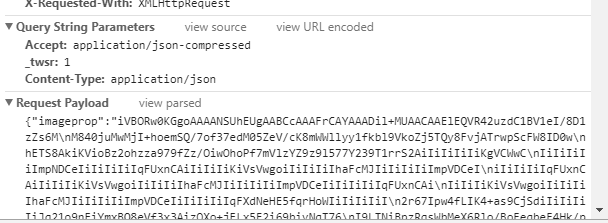
Scrolling down to the  request-payload, you can view the source:

2 replies

posipova20-TurquoiseAnswer
20-Turquoise
November 29, 2017

You would need the following headers: content-type, Accept, appkey.

You would send the image as application/json

For example:

The image will be in json:

Hint: you may use your browser dev tools (Chrome - f12) to see the REST call structure when assigning an image property through the composer:

Scrolling down to the  request-payload, you can view the source:

måkerman1-VisitorAuthor
1-Visitor
November 30, 2017

Hello Polina, and thank you!

I tried the exact way you explained and I got mixed result. The image do change in the property but I also get (500) Internal message response.

And the logging of the pimage property does not work even if the image is changed.

Do you know what it can mean?

Screen Shot 2017-11-30 at 14.59.54.png

20-Turquoise
November 30, 2017

Are you placing it as a PUT request? Is the appkey you are using connected to the Administrator user /has sufficient permissions? Are you passing it as json? I saw this error with a REST service request  rejected (HTTP 500 Internal Server Error) by the TW platform when a text value embedded in the JSON payload contains Line Feeds (ASCII 10),,, What is your ThingWorx platform version?

måkerman1-VisitorAuthor
1-Visitor
December 2, 2017

The problem was due to access rights. I used a different user to upload and that user did not have access to ThingworxPersistenceProvider.

I found the solution by reading this thread:

REST API property value update do not fire value change event