
1-Visitor
September 18, 2017
Question

How to create a menu to navigate through different visualisations?

  • September 18, 2017
  • 1 reply
  • 2615 views

Hi there!

I would like to have a menu to navigate through different visualisations, so that, whenever I click on a button it takes me to the respective display, is this possible?
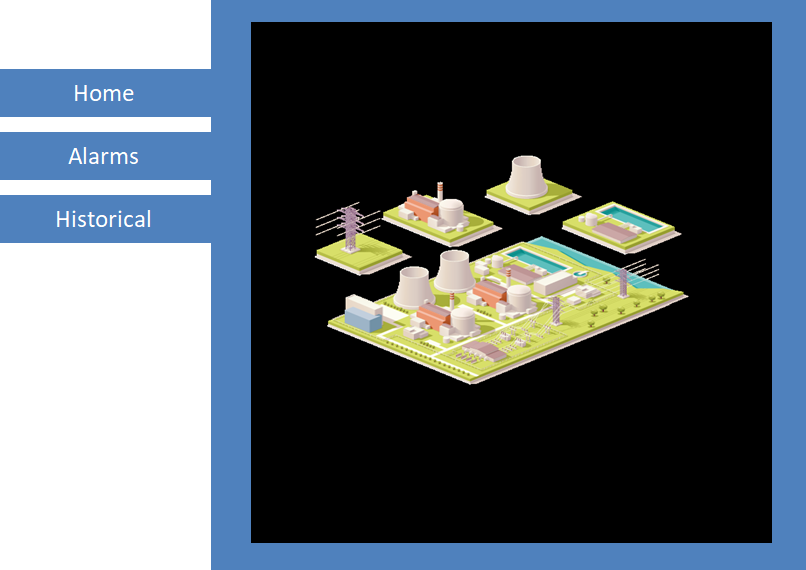
I have tried by linking buttons to a tab widget but it doesn't work as expected.

Many thanks in advance.

1 reply

5-Regular Member
September 18, 2017

Hi Irene, have you tried achieving this with Menus widget? Going by the above screenshot, you can simply use Menu widget and each menu item could correspond to particular Mashup containing different visualisation.

Feel free to correct me if I got your use case wrong.

iherreros1-VisitorAuthor
1-Visitor
September 18, 2017

Hi Sushant,

Thank you very much for your response. Ten minutes after posting this discussion, I found a post that gave me this very same idea. I tried to delete this post but I couldn't .


You are right and it is actually quite simple, just create a menu with the mashup you want to access to. In the mashup, drag and drop a menu widget and a mashup container and bind the menu to the mashup container:

Best regards.

5-Regular Member
September 18, 2017

hahah... good luck!