
1-Visitor
May 10, 2016
Question

How to Remove Error Bars when the Connection to ThingWorx Host Server is Lost

  • May 10, 2016
  • 6 replies
  • 2653 views

Hello,

I have found that when the network connection between my PC and the ThingWorx host server is lost, I get the following red error bar appearing in my mashup wherever there is missing data...
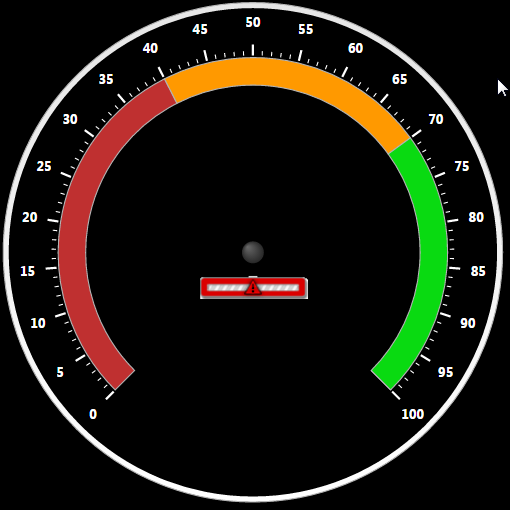
So my question, is there a way to configure thingworx so that when this connection is down, the error bar DOES NOT display?

Also, would it be possible to retain the most recent value (or a default) in the mashup until the connection is up again?
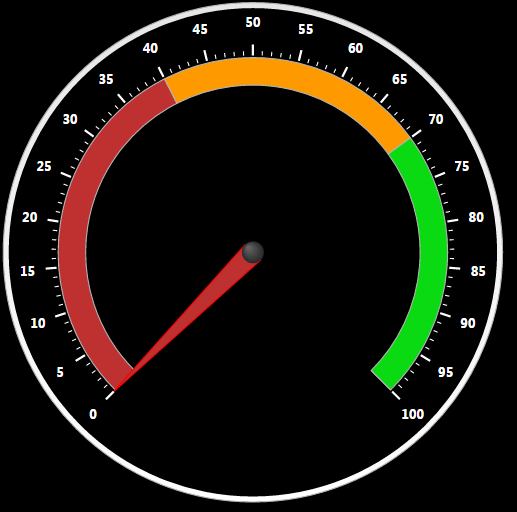
Thank you

6 replies

1-Visitor
May 12, 2016

To retain the most recent value you need to mark the property which is bind to the widget as persistent.

kdonald1-VisitorAuthor
1-Visitor
May 15, 2016

The properties are currently being persisted in the Thingworx server. However, my problem isn't the connection between the "things" and the Thingworx Server. My issue is when the connection is lost between the server and the web browsers trying to connect to the server.

If this connection cuts out, that's when the error bars appear over the widgets.

My problem arises when trying to access the webpages over unreliable wifi, that may cut out unexpectedly. In this case, I would like the gauges/widgets to retain their most recently received value, rather than switching to display the error bars.

5-Regular Member
May 16, 2016

I guess you are using the "Auto Refresh" widget to refresh values, right? Because of that, you will see the error whenever you have a problem to connect to the server. I think that is a really normal behavior and should show the error since it indicates that there is some problems to make connection to the server.

5-Regular Member
May 12, 2016

Can you try unchecking 'ShowDataLoading'?

kdonald1-VisitorAuthor
1-Visitor
May 15, 2016

Yea, I tried that, didn't work, unfortunately.