1-Visitor
August 5, 2016
Solved

Monitor Log Access in 7.1

  • August 5, 2016
  • 2 replies
  • 5090 views

We've upgraded to v7.1 of Thingworx and I'm attempting to not make everyone an Admin.

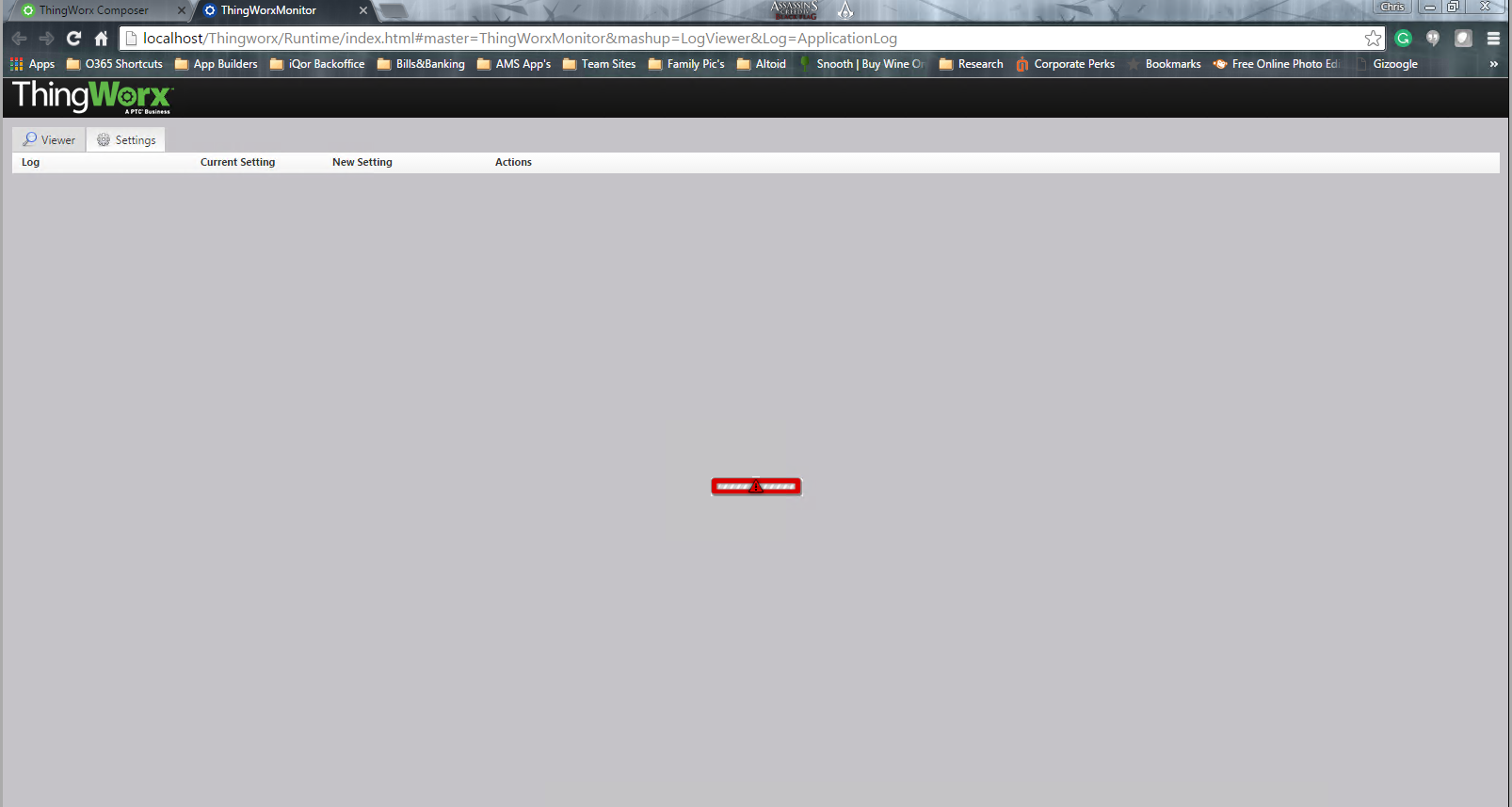
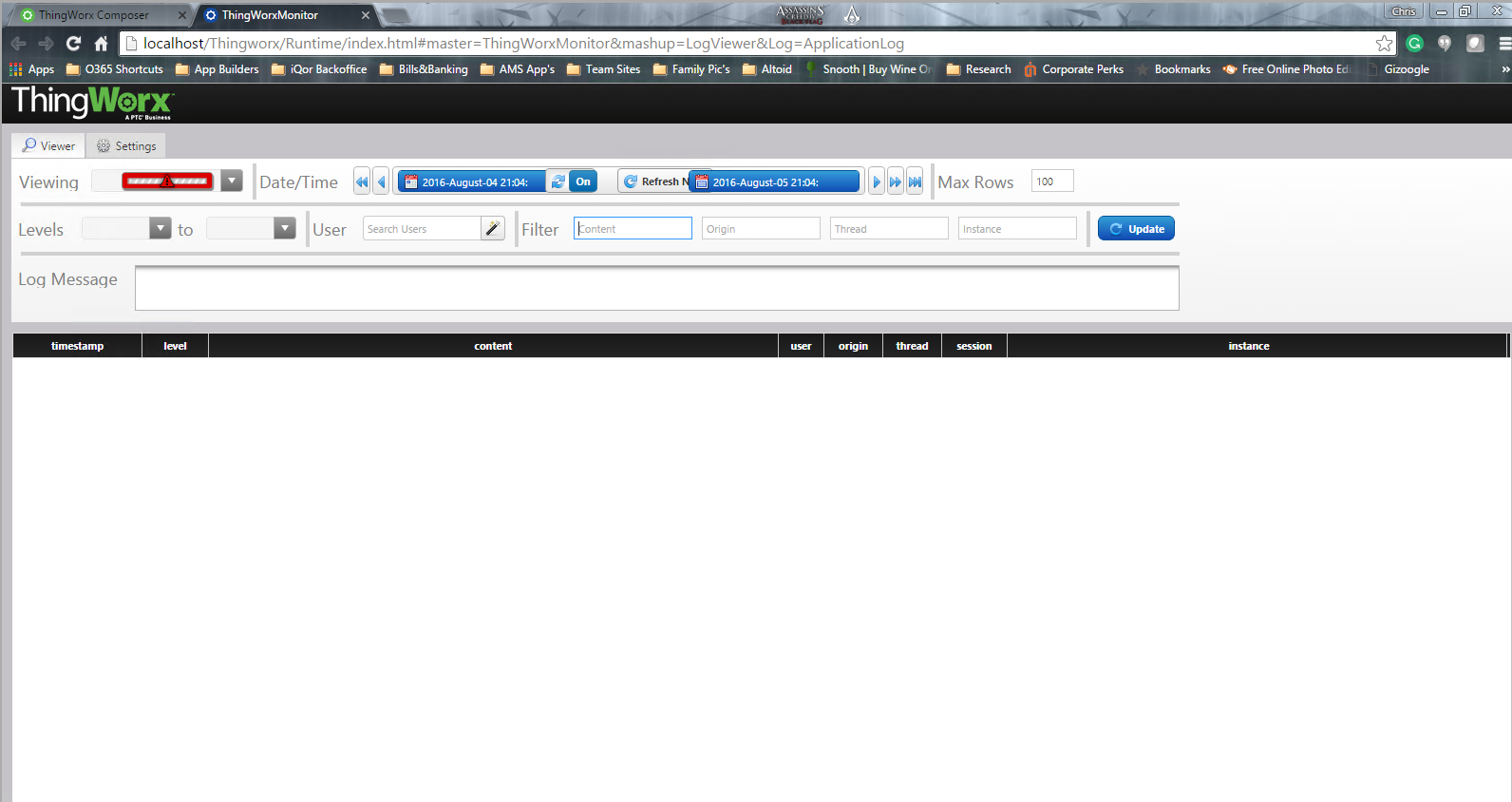
However, it seems without access to Administrators group; users can't get to Monitor through Composer and actually see log data. They can see and reach monitor mashup, but not the actual logs. See screenshot.

I've tried several things with no success, I look forward to the normal great guidance on this.
Best answer by chrish

Thank you Aanjan for your guidnace. I did get a definitive answer to this question from a case I opened with PTC Support. Thank you to Polina for her normal great support.

SOLUTION:


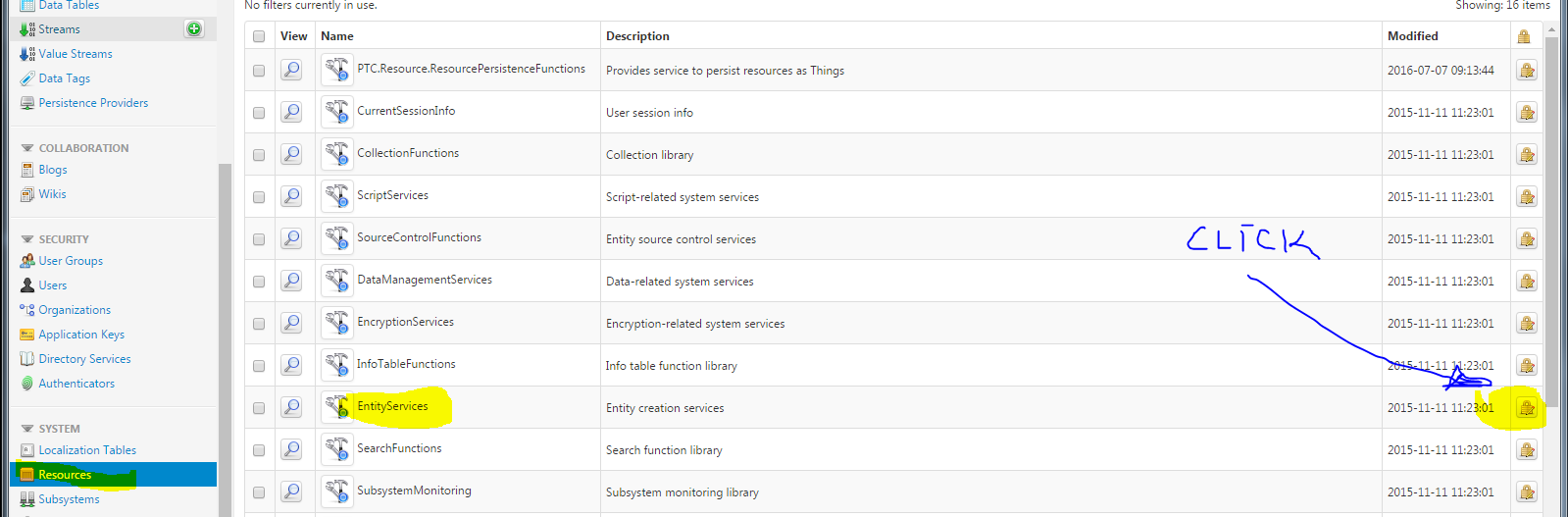
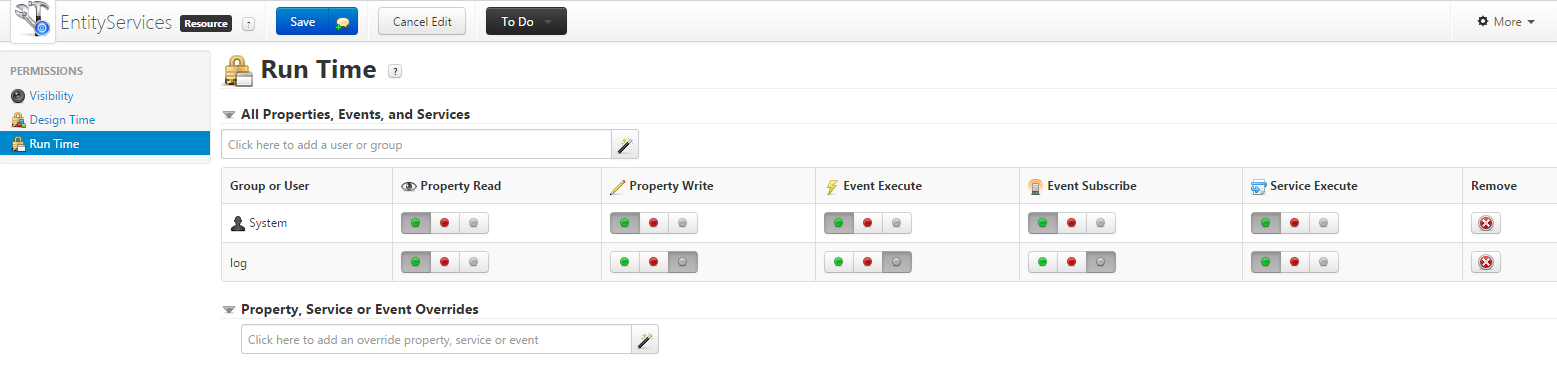
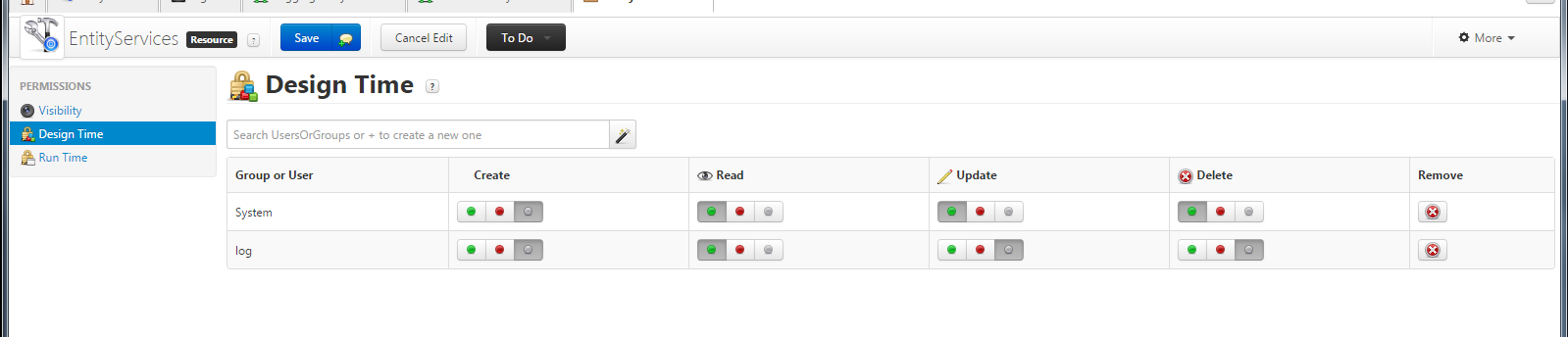
1. Set EntityServices Resource collection permissions:

pic.png

1b. Now the user I created and used in my test scenario is called “log” (please disregard “System” user as it’s for a different test scenario):

pic.png

pic.png


1c. Set Visibility, to the "Development" Org.


2. Repeat STEP 1 for the Logging Subsytem and System>Logs Collection.

3. Again similarly as in the previous steps for Visibility; you must make sure Visibility settings on Mashup Collection allows access to the Development Org (or whatever Org should have access to view mashups).

2 replies

5-Regular Member
August 8, 2016

Hi Christopher,

By looking at the screenshots; it seems that user does not have access permissions to System->Logs-> ApllicationLog and other logs.

In general; user does not have access to various entities related to log viewer Mashup. You can login as Administrator in a different browser and check the Application logs when user try to view to logs. There will be multiple error generated for permissions. You would need to give access to all those entities to the user.

Administrator has access to everything by default so he does not require explicit access Rights to these entities but other non-Admin users require it to access them.

chrish1-VisitorAuthor
1-Visitor
August 8, 2016

As stated in my post, we are trying to implement security controls that mean NOT making everyone an Administrator. I know what the symbols in my screen shots mean; my post was to ask for an alternative to granting access that doesn't require granting Admin privileges.

Users should have access to view logs without being complete Admins on the server.

5-Regular Member
August 8, 2016

Chris, just to check, have you set permissions on the 'Logs' entity? This is available under the 'System' section at the Composer's homepage. You would need to give Visibility permissions and Service Execute permissions on Runtime permissions to display and query for logs respectively.

chrish1-VisitorAuthorAnswer
1-Visitor
August 9, 2016

Thank you Aanjan for your guidnace. I did get a definitive answer to this question from a case I opened with PTC Support. Thank you to Polina for her normal great support.

SOLUTION:


1. Set EntityServices Resource collection permissions:

pic.png

1b. Now the user I created and used in my test scenario is called “log” (please disregard “System” user as it’s for a different test scenario):

pic.png

pic.png


1c. Set Visibility, to the "Development" Org.


2. Repeat STEP 1 for the Logging Subsytem and System>Logs Collection.

3. Again similarly as in the previous steps for Visibility; you must make sure Visibility settings on Mashup Collection allows access to the Development Org (or whatever Org should have access to view mashups).