
1-Visitor
March 23, 2017
Question

MS SQL extension cannot use Windows Domain accounts

  • March 23, 2017
  • 4 replies
  • 2767 views

Hello,

I'm quite new to Thingworx. I already know how tu use MSSQL Thing Template to connect a MS SQL DB (using the extension MS SQL)

Now, I would like to use windows domain account to connect a MS SQL DB

Here is the config I'm trying
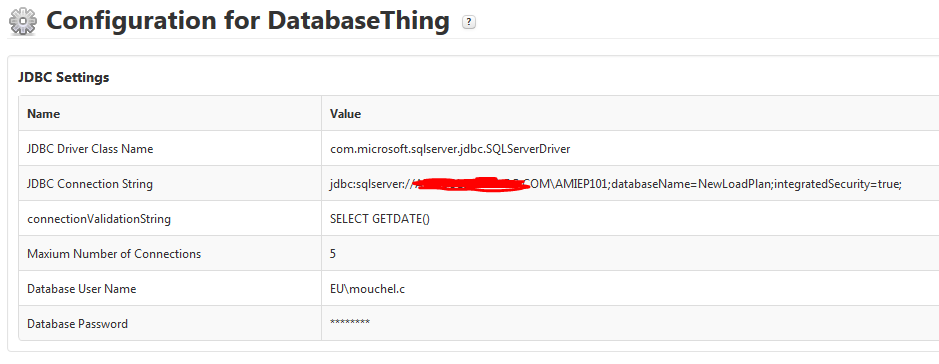
I'm getting this error when triggering a test service
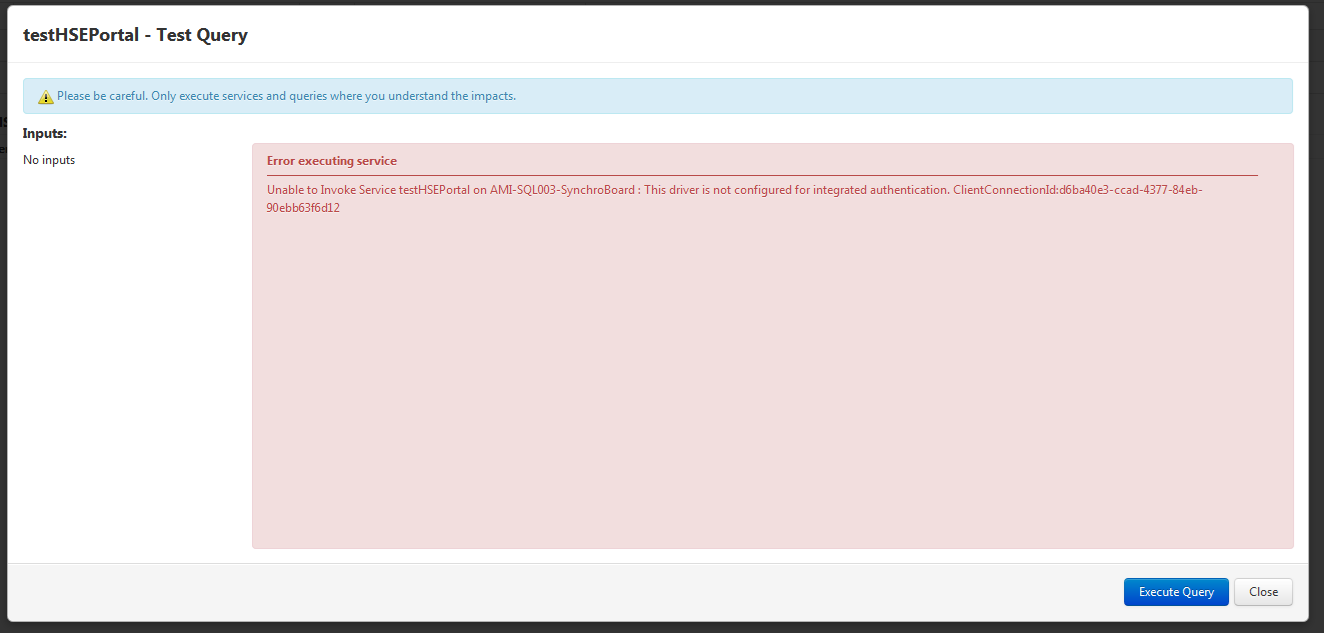
Following some advice on the Internet regarding the use of JDBC for Windows Authentication, I added the sqljdbc_auth.dll within my C:\Program Files\Java\jre1.8.0_77\bin directory.

Now I'm getting a different error. A login error.
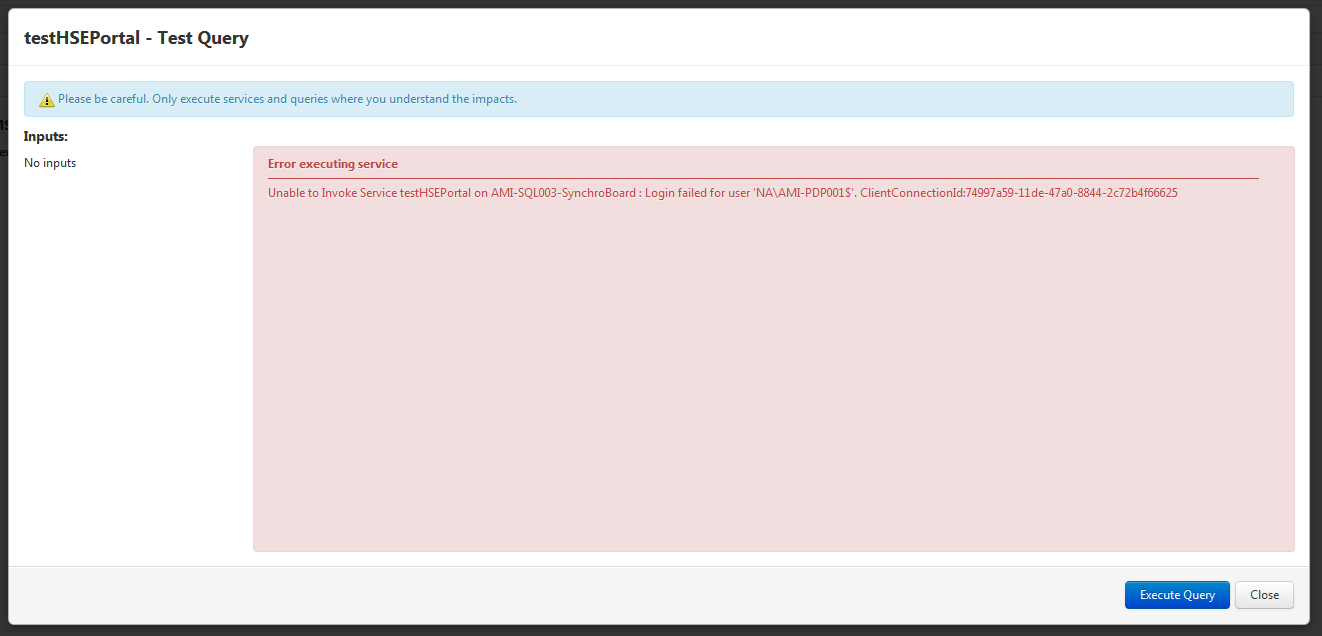
What is really strange for me is that the service is not using the account I want to. The used username is actually the hostname of the server on which ThingWorx is installed...

Why the thing is not using my configuration?

Hope you can help on this one

Thanks,

Cyril

4 replies

12-Amethyst
March 23, 2017

Is there a specific reason you need to use a domain account for authorization?  I've tried a few things locally and I'm not certain the Microsoft SQL Server driver that the extension uses supports domain authentication using the DOMAIN\user format.

In other PTC products, I know they recommend using a SQL server username when setting up a database to avoid this sort of problem.

cmouchel1-VisitorAuthor
1-Visitor
March 24, 2017

Well, I only have a domain account to acess that specific DB - I'm actually not the owner.

But anyway, if PTC doesn't recomend using domain accounts, I'll try requesting a local SQL account.

If anyone has a solution, I'm still interested in -or at least curious

Cyril

15-Moonstone
March 24, 2017

Reading over number of different posts on this topis it appears that Microsoft's jdbc driver doesn't support login from untrusted domain for example Connecting to SQL server in a different domain using jdbc driver