
1-Visitor
April 11, 2017
Question

Problem connecting Analytics Builder with Analytics Server Instance

  • April 11, 2017
  • 1 reply
  • 1989 views

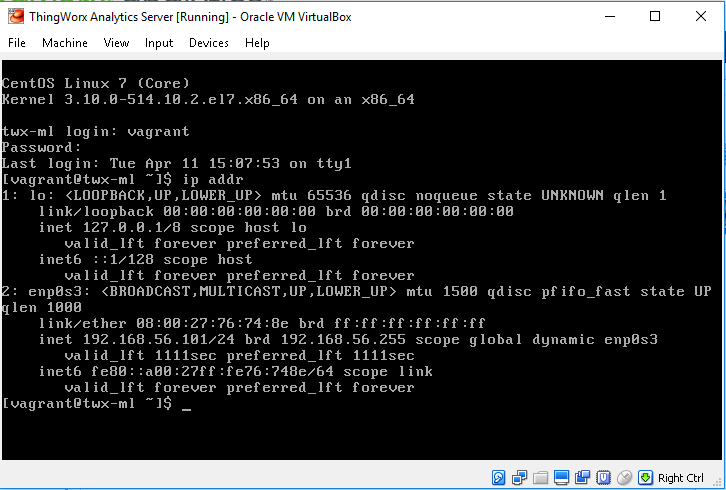
I'm having trouble connecting the Analytics Builder with Analytics Server Instance. My analytics server instance is running in a virtual machine (using VirtualBox), on the same computer that I have Thingworx installed on (including the Thingworx analytics extension).


This is a screenshot of the ip addr command of the server in the virtual machine.
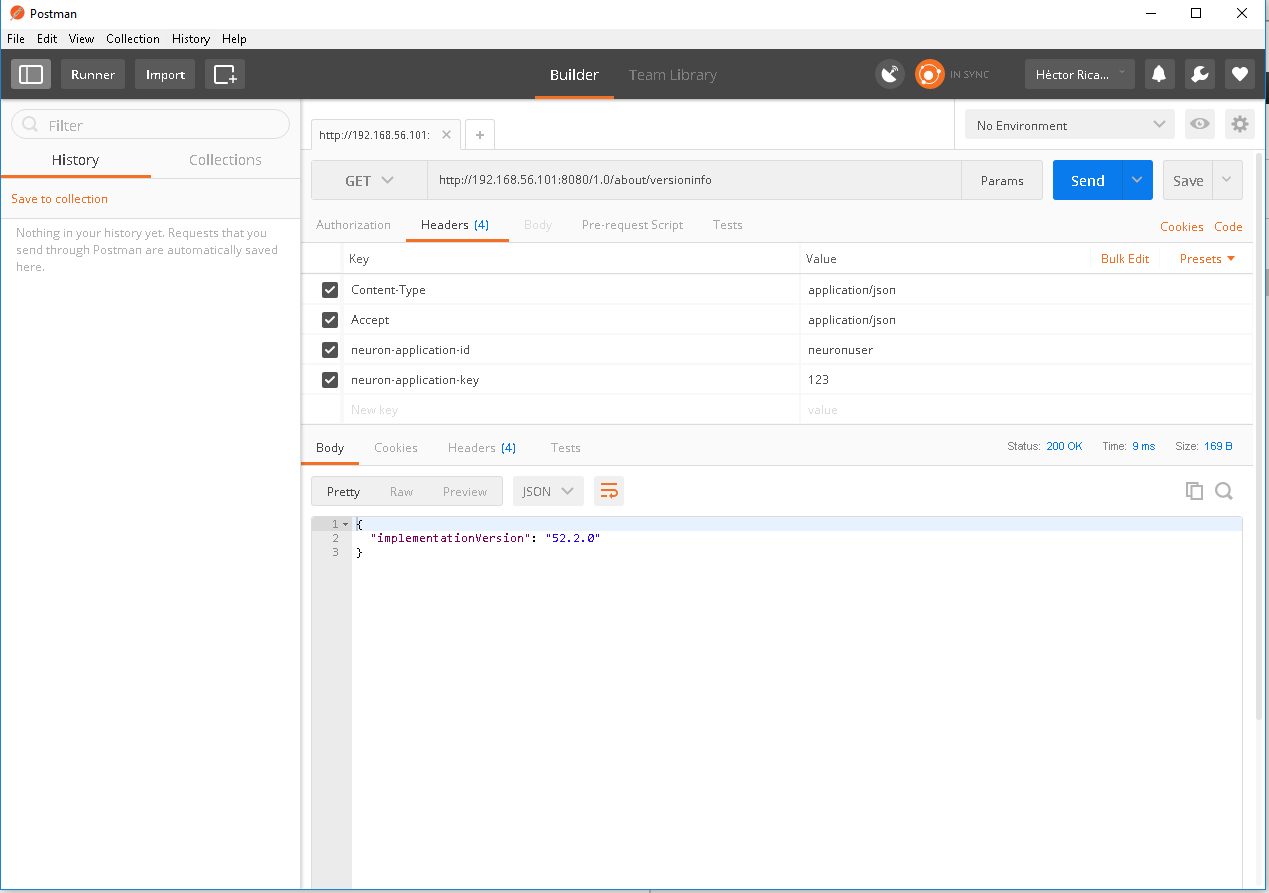
It's working, and I can do requests through Postman to the server.
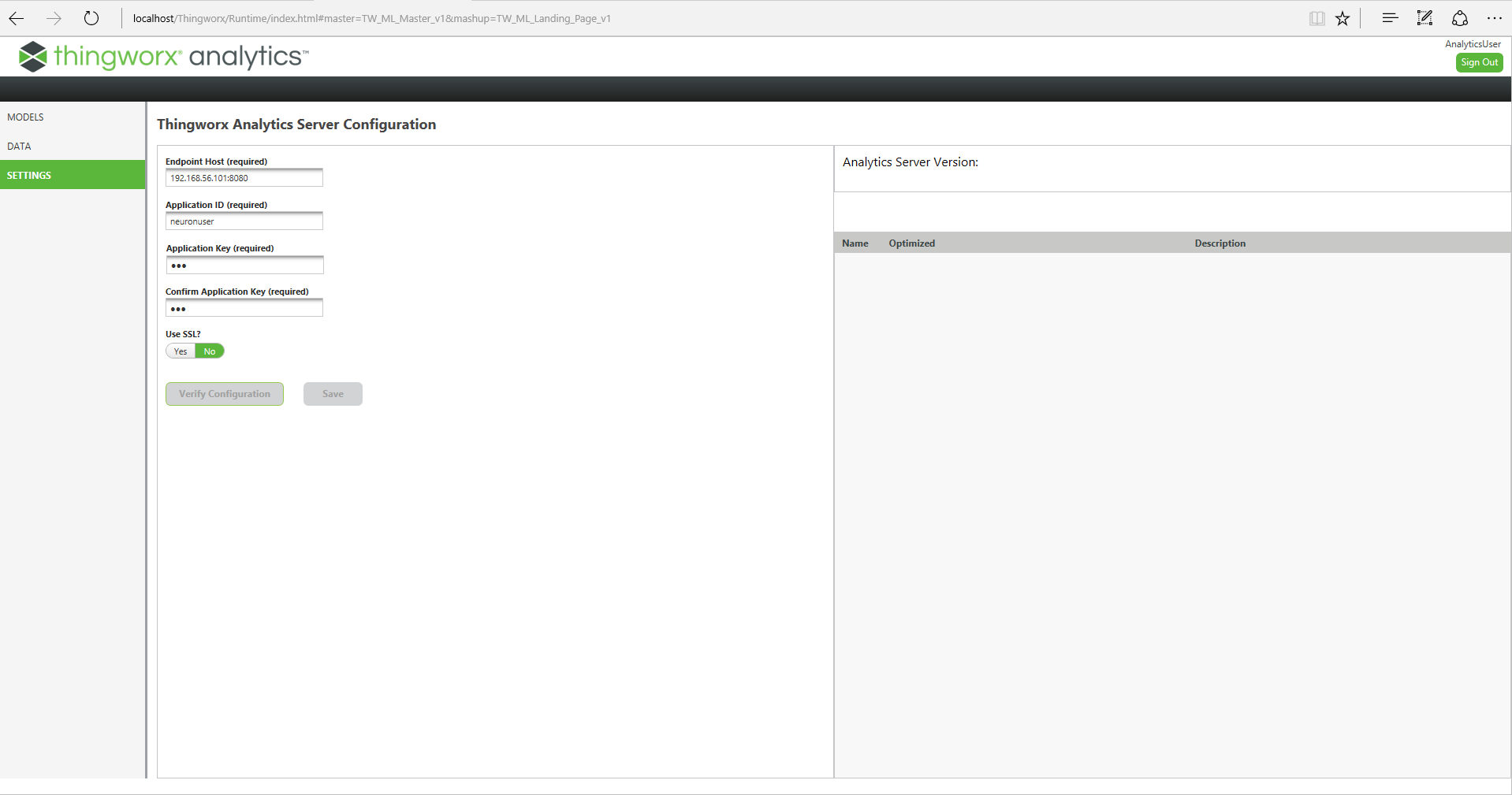
However, when I try to introduce the same parameters to the Analytics Builder, and click "Check Configuration", nothing happens.
How can I manage to connect the ANalytics Builder to the Analytics Server instance?

Thanks in advance

1 reply

19-Tanzanite
April 12, 2017

Hi

Is it possible that you post:

-  a screenshot of Help > About from ThingWorx to confirm ThingWorx version

- a screenshot of Import/Export > Manage showing the version of the ThingWorx Analytics extension components

The extension is quite sensitive to version compatibility so that woudl be a first thign to check.

Also in the screenshot of Builder > Settings, the two buttons Verify Configuration and Save are greyed out, did you try to click in different fields in the page or outside some field ? Initially this is the situation, but by clicking somewhere else in the page that activate the Verify Configuration button.

What browser are you using and can you try with a different one ?

Thanks

Christophe

1-Visitor
April 12, 2017

Hi Christophe:

This is the screenshot of Help -> About:

This is the screenshot of Manage Extensions:

Yes, the buttons are initially greyed out, but when I fill the form, they become active. As soon as I click Verify Configuration, both buttons become disabled again, and I have to go to the Models or Data tab and return to the Settings tab. The form is reset, and I have to fill it again in order to enable both buttons again.

However, when I click Verify Configurations, nothing happens (other than the buttons getting disabled).

I have tried with Chrome and Internet Explorer, but the same thing happens.


Thank you

Hector

19-Tanzanite
April 13, 2017

Hi Hector

Officially the ThingWorx analytics extension 52.2 has only been tested with ThingWorx 7.2.4 and we do get issues when other versions are being used.

I cannot guarantee that this is the reason here but since it is easy to change I would advice to switch to ThingWorx 7.2.4 as a next step:

- download ThingWorx 7.2.4 for the same db provider you are currently using

- stop tomcat

- delete the content of <Tomcat>/work folder

- move <Tomcat>/webapps/Thingworx folder and <Tomcat>/webapps/Thingworx.jar in a directory outside Tomcat loadpoint (as a backup)

- copy the Thignworx.war from the 7.2.4 media into <Tomcat>/webapps/ folder

- restart Tomcat

Then try again

If you still have the problem could you provide the OS version and browser version you are using on the client machine ?

I saw also that you opened a case to Technical Support, so we may have to wait for the outcome of this too.

Thanks

christophe