
1-Visitor
October 21, 2015
Question

Problem with RemoteThing template

  • October 21, 2015
  • 3 replies
  • 3126 views

Hi all!,

I am new user of ThingWorx and I am welcome to use this program.

I watched some videos and I try to make my own thing and mashup.

But I have one problem, I will try to generate data to my mashup, but I dont know how to generate it.

Also, I try to use RemoteThing template, to generate speed and temperature data, but there is the problem.

I cannot use it, I have errors with this and I dont, what to do.

I post some printscreens here to identify this problem.

Please, can somebody help me or give me some tips ?

(PS: Sory for my english)

Lukas
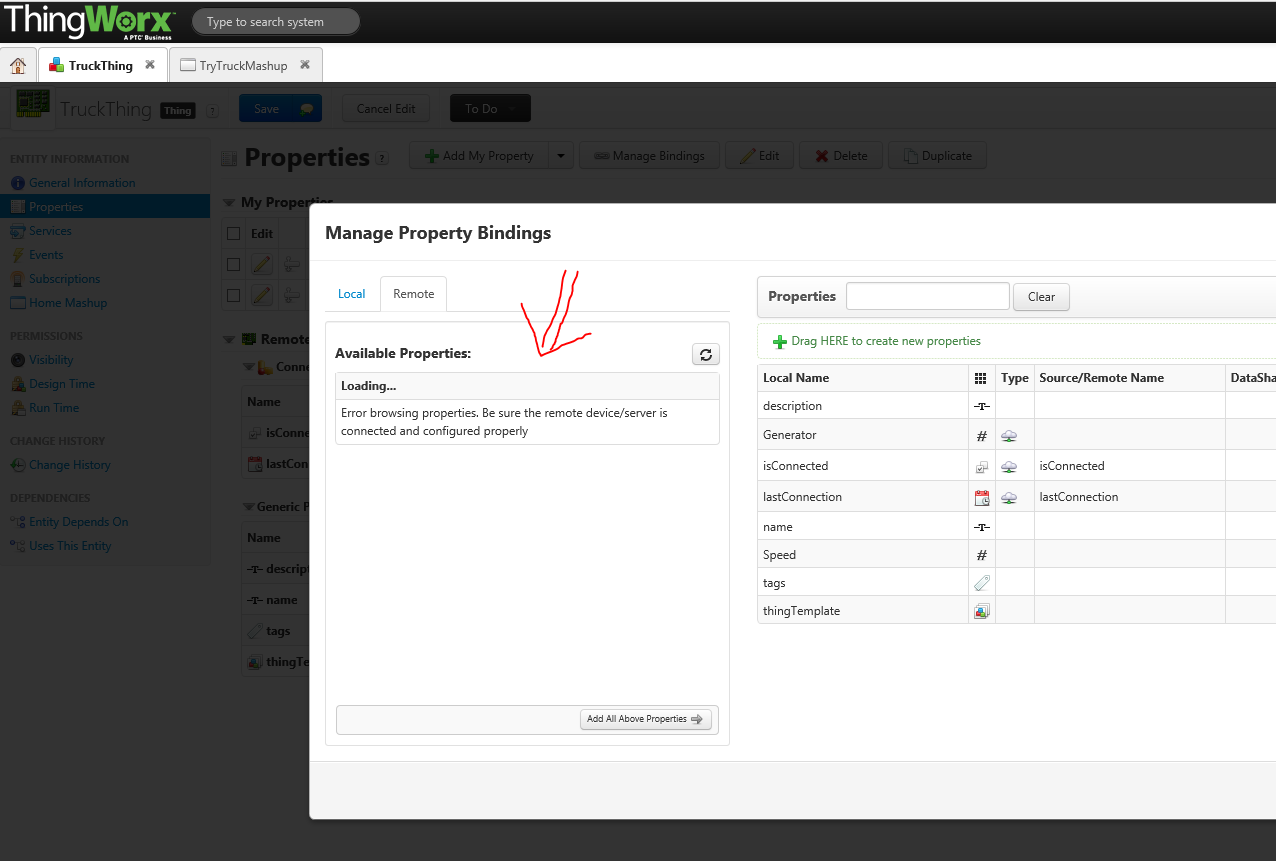
Capture.PNG

In videos, which I see that property value can be changed and after that, its generate data (i think).
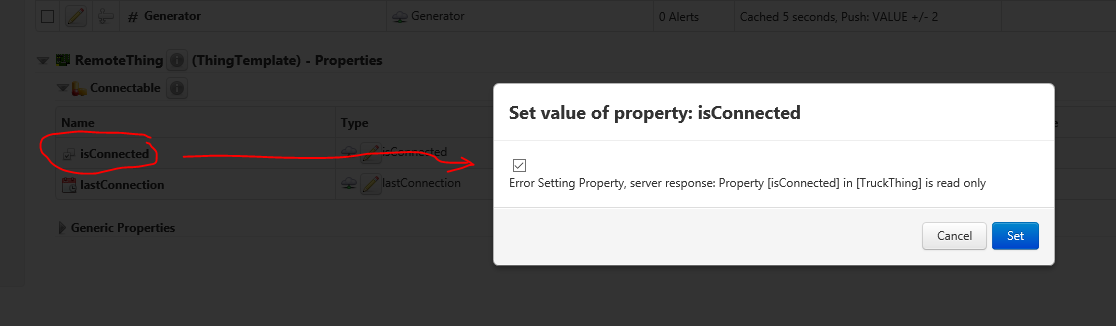
Capture3.PNG

3 replies

1-Visitor
October 21, 2015

Hi Lukas,

With which version of TW are you doing it, do you have a Connection server in-between ? If it's TW 6.5 + Connection Server, it will not works, there's a bug.

Best Regards,

Carles.

llihocký1-VisitorAuthor
1-Visitor
October 21, 2015

I use TW Composer 5, its version 5.2.0.437
I use it on cloud-based version, so I connect to remote server from web browser on cloud for work in TW.

That means, I think that the connection to server working.

1-Visitor
October 21, 2015

Then that's not the problem, there can be too many configuration problems, better you contact directly to support opening a case.

Carles.

1-Visitor
October 21, 2015

Hello Lukas,

Are you sure the spelling on the Remote Thing is exactly right? This is for the tutorial, right? If you have not spelled the name of the Remote Thing "RemoteVendingMachines" exactly like that, then the properties will not display in your Remote Thing because the simulator will not be able to find it

Seems to be a common issue in the tutorial process.

1-Visitor
October 22, 2015

Hi Lukas,

I would check first if the Remote Thing is connected to the Server. You can do that under Monitoring

- Remote Things.

Capture.PNG

Under unbound you should see RemoteVendingMachines as a RemoteThing. Your RemoteThing should have the same name like here.

Hope that helps,

Thomas