
16-Pearl
January 2, 2020
Solved

PUT values to a Thing Property by POSTMAN Collection Run

  • January 2, 2020
  • 12 replies
  • 7113 views

Hi there,
Follow the PTC University course Fundamentals of IoT Development with Whingworx M7.7 Getting Starged with REST. I created another request in POSTMAN which would PUT single value to the Thinwgorx Thing flawlessly.

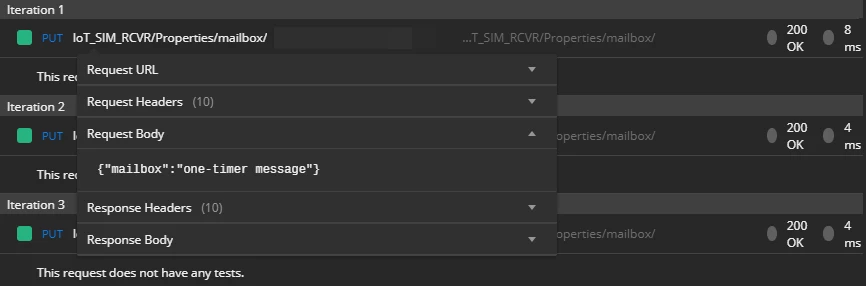
raw.png
single cr.png
As I tried to use the Collection Run to PUT a series of values. I got 403 error.

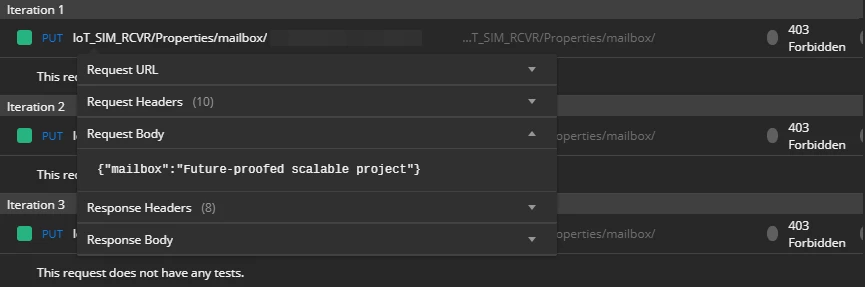
form-data.png

cr 403 error.png


The only thing I changed is the Request Body, but I see no difference in the log.
Both are {"mailbox": "some-string"}


I tried solution the in REST API test of simple service returns HTTP 403.

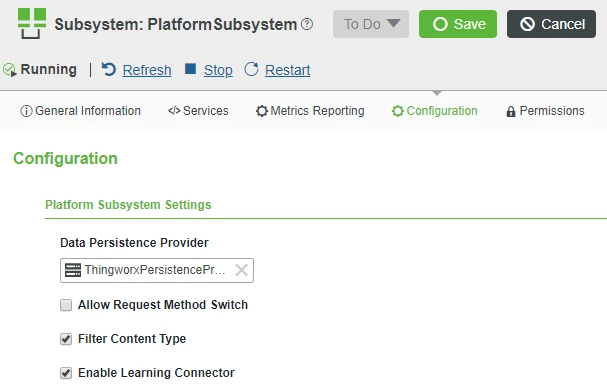
go to System / Subsystems / PlatformSubsystem / Configuration. Check "Allow Request Method Switch" and uncheck "Filter Content-Type"


And it lead me to error 400.
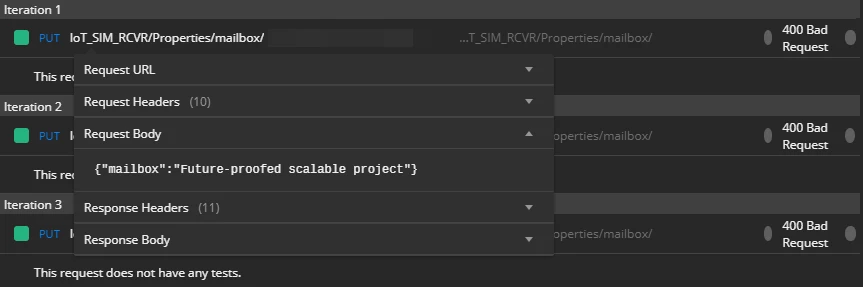
cr 400 error.png

Meantime,

Disable Metrics Reporting by deselecting the Metrics Reporting Enabled checkbox

like the Calling service API from Postman - 403 mentioned.

So, how to make POSTMAN Collection Run works with Thingworx flawlessly?
Any response would be appreciated.
Best answer by dsgnrClarK

I checked the subsystem configuration, same as yours.

subsystem configuration.png


Nevertheless,  after accidentally system reboot. POSTMAN Collection Run works out flawlessly.

@tsaifee-2 Thank you very much for helping, really appreciate it.

12 replies

14-Alexandrite
January 2, 2020

Hi, I tested this with Thingworx v8.4.1 and the Collection Run in Postman (for updating multiple Thing properties) seems to work fine, please see the video below:


16-Pearl
January 2, 2020

Hi, @tsaifee-2 


Thank you for reply. 🙂🙂


But I'm looking a way to PUT multiple iterations to single Property, rather than PUT single value to multiple Properties.


It's that I got a JSON file generated by https://mockaroo.com which contains an array that has many objects in it.

[

{"mailbox": "some random string 1"},

{"mailbox": "some random string 2"},

...

]


My goal is to PUT those values in the JSON file to Thing Property by Collection Run with given Iterations and Delay.

14-Alexandrite
January 2, 2020

So are you trying to make multiple updates (e.g. 1 per second) to the same property on the same Thing using 1 REST PUT request? And you're trying to do it with one REST body in this format ...


[
{"RPM":5},
{"RPM":6}
]


... meaning: Update RPM to 5 and then update it again to 6?


I personally do not think this is the intention of the PUT request, because it is only intended for a single value to be updated. Here in the help center it says PUT - "Write a value" - in the singular form.


If you need to periodically update the same property on the same Thing then I think you need to call the PUT request multiple times.