As I see it this more of a hardware input issue than the application itself. Personally I had a similar situation when working with Creo.
We have the same issue with Swedish keyboards (probably all Nordic ones), but today I finally got a working solution: Microsoft Keyboard Layout Designer, which is free to download:
https://www.microsoft.com/en-us/download/details.aspx?id=102134
Note: You need administrator privileges on your computer to do this.
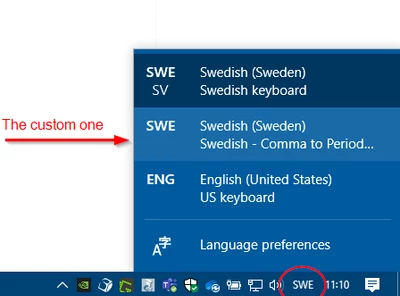
In short you quickly load your current keyboard layout and then re-map the numpad comma to output a dot (aka period) instead. Then this is saved as a custom layout (with a name of your choice) that can be switched in the taskbar:
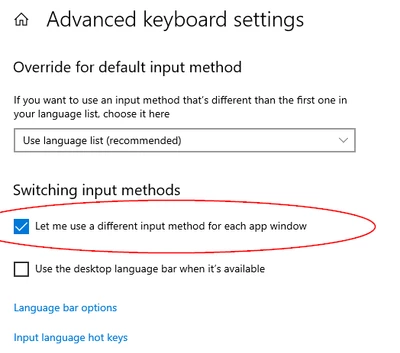
If you use this setting, you can have the re-mapped layout only in the apps you want (it only changes in the app that is active when you change), but still use comma in all other applications:
Here's a video that explains it fairly simple:
Custom Keyboard Layout for Windows 10

