
1-Visitor
September 14, 2017
Question

Tomcat 8.5 server is running but cannot start Thingworx 8

  • September 14, 2017
  • 11 replies
  • 7461 views

Hey there!

I have successfully set up tomcat 8.5 in order to run thingworx 8 in the web browser:
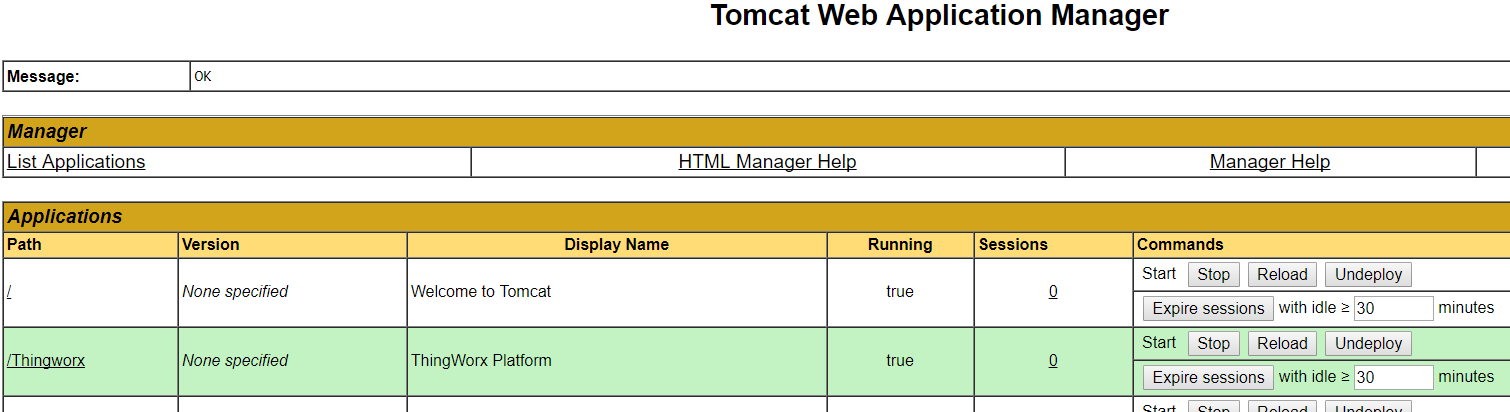
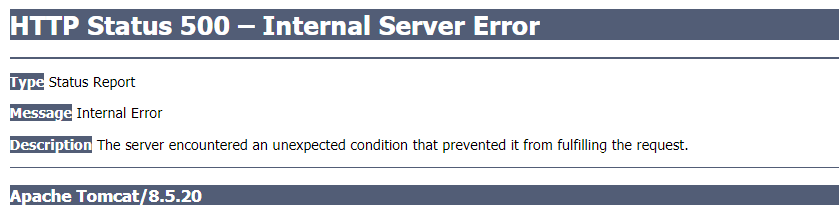
Now I want to access Thingworx through typing "localhost/Thingworx/" into the web browser. But whenever

I try it, the server responses this:
I also looked through the application logs and found a few errors which could possibly cause this problem.

But I have not figured the solution out. You can find the application logs attached to this post if you want to go through.

I would be very grateful if someone helps me out! Thank you so much in advance!

Best wishes,

Theresa

11 replies

5-Regular Member
September 14, 2017

Hi Theresa, i need to mention this that 8.5 is still not a supported Tomcat version (even though i've seenThingWorx working on 8.5) so would recommend downgrading to supported version i.e. to one of the latest release of 8.0, Also the deployment of the ThingWorx webapp failed for you see error :

11:02:41.201+0200 [L: ERROR] [O: c.t.s.ThingWorxBootstrapper] [I: ] [U: SuperUser] [S: ] [T: localhost-startStop-2] *** Web Application STATE is being set to ERROR! ***

Moving on, to the warnings and errors in the applicationlog, could you confirm if Tomcat's JVM is started with UTF-8 because there's a clear warning on it :

2017-09-14 11:02:31.882+0200 [L: WARN] [O: c.t.s.ThingWorxBootstrapper] [I: ] [U: SuperUser] [S: ] [T: localhost-startStop-2] Please note.  Default character is set to Cp1252.  It should be [UTF-8]. Please use the VM argument [-Dfile.encoding=UTF-8] in your application server startup script

secondly, are you starting certain entities during the load because there seems to be some error around services used in the mashup.

Thirdly, any specific reason for restricting  JVM Max Memory: 228 (MB)

20-Turquoise
September 14, 2017

Actually, with ThingWorx 8  system requirements, tomcat 8.5 is supported. http://support.ptc.com/WCMS/files/173114/en/ThingWorx_Core_8.0_System_Requirements_1.pdf

How do you deploy your war file? Do you upload it through the web interface? If so, this is not the correct way and likely will fail in the application start. Please try placing the war file (while tomcat is stopped) into the tomcat folder "webapps". Then, once the tomcat is started, it will deploy the application.

5-Regular Member
September 14, 2017

Agreed to Polina,

follows the below steps and let us know (following scenario works for me).

1) Install the tomcat 8.5.13 without administrator's right (do not run with Run As Administrator)

2) Configure  tomcat.

3) copy the thingworx.war file and paste in tomcat webapps folder (<Tomcat Installation folder>/tomcat8.5/webapps)

4) restart the Tomcat.

1-Visitor
September 15, 2017

Good morningSushant Pandey​ , Polina Osipova​ and Shravan Ghongade​,

I have uninstalled Tomcat 8.5 and instead installed Tomcat 8.0. In addition, I have newly downloaded the WAR file from

the download site and copied it in the tomcat webapps folder. But I can still not start the thingworx application due to

the same errors as before.

Any other suggestions on what may be the problem?

Thank you so far for your help!

Theresa

1-Visitor
September 15, 2017

and yes I have added the UTF-8 command and so on. But I don't know why I still get this error.

5-Regular Member
September 15, 2017

Hello Theresa,

can I know which flavor of thinworx8 your using? I mean Postgres or other.