Hi @BC_10971006 ,
I have today a discussion with a customer , who uses 2 thingmarks in the same view widget. In his application used an extended tracking where user scanned several (at least 2) thingmarks during the extended tracking. This was working in the past. It seems that in older version in Stuido , I believe Version <=9.16 it was able to add with copy and paste a second thingmark and it was working for large models, so far you will scan only the one thingmark- the requirement is the both thingmarks could not be scanned at the same time (large distance). In the current version when you perform the same action the second thingmark will replace the previous thingmark, so that to scan second thingmark now it requires to navigate to second view , as I mentioned in last post.
I will check this change with dev team if the change of this hidden functionality was intented and if it could be possibly reactivated. I will share the further plans from dev team here as soon as I have further information
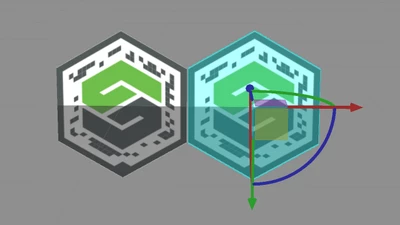
Again to thingmark feature-> So it determines the coordinate of the 3D Container widget and with it then also the position of the zero point of the World coordinate system. The thingmark widget could have some x,y,z,rx,ry,rz property set. This means that it is moved in regard to the World coordinates system by these properties values. Then when you scan the thingmark in this case the world coordinate system is calculated with the inverse transformation based on the thingmark scanned.
So, in your case is the question what you d0 scan. When the thingmarks are fixed then you have to know then what is the difference between their property and there simple calculate the distance between them.
But in case that the second thingmark is placed on object which could have a dynamic position - means that the object with the thingmark is e.g. carridge which could be moved and you need to know the current distance , in this case you need possibly to try a calculation that I mentioned in the previous post. So, scanning the thingmark, then calculated the inverse transformation to World Coordinate system of the 3D container widget. Next calculating of the coordinate and orientation of the current device position (this shortly before you start to scan the second thingmrak) -in the next step you will navigate to the second view , scan the thingmark , calculate the new world coordinate and the device location. At the end the measure distance - I think you need to calculate the distance from both device positions but also in regards to the vector to the thingmarks 1 and 2. That is something what I thing it could work in this case. If you need help here then , please , let me know I could check it more detailed. Thanks