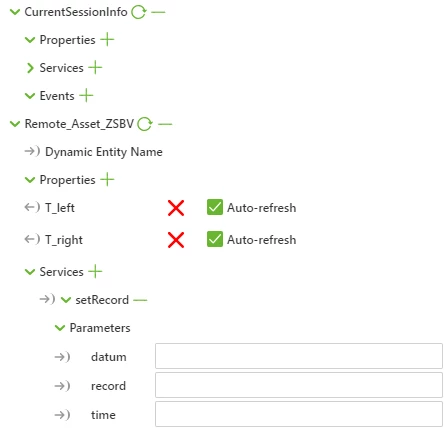
So I hope here my attempt to do some contrubution to your questions:
First the most easy way is to get data of an service without parameters:
So to get external data from a service which is working on the thingworx side
var getYes=$scope.app.mdl['DoorControlProces'].svc['getYes'].data;
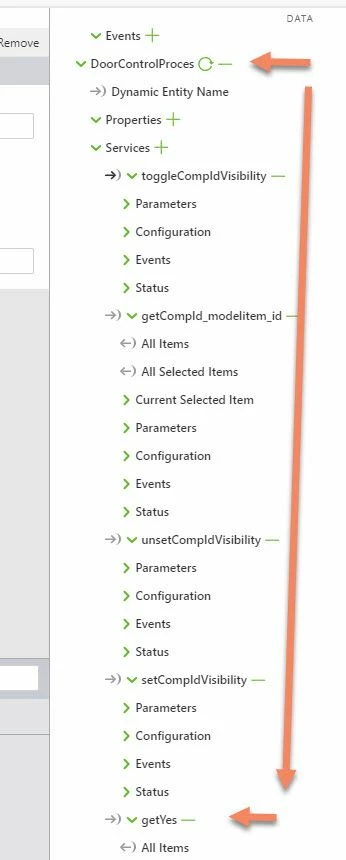
To call an external service which requires parameter. In this case I used some constuct like this :
//////////////////////////
$scope.toggleCompIdVisibility = function(Comp_id) {
 console.warn("toggleCompIdVisibility Comp_id="+Comp_id);
 var prop = "Comp_id";
 var message = Comp_id;
 $scope.$applyAsync(function() {
 $rootScope.$broadcast('app.mdl.DoorControlProces.svc.toggleCompIdVisibility',
 {
 "property": "Comp_id", //parameter name
 "message" : message} //parameter value
 );
 },500 ); //some delay
....
So giving the inputs as json object
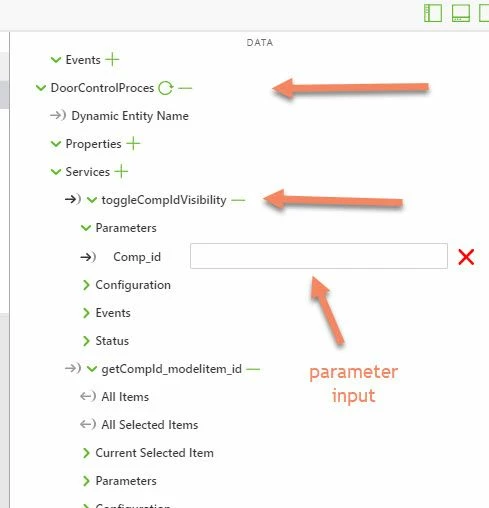
But there is also another approach - to call the sevice and bind the input parameters to an application parameters. So in this case before calling the external service you can set the application parameter. In this case it should looks like:
//////////////////////////
$scope.toggleCompIdVisibility = function(Comp_id) {
 console.warn("toggleCompIdVisibility Comp_id="+Comp_id);

 $scope.app.params['str_par1']= Comp_id;

 $scope.$applyAsync(function() {
 $rootScope.$broadcast('app.mdl.DoorControlProces.svc.toggleCompIdVisibility');
 },500 );
...
In this case the service is called without to use input parameters. Here I set an application parameter str_par1 to the component value
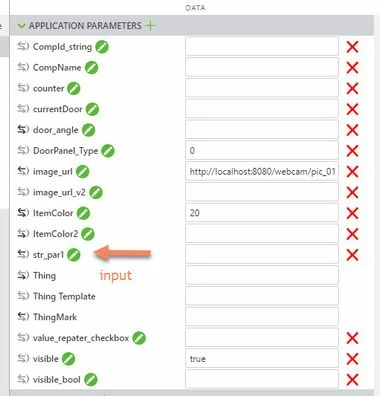
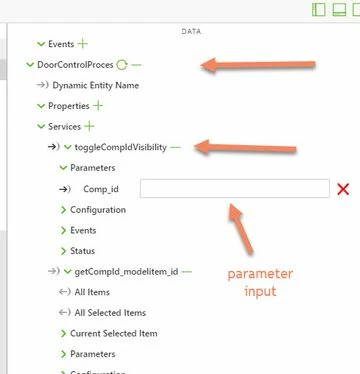
So this means that we set applicaiton paramters which have binding to the service input parameters
The more easy way is to try to call all services if possible using direct binding. So means if you have a button then you can bind the button click event to the service e.g. "toggleCompIdVisibility " and the service input paramets has binding to the application parameter "str_par1".
For event handling / e.g. data change you can use the watch javascript constuct as already was mention in previous post.
/////////////////// ANGLE CONTROL
$scope.$watch(
 function()
 {
 //console.log("$scope.$watch() first function door_angle="+$scope.app.params['door_angle']);
 return $scope.app.params['door_angle'];
 },
 function()
 {
 var l_door=0.999;
 //console.log("$scope.$watch() second function fired");
 if($scope.view.wdg['toggle-3']['value']==true)
 {
 var angle1=$scope.app.params['door_angle'];
 $scope.view.wdg['slider-1']['value']=angle1;
 var angle1_rad=angle1*Math.PI/180.0;
 $scope.view.wdg['modelItem-door-asm']['rx'] = angle1 ;
 $scope.view.wdg['modelItem-door-asm']['y'] = 0.0 - l_door*Math.sin(angle1_rad);
 $scope.view.wdg['modelItem-door-asm']['z'] = 0.0 - l_door*(1.0-Math.cos(angle1_rad));
 }
 //endif
 }
 //end of the second function
);
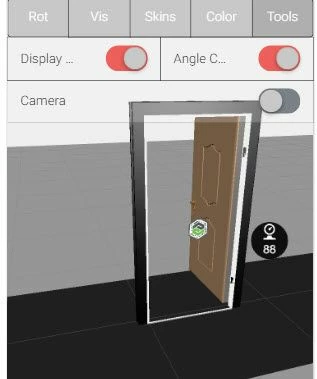
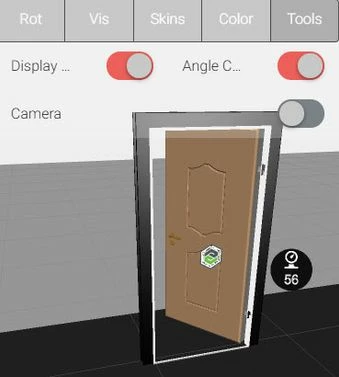
The sample code should check a value comming from thingworx. The value of an angle - it should be set to rotate the door angle assembly (here as modelitem).
The watch is checking the door_angle applicaiton parameter . When the value of this parameter will change then it call the code to set the rotation angle of the 3d model assembly
$scope.app.params['door_angle'];
Otherwise the door_angle parameter has a binding to the the DoorAngle property of the DoorControlThing-1

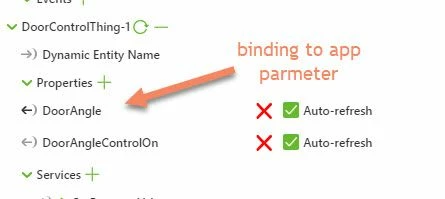
So here is the effect that the door assembly follow the chagne of the thingworx entity



 )
)