Hi @Adrian_G.
to backup the project there is no direct functionality in Studio out of the box.
What I do is to use one of the following options:
a.) perform regular update of my <USERNAME>/Documents/VuforiaStudio/Projects folder on may machine -use e.g. Beyond Compare to synchronize the folder to backup folder
b.) otherwise all completed project / or history version are exported to a specific folders via the project export functionality
Regarding to the question when you lost data. If you can access directly the folders on your experience server then you can try to recover a project - here please see the post https://community.ptc.com/t5/Vuforia-Studio/Copy-project-from-ES-Server-back-to-Author-s-client-PC/m-p/784591#M10702
To delete a project form the server : when the project is in your Studio environment -you can :
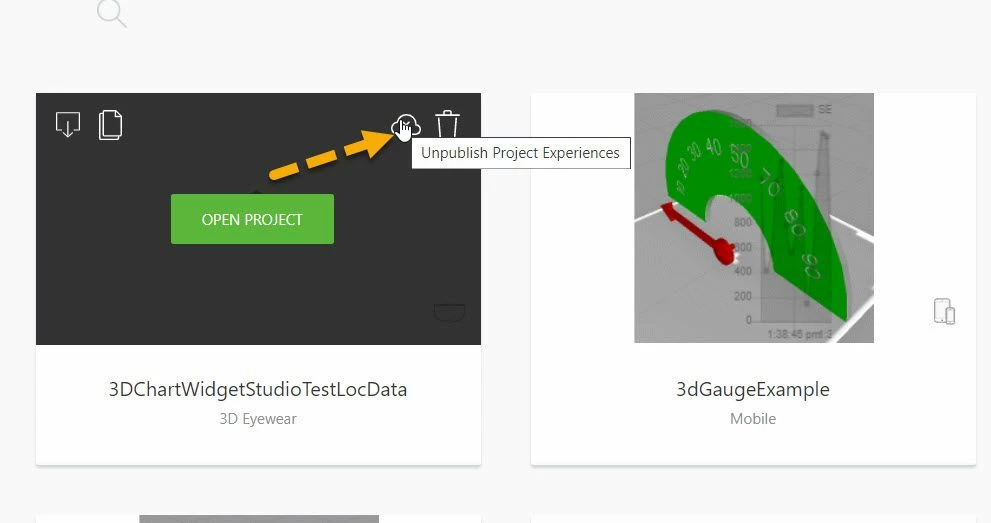
simple click the unpublish symbol for the project.
When the project is not in your system but you know the URL of Experience Service and the name of the project and also you have a login with admin /or developer permissions - you can use the curl->Delete an existing project (replace "myproject" with the name of the project to be deleted):
curl -u user:password -H "Content-Type: Application/JSON" -H "X-Requested-With: XMLHttpRequest" -X "DELETE" https://localhost:2019/ExperienceService/content/projects/myproject/


