

Auto associate / Edit associations not checking OIR or ACL
Is it normal that Windchill does not consider Object Initialization Rules (or Access Control List) at all when creating parts with edit associations or auto associate? Or do I just have some kind of configuration issue?
I have hidden some subtypes of parts in different organizations and contexts from the part creation drop down menu by defining a non-existing lifecycle template in the OIR of those types that I want to hide.
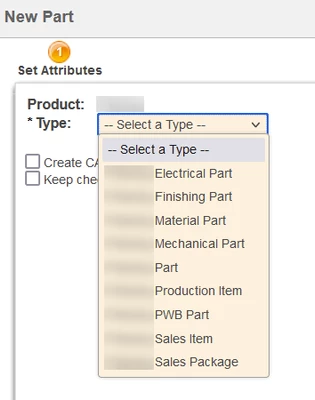
When I'm creating a part in Commonspace or Workspace, the OIR is checked before showing what types I can create and the dropdown list of type selection filters out the ones that I cannot create:
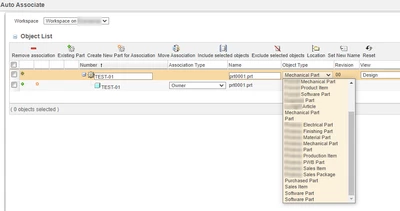
But when I'm using "Edit associations" or "Auto associate" on an existing CAD document, it seems that Windchill just shows *all* subtypes which have "Instantiable" flag on and doesn't consider the context-specific OIR.
Auto associate:
And same thing with "Edit associations":
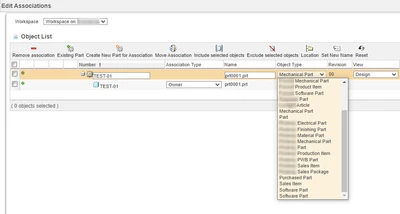
I can create and associate any of those types of parts in Workspace. But when I try to check in, the ACL and OIR are checked and the check in fails.
Is there any way to get Windchill to consider the context/organization specific settings when using auto associate or edit associations? Or do I just need to submit a Windchill Idea and hope that PTC looks at it in the coming decades.