16-Pearl
October 9, 2013
Solved

CN Affected Objects Table

  • October 9, 2013
  • 1 reply
  • 2065 views

I want to shrink the size (rows) or remove the column containing the comments for affected objects. It looks like each object in the affected objects table takes up 3-4 rows. We currnetly only add comments to the resulting object table. What file should I look to modify?

Best answer by KD_01

Hi Greag,

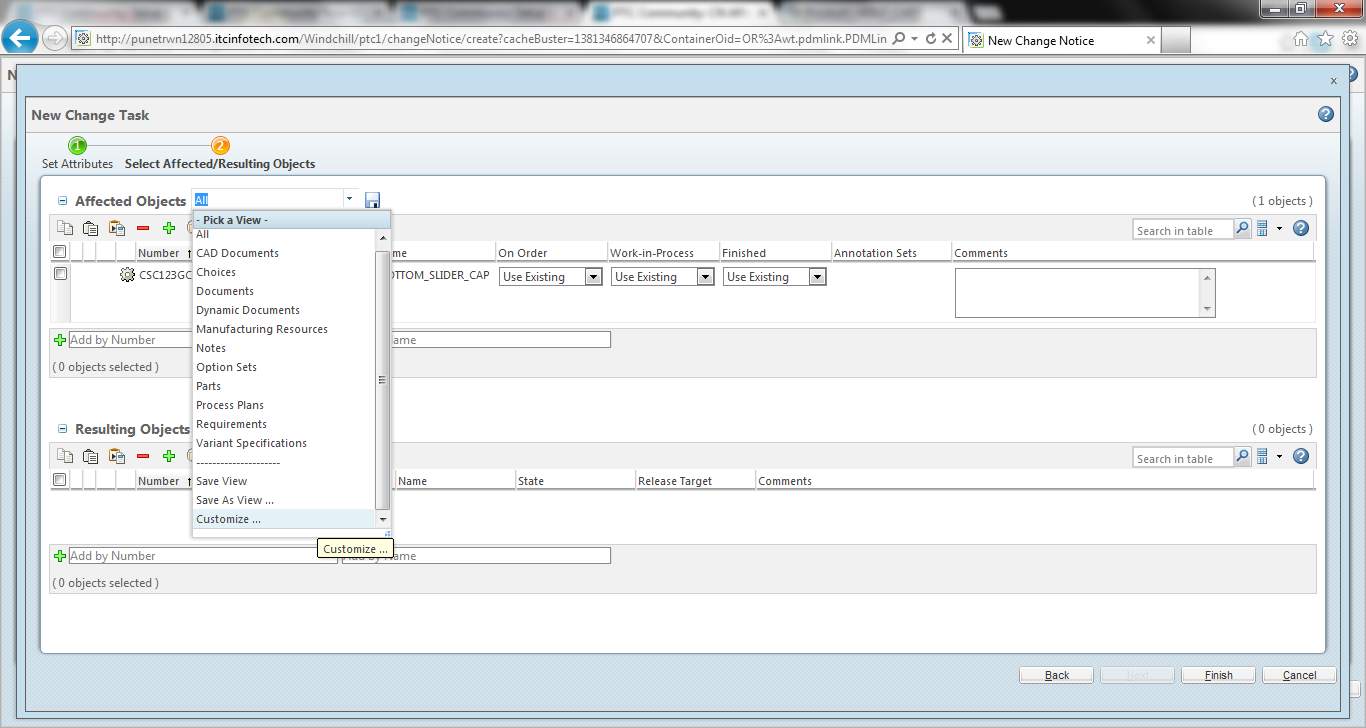
Go to pick a view --> Customize

cn0.png

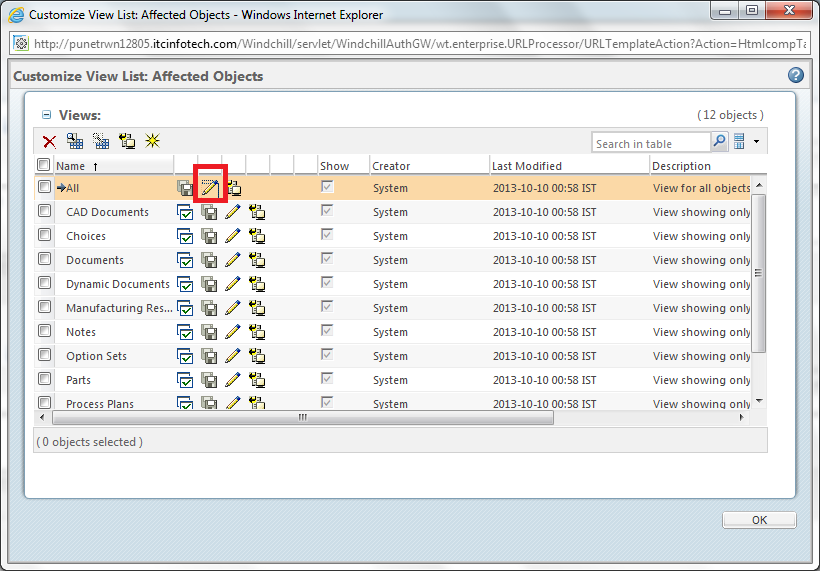
from the next window click on edit view .

cn1.png

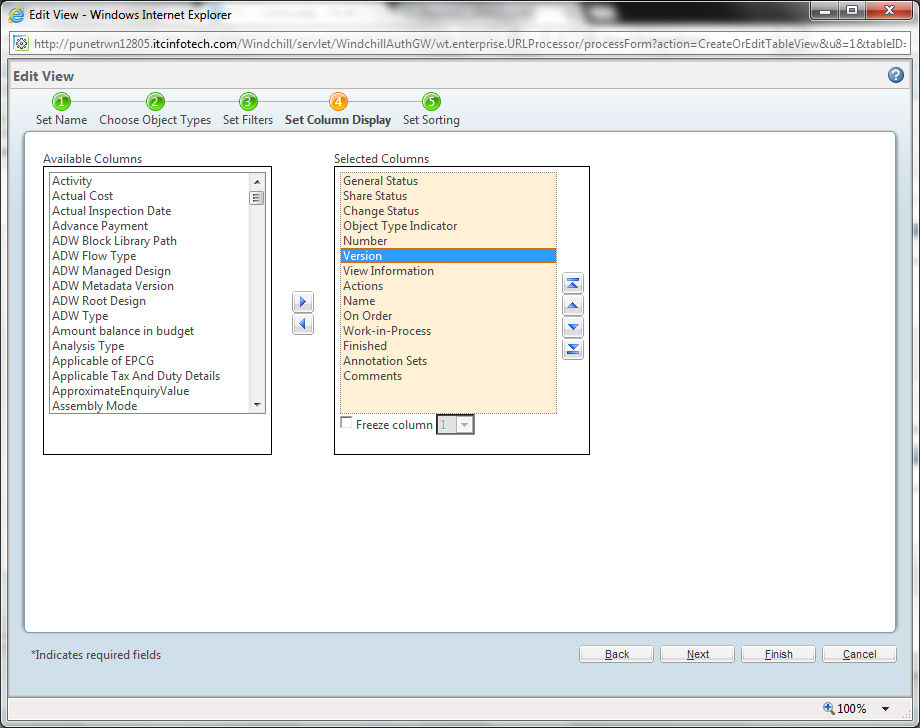
Afterr that go to set column display and from there you can select what column you want to dispaly at the table.

cn2.png

Regards,

Kaushik

1 reply

KD_0112-AmethystAnswer
12-Amethyst
October 9, 2013

Hi Greag,

Go to pick a view --> Customize

cn0.png

from the next window click on edit view .

cn1.png

Afterr that go to set column display and from there you can select what column you want to dispaly at the table.

cn2.png

Regards,

Kaushik

GregOlson16-PearlAuthor
16-Pearl
October 9, 2013

Thanks for the info. For some reason on my system I could not exclude comments by modifying views. I had to deselect it by hovering over the right side of a column, clicking the down arrow that appeared, selecting column, and then I could deselect comments. I wish the column down arrows would stay shown all the time...out of sight out of mind.

Thanks,

Greg

12-Amethyst
October 9, 2013

Hi Greg,

You can deselect it but I guess next time when will you again create the change task the comment will come again so every time you have to Deselect whenever you will create a new task.


That change is not permanent.

Regards,

Kaushik