
12-Amethyst
October 13, 2015
Solved

Drawings text style in Creo View

  • October 13, 2015
  • 6 replies
  • 16184 views

Hello,

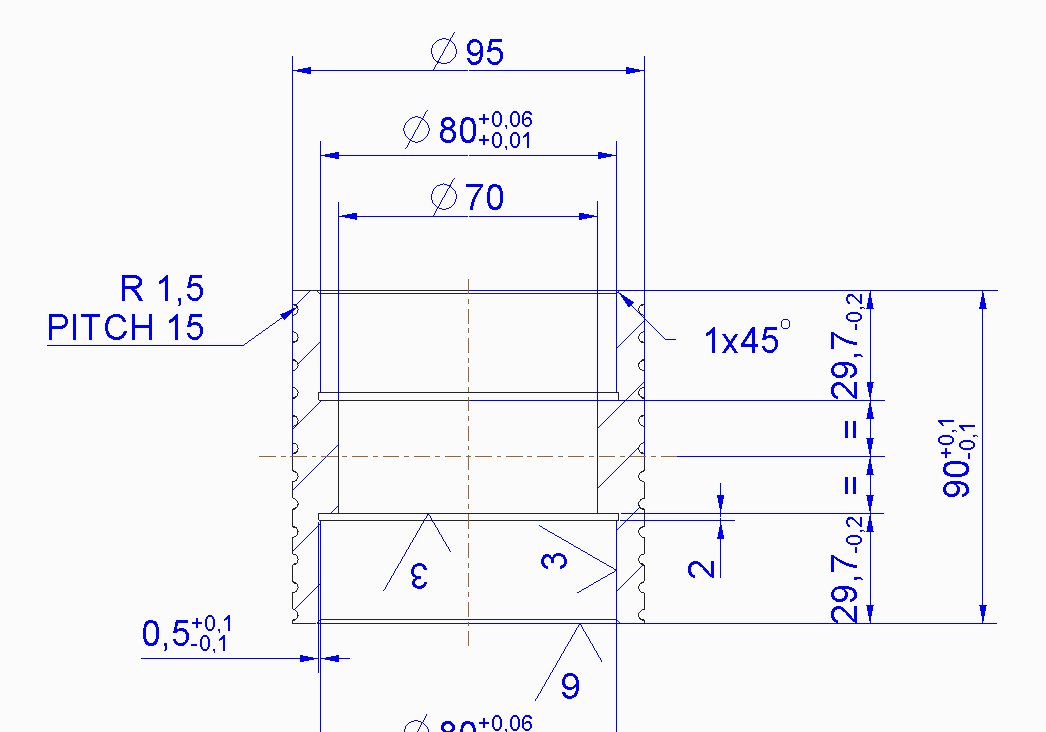
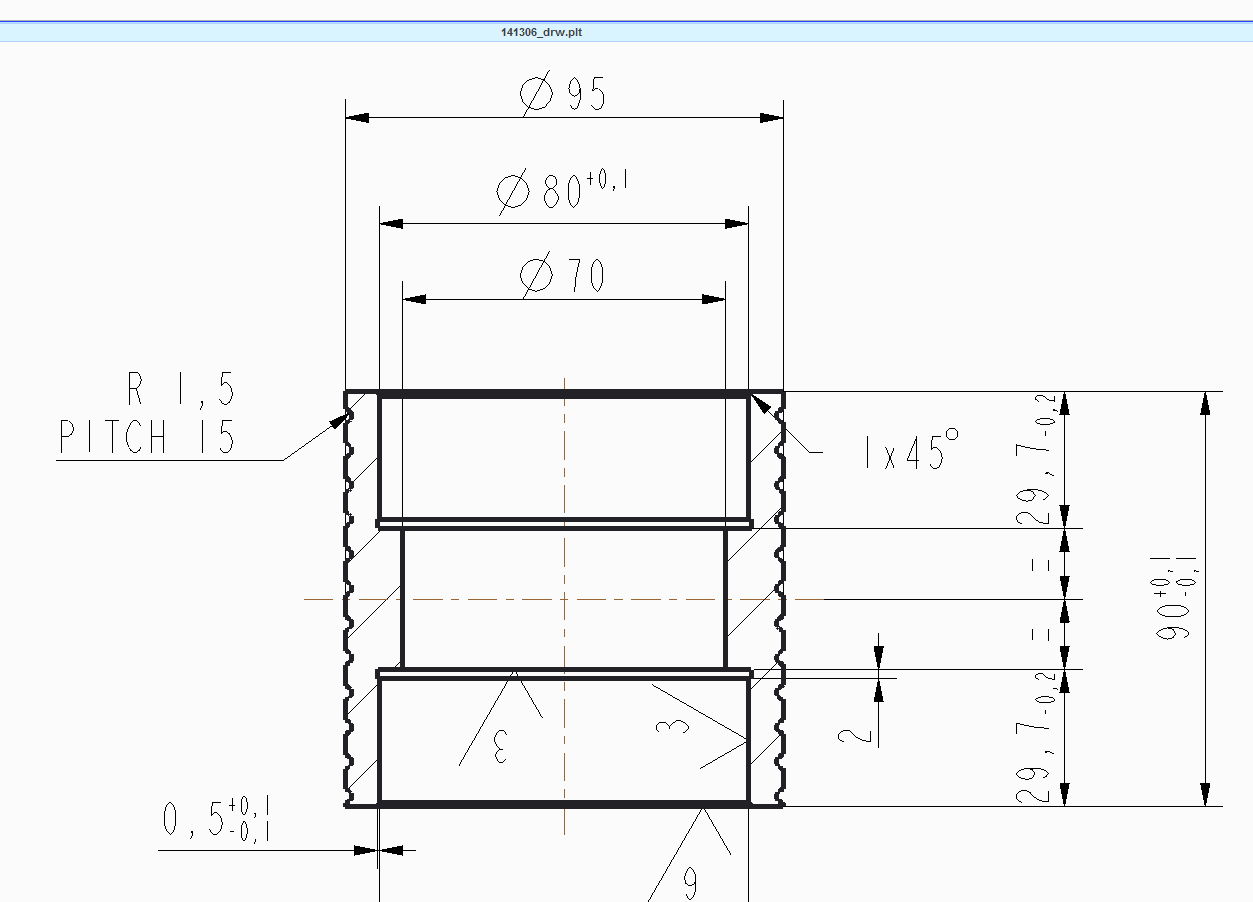
I have noticed a difference in the syle of texts between drawings opened in Creo Parametric and drawings opened in Creo View. Here below an example comparison:
1.PNG

2.PNG

the first is opened in Parametric, the second in View. The fact is that as you see, apart from the color, the text style changes and the View one is less nice and above all phrases are larger making the text emerge from the title block boxes...

It's a pity because View is very confortable for employees who don't have Parametric but need to print drawings.

Anyone knows whether or not it is possible to make View follow the fonts of the native .drw and/or to change the default one in View?

Versions:

Parametric 2.0 M110

View: Lite 3.0 M020 build 23

thanks

bye

Best answer by tleati

Hi Ben,

I contacted my distributor and indeed we realized it was due to the fact that the font folder pointed by the worker was different from the one on the client machine, as well as pentables. So it has been just a matter of making them identical and set the config.pro option pen_table_file pointing the new file. Also, it was possible to edit the publishing format by using the Recipe editor of the worker machine (that is different from the client's, and that in fact was the cause of the ineffectiveness of previous modifications).

thanks for your support,

bye bye

Tommaso

6 replies

24-Ruby III
October 14, 2015

Tomasso,

just one comment ... the second picture shows plot file (maybe it is generated as drawing viewable in Windchill PDMLink), not drw file.

MH

tleati12-AmethystAuthor
12-Amethyst
October 14, 2015

Hi Martin,

yes I know, it is opened from Windchill as .plt and in fact this can be the point...maybe there is also a way to force View to open .drw in other better formats or, force Windchill to feed View with the proper file type (I don't know which one does the work, If I was sure it is Windchill's I would have posted the discussion it in the Windchill session).

thanks

bye

24-Ruby III
October 14, 2015

Tomasso,

I think you have to discuss your problem with your Windchill Administrator.

MH

23-Emerald III
October 14, 2015

Check the settings on your CAD worker machine. They may have a different setting that is changing what is generated when the document is being published.

tleati12-AmethystAuthor
12-Amethyst
October 14, 2015

Hi Ben,

thanks for your reply, could you be more specific about the settings you mentioned (where can I find them?). The maybe something that can solve the problem.

bye

23-Emerald III
October 14, 2015

Check your config.pro and drawing.dtl files.

When I set up a CAD worker, I copy those files from my a machine I know that creates a good plot/PDF file.

23-Emerald III
October 14, 2015

Is this a "stroke all fonts" issue as far as text output style?

Hopefully just a side note but I would be way more concerned with the tolerance difference in the Ø80 dimension.

tleati12-AmethystAuthor
12-Amethyst
October 14, 2015

Hi Stephen,

what are you relating to with the "stroke all fonts" and how can I fix it?

I thank you for your help on the tolerance too, indeed it is an internal technical choice (and that range has not been chosen by me and I also think it is too strict by the way).

bye bye

23-Emerald III
October 14, 2015

Stroke all fonts is a printer configuration setting that converts text to "lines" (for lack of a better word). In my opinion it provides a more consistent output with respect to what is displayed on-screen. I usually add it to the printer configuration file (.pcf). I'm not sure how that works with Creo view and windchill  but if you are manually creating your .plt files, I believe this will improve your consistency.

stroke-all-fonts.jpg

On the side note of the tolerance, I was referring to the fact that the tolerance was different from your Creo drawing to your .plt output...+.06/+.01 versus +.01. It may be just a simple screen grab at different times in the design/drafting process.

1-Visitor
October 20, 2015

Apologize for the highjack here, but I am having a relate problem with a question. When we plot direct from Creo to PDF or to the printer using our pen table file, everything is clear and crisp. However, when we check in to WC and select to publish Models and Viewables, almost everything on the face of the drawing is roughly 10X the normal line weights. I was wondering which pen table file is being used for this publish and/or how to control it otherwise.

Thanks,

Patrick

23-Emerald I
October 20, 2015

Patrick,

I would suggest doing what Ben Loosli does and copy over the config.pro and dtl files that you use on a normal client over to the worker machine to ensure that the same config and pentable settings are used there:

Re: Drawings text style in Creo View

Ben LoosliPlatinum

Check your config.pro and drawing.dtl files.

When I set up a CAD worker, I copy those files from my a machine I know that creates a good plot/PDF file.

1-Visitor
October 20, 2015

Yes on Custom Check-In. So my problem is what controls the line weights when you do Custom Check-In from local client?

23-Emerald I
October 20, 2015

You may want to check the client-side recipe file used for client-side publishing. Information about this recipe file can be found here:

https://support.ptc.com/appserver/cs/view/solution.jsp?n=CS21380

tleati12-AmethystAuthor
12-Amethyst
November 6, 2015

Another thing concerning the re-publishing, anyone knows whether it is possible to republish multiple documents all together? Maybe something like from a search result list of .drws to tick...

thanks

bye

23-Emerald I
November 6, 2015

There is nothing like that that I know of out of the box. However, have you looked into whether a scheduled publish job would help here? You can create custom filters and or job classes (requires Java coding) to determine what is included in the jobs.

tleati12-AmethystAuthor
12-Amethyst
November 10, 2015

Hello Lori, thanks for the tips. I am going to contact our distributor in order to get information about and see what can be done...from what you wrote it seems it may be feasible.

bye