
10-Marble
May 16, 2024
Question

How to handle UIValidationStatus.PROMPT_FOR_CONFIRMATION ?

  • May 16, 2024
  • 3 replies
  • 1076 views

Version: Windchill 12.1


Use Case: While creation document, I wanted to implement validation for user to get popup confirmation based on some attribute value. ( if attribute value is "XX", confirm if you want to proceed further or cancel)


Description:

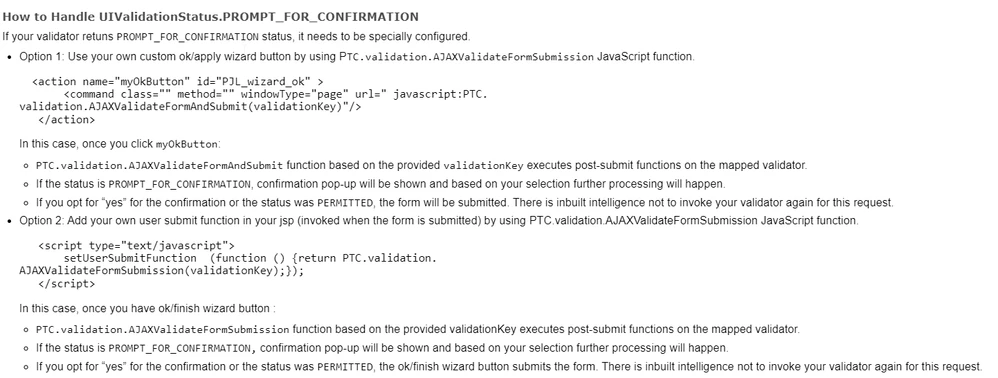
I gone through the PTC documentation and found below information, which is not sufficient to implement UIValidationStatus.PROMPT_FOR_CONFIRMATION  as a beginner  : 
 

LB_10619520_0-1715856430593.png


I have already wrote a logic and status also getting set (as per printing "result" in MS) for this, but just need to set the further steps to handle the confirmation popup.


Thank you

3 replies

Community Moderator
May 27, 2024

Hi LB_10619520

Thank you for your question. 
I’d like to recommend to bring more details and context to your initial inquiry

It also helps to have screenshot(s) to better understand what you are trying to do in your process. 

This will increase your chances to receive meaningful help from other Community members. 

Regards,

Community Moderation Team.

14-Alexandrite
May 29, 2024

Hi, I have not used UIValidationStatus.PROMPT_FOR_CONFIRMATION previously but as per your use case, I think the same can be achieved through adding the code logic under .jsfrag file and it gets invoked on complete
eg: https://www.ptc.com/en/support/article/CS35488


Community Moderator
May 30, 2024

Hello @WT_010219


It looks like you have a response from a community member. If it helped you solve your question please mark the reply as the Accepted Solution. 

Of course, if you have more to share on your issue, please let the Community know so other community members can continue to help you.

Thanks,
Community Moderation Team.