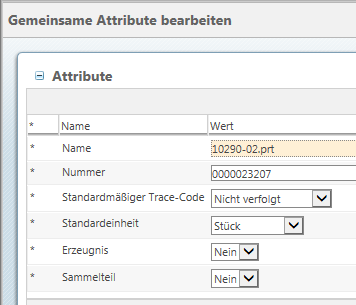
Hmm...okay, let me try this again.
First, Greg, he did mention the WTPart, not a document which therefore shouldn't have an inherited view.
Shirish, that looks a lot more complicated than it needs to be for changing the visible label of an attribute. There are very simple in-system tools that can easily handle that within the Type and Attribute Manager.
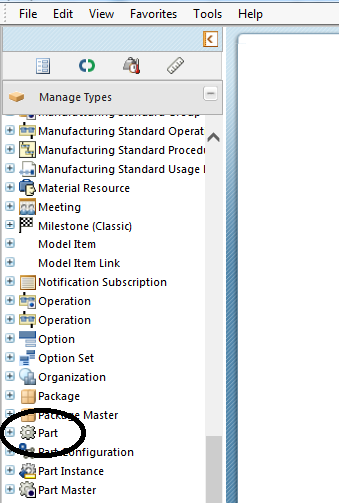
For Ben, I'll elaborate on my original post. First, go to the Type and Attribute Manager and find Part:
Then in the Layouts tab, if you want to change what users see when they are creating a new part select Create New Layout, and when editing an existing part entry go to Edit Layout:
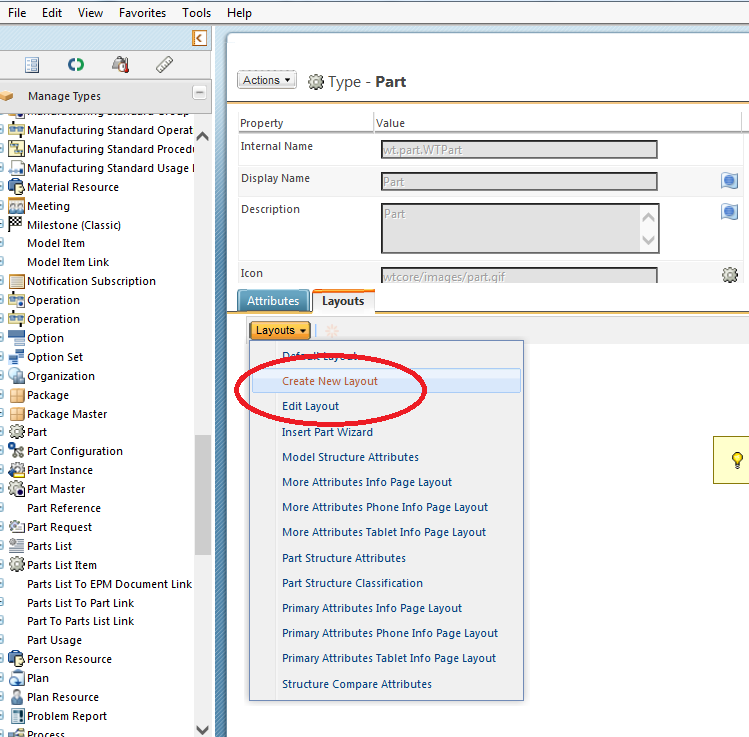
Note that you will have had to go Actions/Edit from the menu at the upper left to actually alter them. The resulting screen should look something like this:
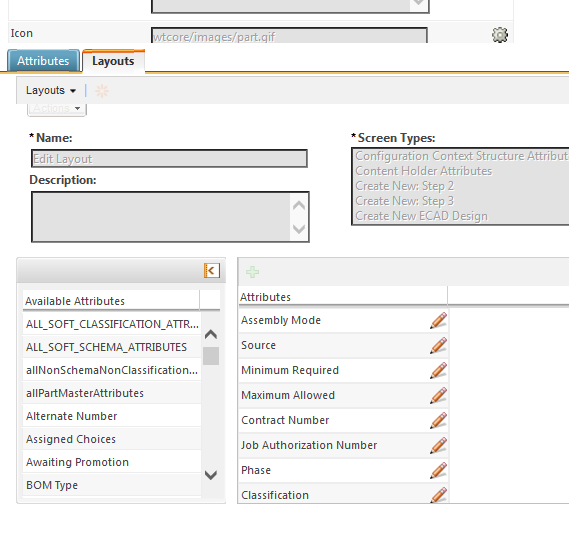
That Available Attributes list on the left is all of the attributes that have been defined for the object (in this case the WTPart). The Attributes list on the right is the specific set of attributes you want users to see in this view, which in the above example is the Edit view. Click and drag the attributes between the two lists to switch them in and out of the view, and you can even click and drag an attribute in the right list to change the order in which they appear. Also, clicking on that little pencil icon to the right of an attribute in the right list opens up extra editing options, including Label which changes the display name of the attribute in this view (which is what Shirish was attempting above with jsp code). Once you've finished with your edits Save the changes.
One main note, any changes you make to these layouts are instantly effective to every instance of that object in the entire database, at least up to the Org level.
Hope that helps.
Daryl


 ), "Erzeugnis" ("product"), "Sammelteil" ("collection part").