Newbie Questions from an ECAD User
An electrical engineer that designs circuit boards, I’m a new poster to this forum and new Windchill user.
Could someone bring me up to speed on a few matters? Our WC admin guy, bless his heart, is a mechanical engineer and can’t fathom why my non-PTC circuit board layout tool (Altium Designer) doesn’t mesh as well with WC as his Creo MCAD tool does.
I’ve been doing a lot of reading of Windchill support documents on PTC’s website but I’m still puzzled about something called Windchill Desktop Integration, which might be the basis for the questions that follow.
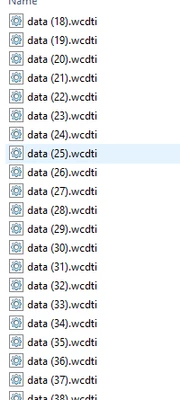
First Question: When I click on a file shown in WC’s HTML presentation of my files (what is Windchill’s term of art for this presentation?) I indeed get a file downloaded to my computer. However, the downloaded file has a weird name like data(2).wcdti.
Why won’t the web-based presentation of my WC files deliver me those files in the form (i.e. file name) that I originally uploaded to Windchill?
Does this mean that I must manually restore every downloaded file’s true name after using the HTML download tool? Or that the HTML tool is not useful for downloading WC files?
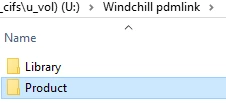
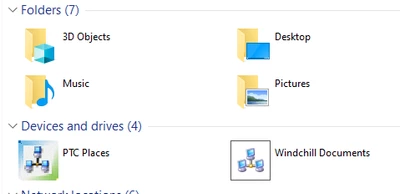
Second Question: My workstation has been modified by a Windchill plug-in that modifies Windows Explorer’s presentation of WC files. I noticed that this modification only applies to files stored in a file area reserved for Windchill, not to non-WC files stored elsewhere on my computer.
Windows Explorer (after modification by the plug-in) shows the WC file’s:
--file number
--version number
--state
--who has checked out the file
--some other stuff
But why doesn’t Windows Explorer display the complete file name in its plugin-modified rostering of files? It omits what old guys like me call the file extent. This is a problem because many of my ECAD files can be distinguished from each other only by their file type.
For example, an Altium schematic file name takes the form M1182 Main Board.schdoc while the companion PCB layout file name is M1182 Main Board.pcbdoc. The file's significance is lodged in the file type to the right of the period.
Is there a setting that will force WC's modified Windows Explorer presentation to show file type? Alternatively, can I make the words “schematic” and “layout” be candidates for Windchill's |Type| field?
Unless I can correct the shortcoming of missing file extents I’ll need to include the file type in the file’s name to the left of the period. For example, I would start naming schematic files like this:
M1182 Main Board Schematic.schdoc
Thanks for any feedback you can offer on these questions.