
Solved
Object view
Hi to all!
I successfully import cad part and assembly on my workspace in winchill. I just wondered
With all the files checked in,why all the CAD files are not in their 3D thumbnails?
Thanks in advance!

Hi to all!
I successfully import cad part and assembly on my workspace in winchill. I just wondered
With all the files checked in,why all the CAD files are not in their 3D thumbnails?
Thanks in advance!
Luar,
Have representations been successfully published for these CAD Documents? If you go to the Content tab of one of the CAD Documents are any representations listed in the Representations table that have thumbnails?
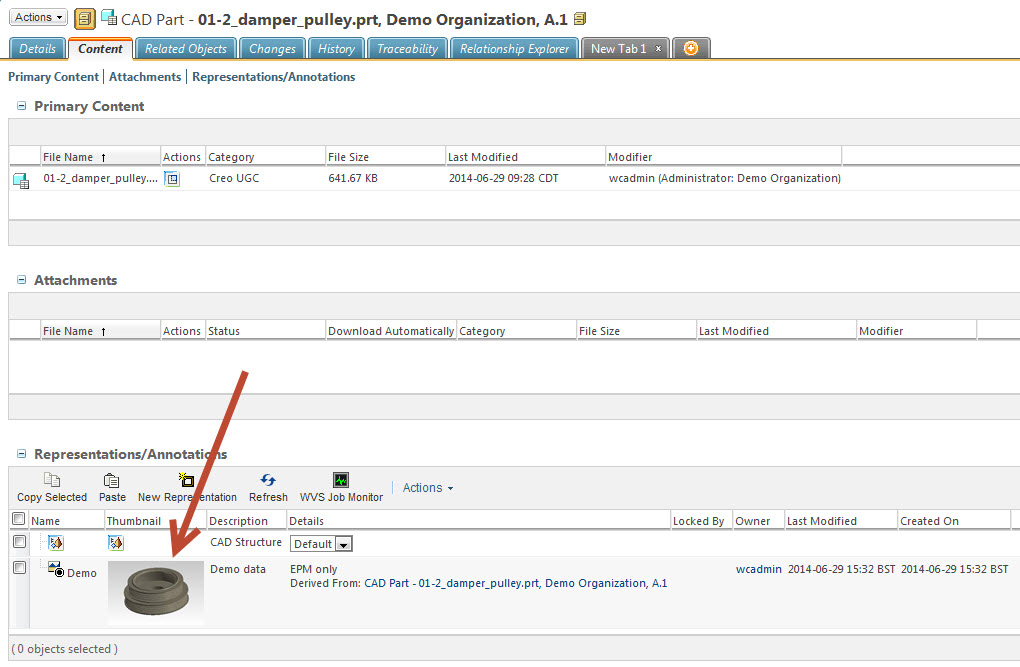
If not, then that means that the data has not been published into Creo View data. You need to either do client side publishing (File > Check In > Custom Check In > Models and Viewables) or you need to have a CAD worker configured that will publish the data (thumbnail worker will do if you only want thumbnails).
No account yet? Create an account
Enter your E-mail address. We'll send you an e-mail with instructions to reset your password.