
1-Visitor
January 27, 2012
Solved

Script errors in Windchill 10.0

  • January 27, 2012
  • 9 replies
  • 6248 views

Is anybody else getting a million script errors in Windchill 10.0 when running it inside of Pro/E? Something like the following?

These pop up periodically. Not so often that they prevent us from doing work, but often enough to get annoying. We just implemented Windchill at the beginning of this week. Has anyone else seen this? Thanks...
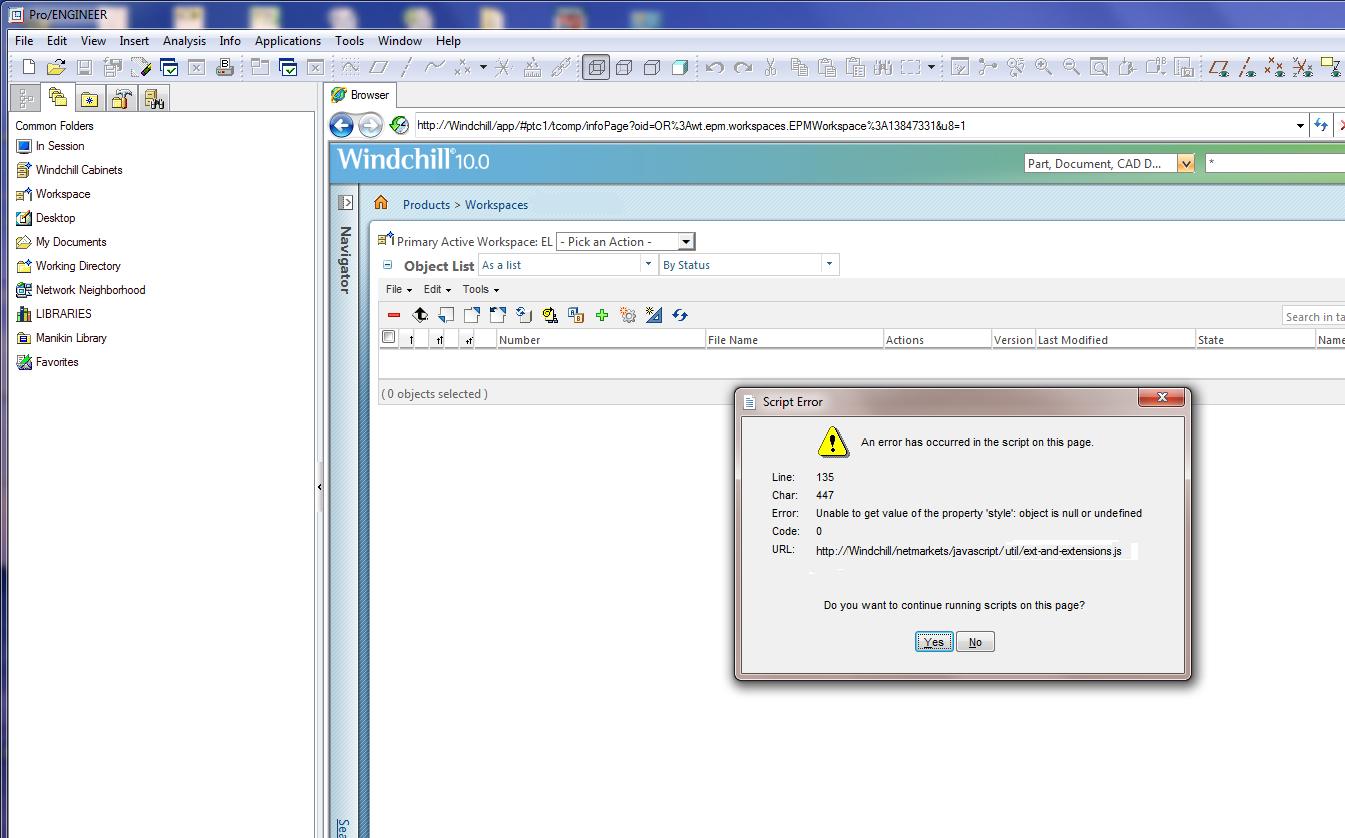
ScriptError.JPG

Best answer by Bob1

Yes, we did find the answer. We upgraded to M030 and that did the trick.

Actually, a few months after that, the script errors started popping up again right when we launched Pro/E. And digging around, we determined that it was now because we had ptc.com as the default home page for the embedded browser within WF5, and PTC made some change to their webpage. So we changed the WF homepage to our company's intranet page, and that solved the problem again.

So I think the only way for you to get rid of your script errors is to change to M030...

9 replies

1-Visitor
January 27, 2012

Not that it helps your problem, but I had trouble in 9.1 in one of the four major browsers with codebase/netmarkets/javascript/components/multivalueinputcomponents.js

OOTB "function populateDefaultValues(elem, defaultValueVar) {" threw a similar error with the following lines:

if((componentType.indexOf('select') == 0)) {

elem.childNodes[i].selectedIndex = defaultValueElement.childNodes[i].selectedIndex;

}

else if((componentType.indexOf('text') == 0)) {

elem.childNodes[i].value = defaultValueElement.childNodes[i].value;

}

I changed it to this:

if((componentType.indexOf('select') == 0)) {

try {

elem.childNodes[i].selectedIndex = defaultValueElement.childNodes[i].selectedIndex;

} catch(anError) {

elem.childNodes[i].selectedIndex = 0;

}

}

else if((componentType.indexOf('text') == 0)) {

try {

elem.childNodes[i].value = defaultValueElement.childNodes[i].value;

} catch(anError) {

elem.childNodes[i].value = "";

}

}

Patriot_1776
22-Sapphire II
January 28, 2012

Yup, this and a bunch of SOAP errors. REALLY slows down our users, if not preventing them from doing anything. Sux.

1-Visitor
February 8, 2012

hello

i have exactly the same problem with my embedded browser and it really is annoying. it's better you use Mozilla firefox as embedded browser. however i think this is not the solution for this problem. using firefox is causing other (less annoying) problems. There has to be another way to fix the problem...

12-Amethyst
February 8, 2012

I have no idea what's behind these issues.

That said, which 10.0 is this? If it's not the latest available MOR (currently M030), then you're just asking to suffer from known issues that have already been fixed.

Bob11-VisitorAuthor
1-Visitor
February 8, 2012

For the record, I'm using M020. Does M030 fix this problem?

1-Visitor
December 18, 2012

Hey Robert,

Did you ever find a fix for this issue? I still have these popping up all the time. We are on Windchill 10.0 M020 and using CEPRO5.

Thanks,

Buddy

Bob11-VisitorAuthorAnswer
1-Visitor
December 27, 2012

Yes, we did find the answer. We upgraded to M030 and that did the trick.

Actually, a few months after that, the script errors started popping up again right when we launched Pro/E. And digging around, we determined that it was now because we had ptc.com as the default home page for the embedded browser within WF5, and PTC made some change to their webpage. So we changed the WF homepage to our company's intranet page, and that solved the problem again.

So I think the only way for you to get rid of your script errors is to change to M030...

1-Visitor
December 27, 2012

Hey Robert,

Yeah I just got through upgrading to WC 10.1 M030. I have not seen any since the upgrade so I guess problem solved. Thanks for the feedback.

Buddy