12-Amethyst
July 1, 2014
Solved

user rights --> move

  • July 1, 2014
  • 2 replies
  • 7442 views

All our normal users can't move WTParts and WTDocuments, only the admin can do this. Where can I change this?

Best answer by LoriSood

Ruben, in which contexts/domains are you creating your permissions for the Subfolder object? Are you opening the Policy Admin from the Utilities page of the target and source domains or from within Site or Org utilities? You should be opening it from the source and target utilities page.
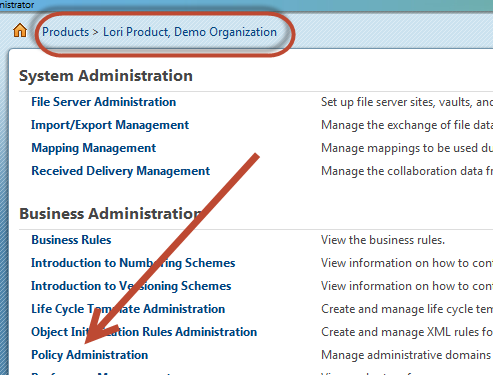
7-9-2014+7-27-54+PM.png

If you can see the container (product/library/project) in your product/library/project lists then you are a member of the team.You can see which specific role you're associated with on the container's team page.
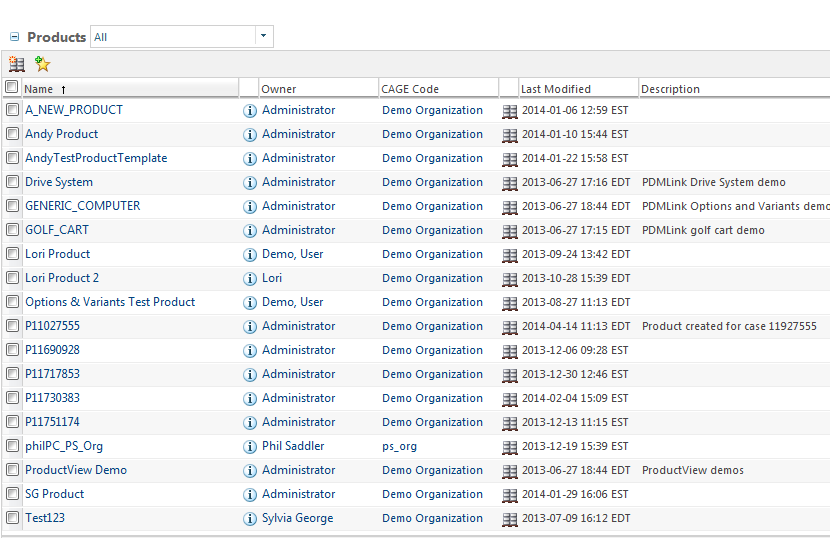
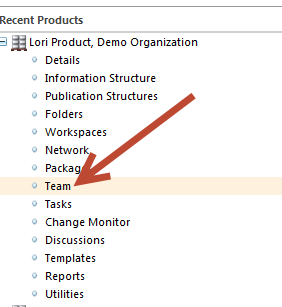
7-9-2014+7-24-33+PM.png

7-9-2014+7-25-44+PM.png

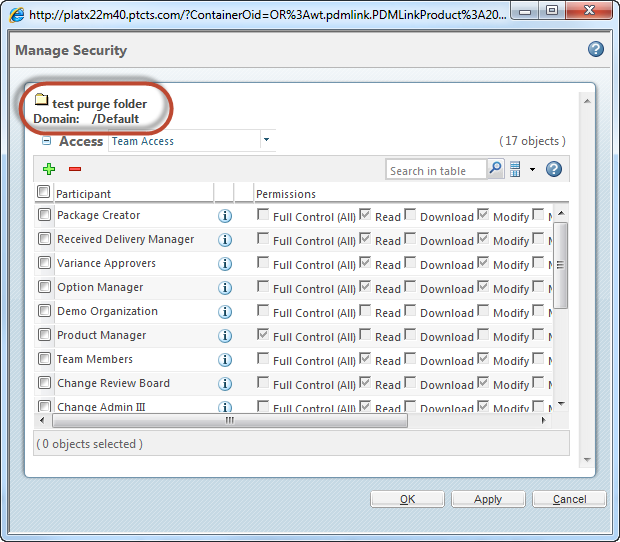
The associated domain is listed on the Manage Security page for the folder 7-9-2014+7-22-49+PM.png
To be honest, if you guys have active maintenance a tech support case may be the easiest way to resolve this. A webex could help clear up where/how the permissions are getting created.

2 replies

22-Sapphire I
July 1, 2014

There are 3 ACL's related to move - look in Help on this. Fairly good diagrams and explanations in Windchill help. Search for, for example, "Create by Move."

Where possible, put this permission at Org level so it will apply to all Products and Libraries.

12-Amethyst
July 2, 2014

I tried to change a few things in the administrative domain, but it doesn't work. I even got myself a full control and it still doesn't work. The window looks like this:

administrative+window.jpg

Or do I have to restart windchill to complete the changes?

1-Visitor
July 1, 2014

If Create by Move works on it's own please post and confirm. I suspect you may need to set ACL to enable a Delete permission in the outbound location.

12-Amethyst
July 2, 2014

See this http://www.ptc.com/cs/help/windchill_hc/wc101_hc/index.jspx?id=AccessControlChp_ReqPermissionMoveObj&action=show

on the source folder you need modify

on the target folder you need modify

on the object being moved you need change domain, change context and create by move.

delete is not required, this action is not related to move

Don't forget also that picking one permission set automatically picks other.

Regards Darren

12-Amethyst
July 2, 2014

I get what I need to change, but I don't know where I can do that and how.

Forgive I just got the admin rights and I'm a newbie for this.