
1-Visitor
December 21, 2013
Question

Windchill (in Creo browser) not loading

  • December 21, 2013
  • 4 replies
  • 2375 views

I am a high school student and my robotics team is using Creo to build our CAD-version robot. I've had two laptops from Catepillar and each one has worked for a bit, then will, for no reason, stop working. I can log on to the server, but then I can't pull up my workspace or the team's cabinets. The browser on load to the point in the picture.
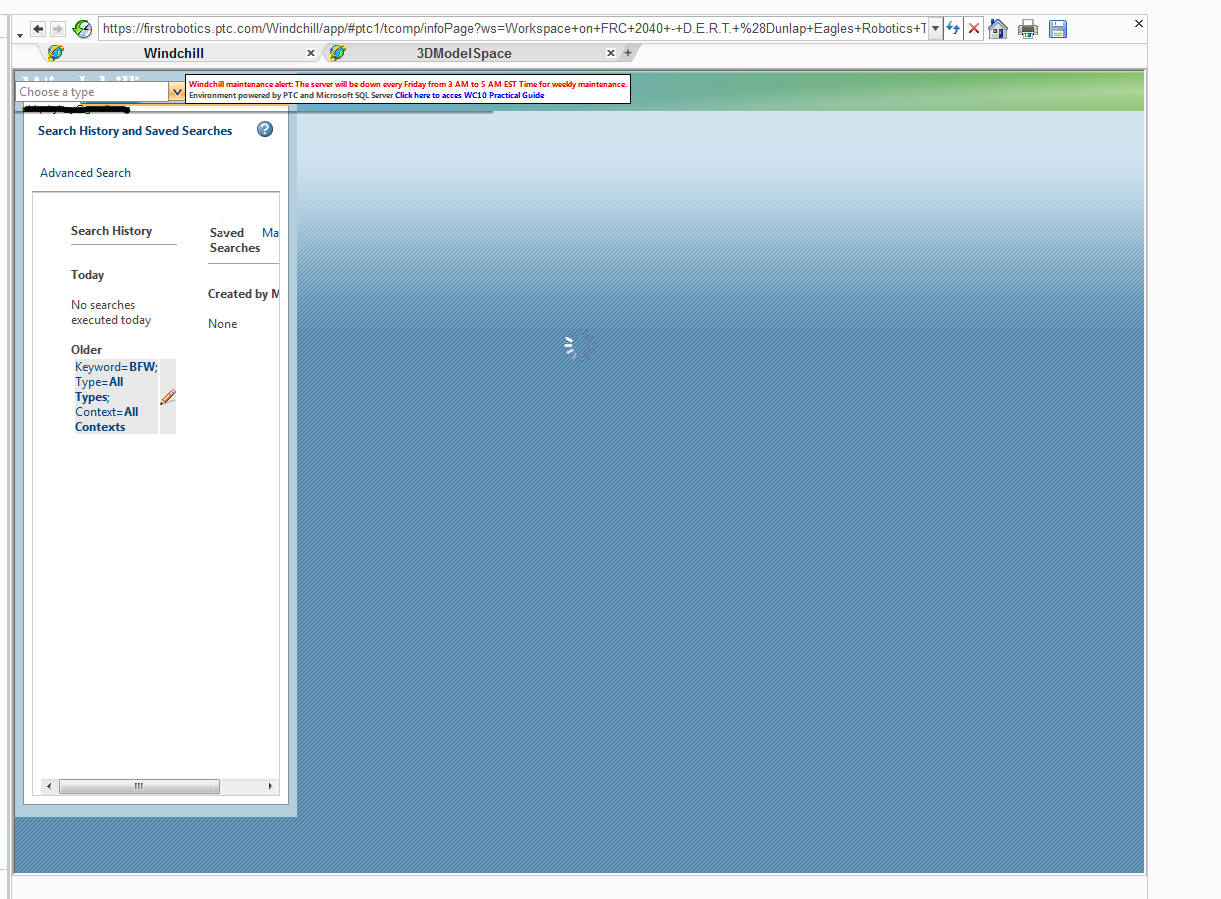
2013_12_19_19_42_54_Creo_Parametric_Student_Edition.png

Is there a way to fix this?

4 replies

1-Visitor
December 21, 2013

Uninstall Internet Explorer 11 and install IE 10.

1-Visitor
January 29, 2014

Not an option in Windows 8.

Are there any compatibility settings that would help?

1-Visitor
January 29, 2014

Dear Jairus

why not it on mozilla firefox?

1-Visitor
January 30, 2014

Jairus,

So sorry for this situation. The core issue is the FIRST Robotics Windchill server hosted by PTC. It is currently at Windchill 10.1 F000. The current version is Windchill 10.1 M040.

10.1 F000 existed long before Windows 8.0/8.1 and IE 10/11. The only way to resolve this is for PTC to upgrade the FIRST Windchill server. We had hoped to complete the upgrade before the FRC go-live in January, but we were unable to get it done on time.

It is ready now, but we don't want to disrupt the service in the middle of the FRC season, so we are going to wait until May to begin the upgrade process and bring it up to Windchill 10.2 M010 which is the latest and greatest version of Windchill.

We have been discussing this quite a bit in the FIRST Community if you'd like to join us there.

-Scott