Don Senchuk,
Sorry for the delay. I'll take the time to lay this out for you a little more verbose. Others will probably also find it useful.
I have the scenario where 1st the Review Drawings task. And 2nd, the Rework Drawing Change task (if that route is chosen). Refer to it below.
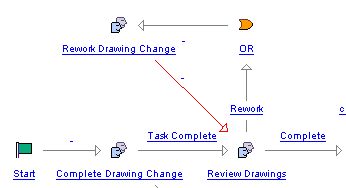
So I have the process variable commentsDesignerRework, as we've already discussed. In your implementation, you can call the variable name whatever you wish. But for the example, I will stick with this for consistency.
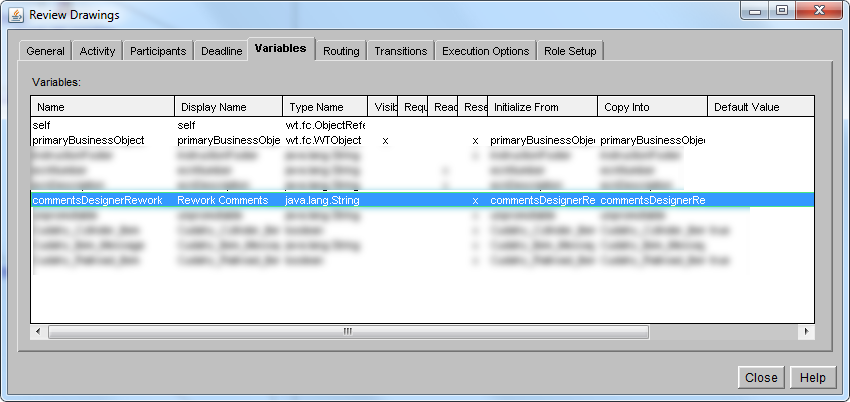
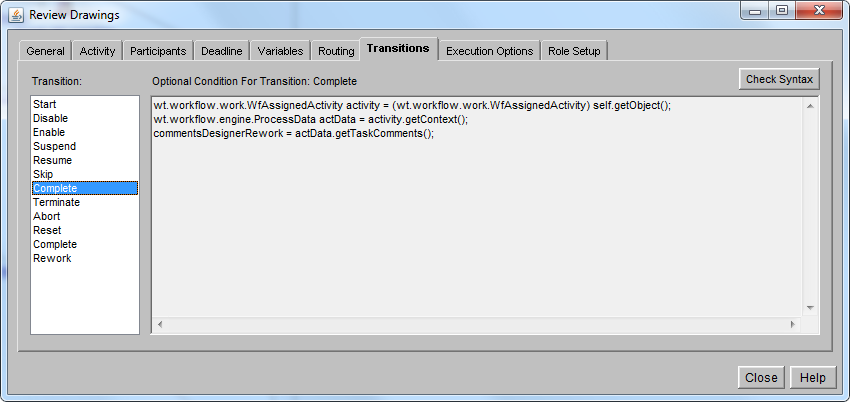
In the Review Drawings task, I need to add the commentsDesignerRework variable in the Variables tab. And then add that 3 lines of java code to get the task comments and assign it to the commentsDesignerRework String variable. Refer to the 2 screenshots below.
Then, I need to take a look at that 2nd task - the Rework Drawing Change task. I also need to put that variable in the Variables tab of the workflow task. And then in the instructions, call that variable out as {commentsDesignerRework}.
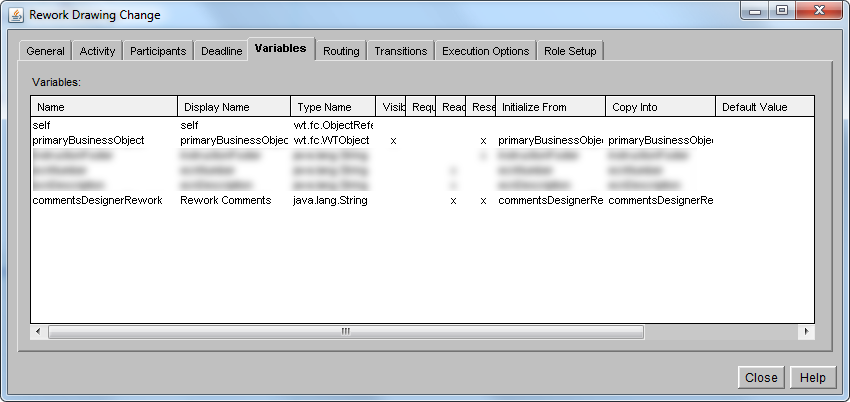
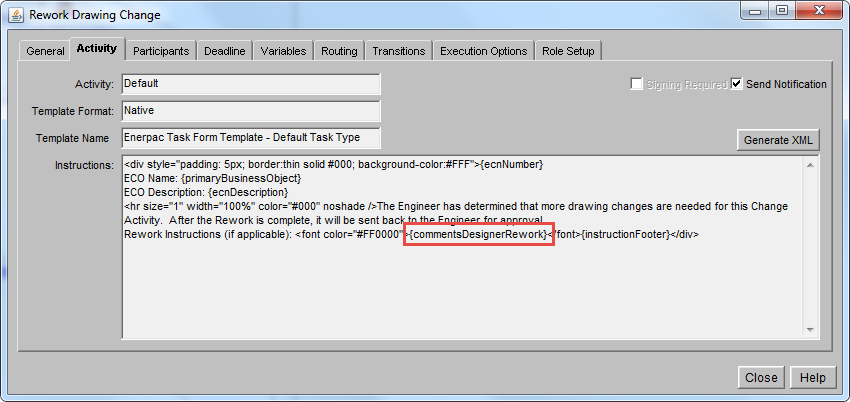
I think at a minimum, what you're missing is adding the commentsDesignerRework variable to the Variables tab of the 2nd task - the Rework Drawing Change task in this example. When the workflow task instructions (and the email notification) render strictly as {commentsDesignerRework} instead of the actual value that is stored in that variable, then that is a tell-tale sign that the variable is missing from the Variables tab of the workflow.