10-Marble
October 9, 2023
Question

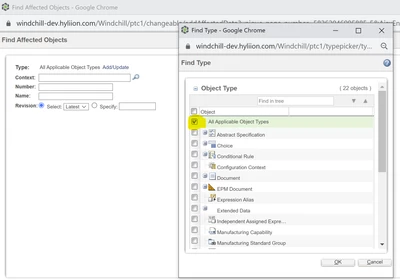
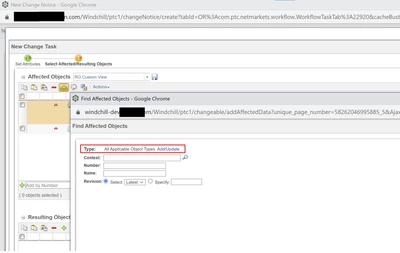
Remove types from add or find affected objects window
  • October 9, 2023
  • 2 replies
  • 881 views

RG_10753677_1-1696892868737.png


RG_10753677_2-1696892891828.png

I want users to see or pick only part and document, and hide/disable all other types. Is it possible to customize this type picker



2 replies

HelesicPetr
22-Sapphire II
22-Sapphire II
October 10, 2023

Hi @RG_10753677 

You can use wt.typepickerexclude property


Check following articles that can help you

CS347566 - wt.typepickerexclude property

CS321943 - Excluding type per typepickerexclude

Help

Configuring a Type Picker


PetrH

17-Peridot
October 11, 2023

You don't need to customize that! Rather change the configuration of the link.

--> Go to the type and attribute manager and select the type "Affected Activity Data"

--> select the tab "Relationship Constraints" and make the appropriate definition. You can do that for all change task types or just for one.


If you need to have that also for resulting object, do the same for the "Change Record" link.

Screenshot 2023-10-11 at 12.00.55.png