17-Peridot
February 16, 2016
Solved

AE Propagate

  • February 16, 2016
  • 2 replies
  • 1405 views

What is "AE Propagate" feature?

How can I use it?

Nuova immagine (5).bmp

On the PTC help I have not found answer.


This thread is inactive and closed by the PTC Community Management Team. If you would like to provide a reply and re-open this thread, please notify the moderator and reference the thread. You may also use "Start a topic" button to ask a new question. Please be sure to include what version of the PTC product you are using so another community member knowledgeable about your version may be able to assist.
Best answer by BHOoi

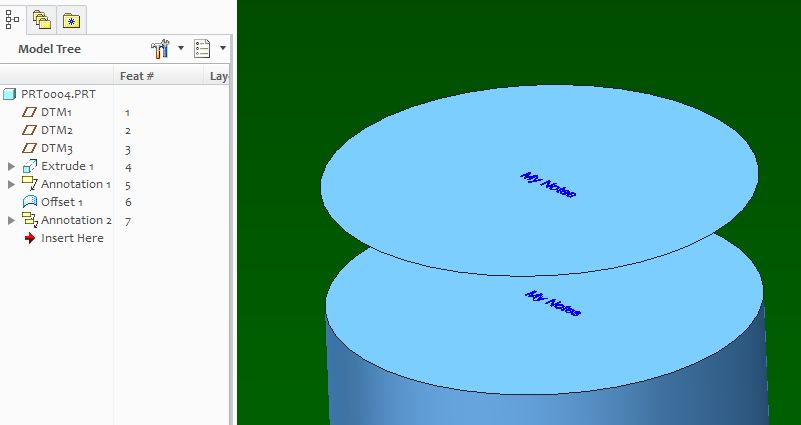
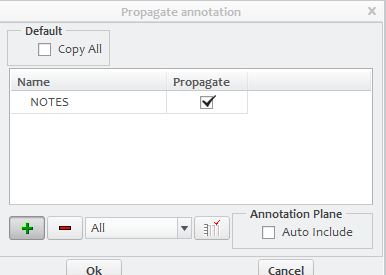
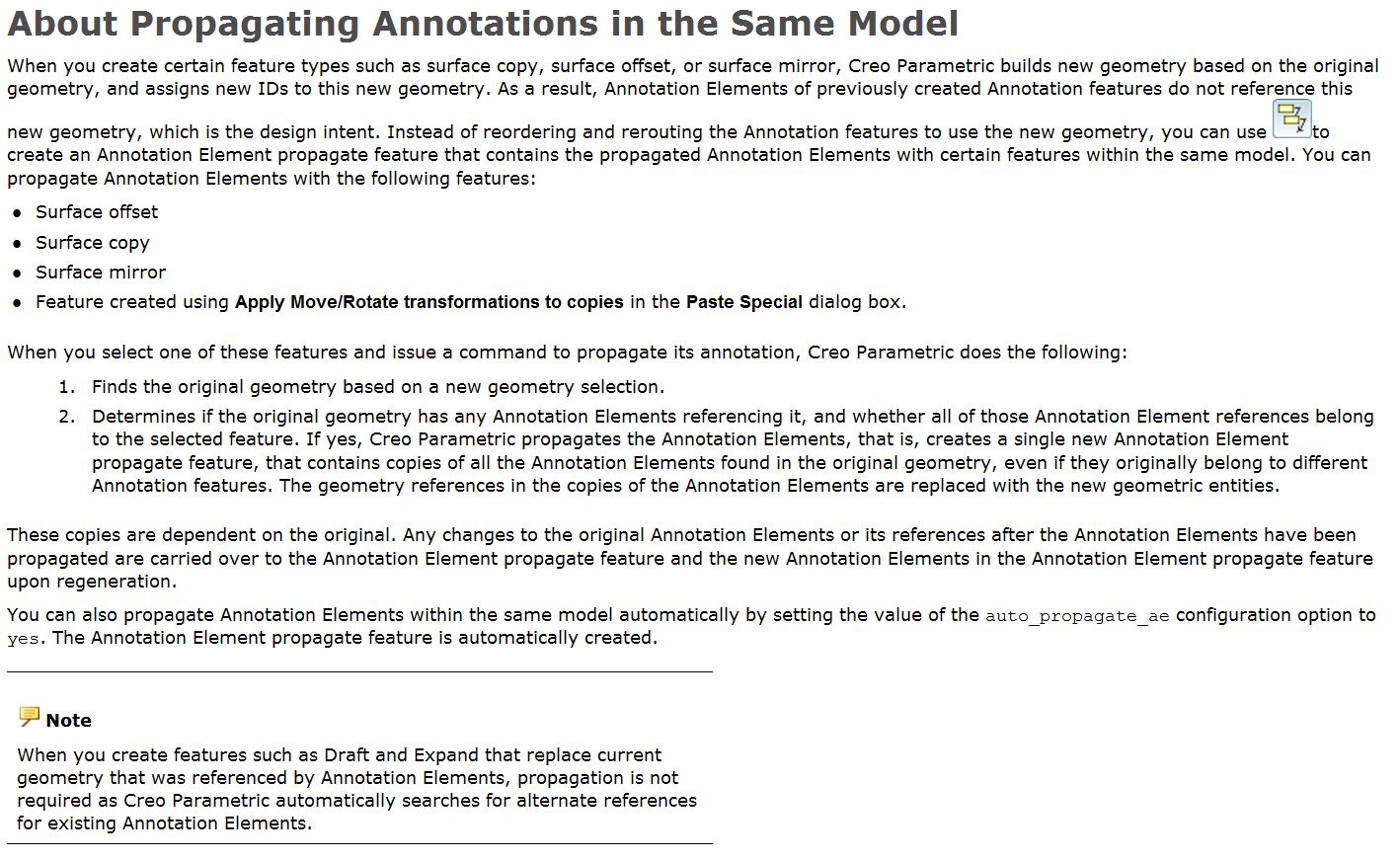
Hi, this is in help. Use this to propagate annotation within the same model. See below. I attached here a simple model for your reference. Hope this helps.

Capture.JPGannnotate.JPG

To propagate outside model, you can select "propagate" option in commands such as publish geometry. Hope this helps.

annotate.JPG

2 replies

BHOoi
BHOoi16-PearlAnswer
16-Pearl
February 17, 2016

Hi, this is in help. Use this to propagate annotation within the same model. See below. I attached here a simple model for your reference. Hope this helps.

Capture.JPGannnotate.JPG

To propagate outside model, you can select "propagate" option in commands such as publish geometry. Hope this helps.

annotate.JPG

gfraulini17-PeridotAuthor
17-Peridot
February 17, 2016

Thank You very much!

First answer and right answer!