Dale_Rosema
23-Emerald III
November 12, 2014
Solved

Assembly cut and Family Tables

  • November 12, 2014
  • 3 replies
  • 5237 views

I always have lots of fun with family tables ( ). I have any assembly cut of a tube that has holes stamped in the tube. There are two standard lengths of tube with two different numbers of holes (hence the family table).

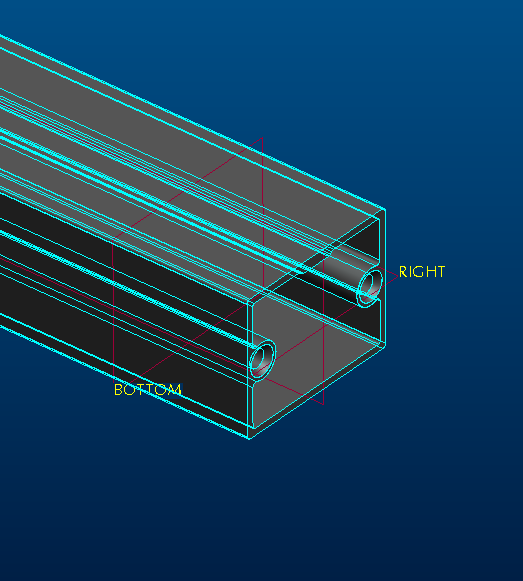
Now I am performing a cut on one end of the tube. I have offset a plate (Bottom) from a plane on the assembly (Top). I am then using this plane to set up a cut to remove material from the assembly. The problem I am experiencing is that the cut dosn't always happen and I, for the life of me, cannot figure out why. The assembly cut is made on the generic of the family table. One instance comes out correctly (first picture).
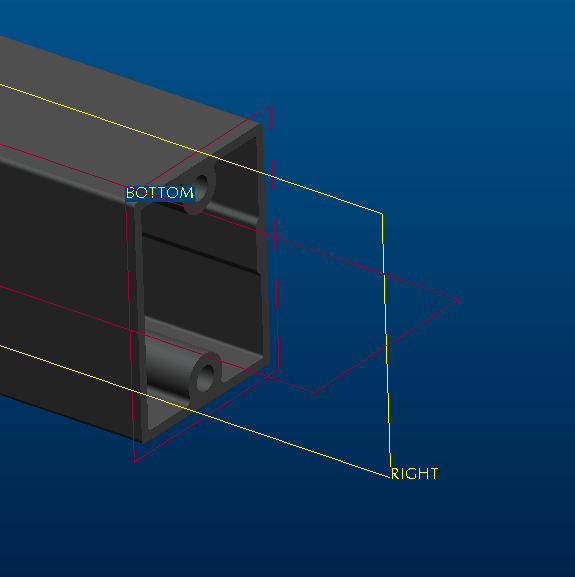
assy_cut1.PNG

The second instance does not.

assy_cut2.PNG

I have tried several different cuts - using the front, right or bottom plane for the primary plane of the cut. I do through all to make sure that I get all the material. Any thoughts on this?

Thanks, Dale


This thread is inactive and closed by the PTC Community Management Team. If you would like to provide a reply and re-open this thread, please notify the moderator and reference the thread. You may also use "Start a topic" button to ask a new question. Please be sure to include what version of the PTC product you are using so another community member knowledgeable about your version may be able to assist.
Best answer by Dale_Rosema

I have now created a new instance with the same parameters as the one that keeps failing and it seems to work. I haven't deleted the old instance yet (got to find out where all it goes) but when I do and it works, I am guessing that either the instance was corrupted somehow, or that it was one of those keep regenerationg the generic and yet somehow the instance wouldn't update type of a thing.

3 replies

24-Ruby III
November 12, 2014

Dale,

can you upload your files ?

Martin Hanak

17-Peridot
November 12, 2014

Have you tried making both cuts in one extrude feature?

Also take a look and make sure the assembly cut has the part listed for being acted on.

Dale_Rosema
23-Emerald III
November 12, 2014

There is not two cuts. Just one cut, cutting one part. The dimension from the top plane is in the family table and the part that is being cut is just another instance of the generic part.

17-Peridot
November 12, 2014

Okay, now I am lost too

Dale_Rosema
Dale_Rosema23-Emerald IIIAuthorAnswer
23-Emerald III
November 12, 2014

I have now created a new instance with the same parameters as the one that keeps failing and it seems to work. I haven't deleted the old instance yet (got to find out where all it goes) but when I do and it works, I am guessing that either the instance was corrupted somehow, or that it was one of those keep regenerationg the generic and yet somehow the instance wouldn't update type of a thing.

17-Peridot
November 12, 2014

Glad you got it resolved, Dale

Dale_Rosema
23-Emerald III
November 12, 2014

Thankful for a second station to keep some work moving along, but it has been a long day and a half figuring this out.