1-Visitor
February 16, 2017
Solved

Assembly Family table- use different part instance for different asm instance

  • February 16, 2017
  • 4 replies
  • 10135 views

I have a question when using family table in asm level.


The asm family table has two parts, and two parts have their own family table.


in assembly level, i want the parts which have varied part instance from their two part family table.


However, i tried and the asm family table is only allow the part to be "Y" or "N".
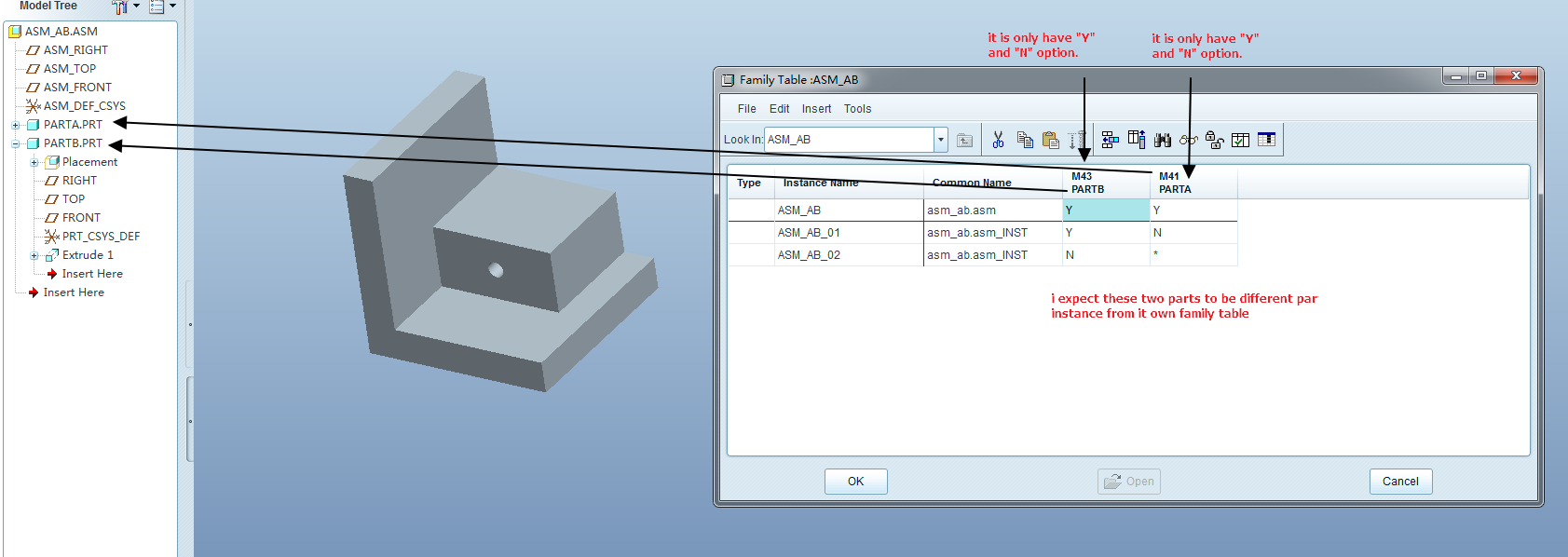
Image 296.png


Please help.

Best answer by Jose_Costa

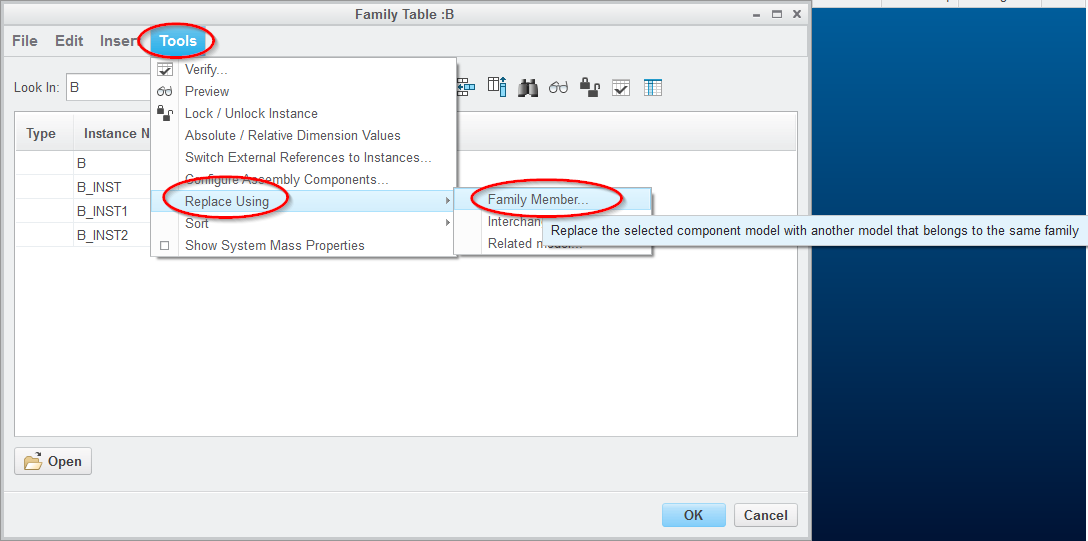
You can also select the cell and do Tools->Replace Using -> Family Member

xx.png

Jose

4 replies

1-Visitor
February 16, 2017

Within the assembly level table, add columns for the components that you want to use other instances of.  Then type in the name of the instance you want rather than just putting y or n.  An example is shown below with "Short" and "Tall" being the names of the part level instances of "PRT0004"

assy_family_table.jpg

18-Opal
February 16, 2017

Hi Aaron,

In the assembly, in place of Y or N, simply type in Part Family Table Instance Name.

Thanks,

Amit

14-Alexandrite
February 16, 2017

Other commenters suggesting you can just type the instance name instead of Y or N are correct... But it's even easier than that. Highlight the cell and from the upper pull down menus select Tools / Replace Using / Family Member, and it will present you a list, so you don't have to worry about typos.  (May only work when on Master Rep.)

12-Amethyst
February 16, 2017

You can also select the cell and do Tools->Replace Using -> Family Member

xx.png

Jose

February 17, 2017

Thank all of you! Jose. Amit, Darren...

Answers from all of you are correct!