1-Visitor
May 11, 2015
Solved

axis and control axis length in 2d creo 3.0

  • May 11, 2015
  • 2 replies
  • 2056 views

Hello

i drawn a rectangle , how i put middle axis (orizontal and vertical) ,

i put in 3d but in 2d not see this

i put axis with sketch but i do not control dimension on it ? it's a tips and tricks for this

tks for response


This thread is inactive and closed by the PTC Community Management Team. If you would like to provide a reply and re-open this thread, please notify the moderator and reference the thread. You may also use "Start a topic" button to ask a new question. Please be sure to include what version of the PTC product you are using so another community member knowledgeable about your version may be able to assist.
Best answer by kdirth

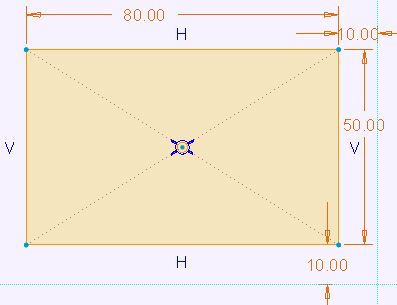
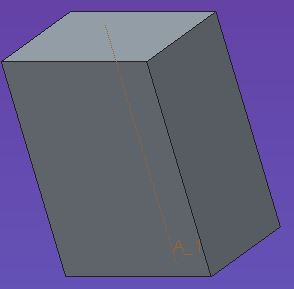
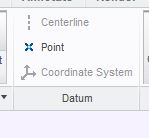
One method is to put diagonal contruction lines through rectangle in the sketch and place datum point at intersection. When extruded it creates a centerline. this can then be shown in the 2D.

Capture.JPG Capture.JPG Capture.JPG

2 replies

12-Amethyst
May 11, 2015

Use 'Show Model Annotations' to show the axis in your drawing (2d). It will be the 'model datums' tab within the Show Model Annotations window.

Redro1-VisitorAuthor
1-Visitor
May 11, 2015

part.jpg

1_dwg.jpg

i don't find the axis but it is a circle you are right

kdirth
kdirth21-Topaz IAnswer
21-Topaz I
May 12, 2015

One method is to put diagonal contruction lines through rectangle in the sketch and place datum point at intersection. When extruded it creates a centerline. this can then be shown in the 2D.

Capture.JPG Capture.JPG Capture.JPG

There is always more to learn.