1-Visitor
October 8, 2014
Solved

Border lines disappearing when re-opening a drawing

  • October 8, 2014
  • 4 replies
  • 7223 views

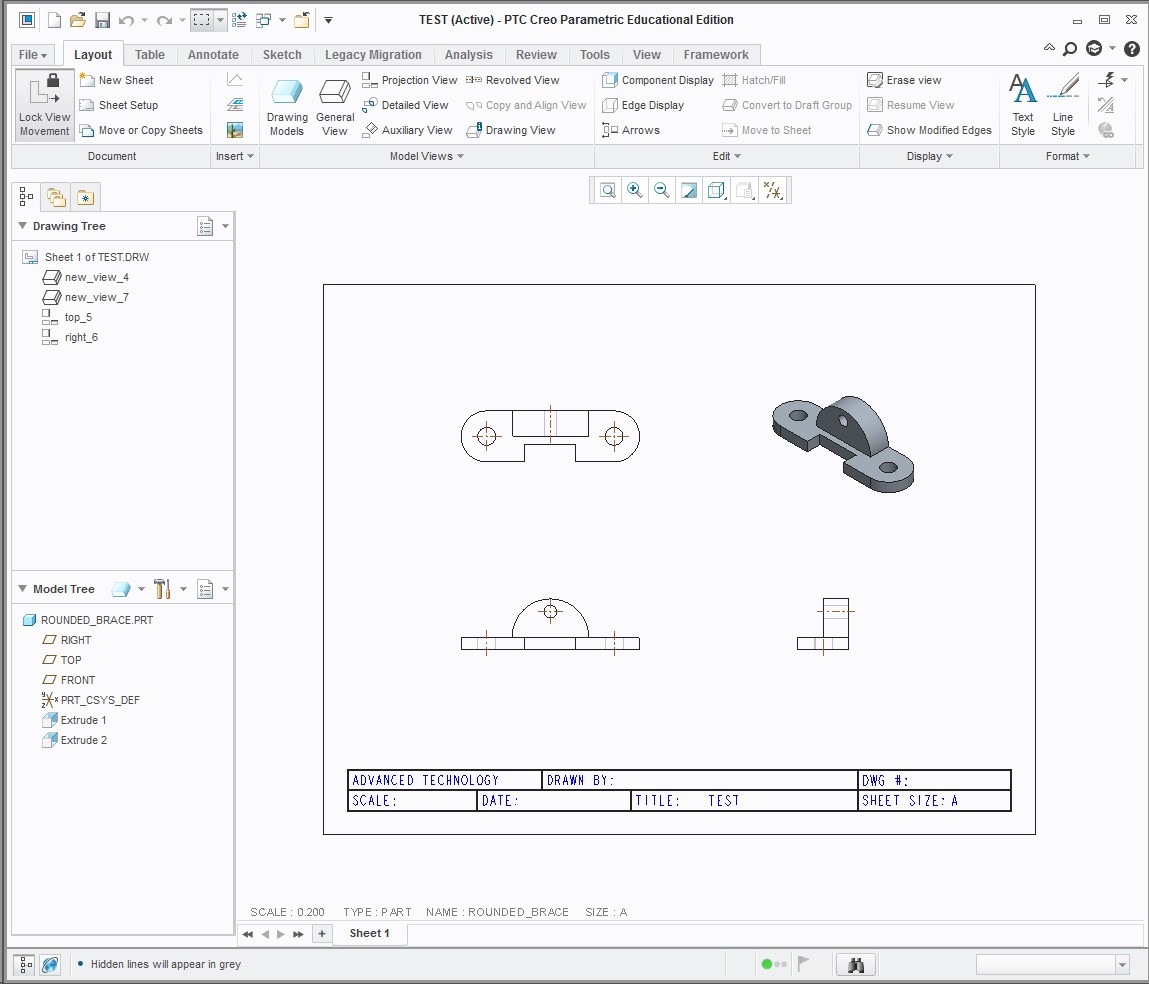
Hi, I have made a new format with a table as the title block and used the offset tool from the edge of the sheet to create my in margin boarders. This works great for all my drawing formats and sheet sizes but I have noticed that when I exit CREO and try to re-open the drawing, that has my custom format in, the boarder lines are gone. The table used for my title block is still there and intact but I have to re-insert my format to get the boarder lines to come back.


Is there some way to keep them from disappearing? I am using CREO 3.0.
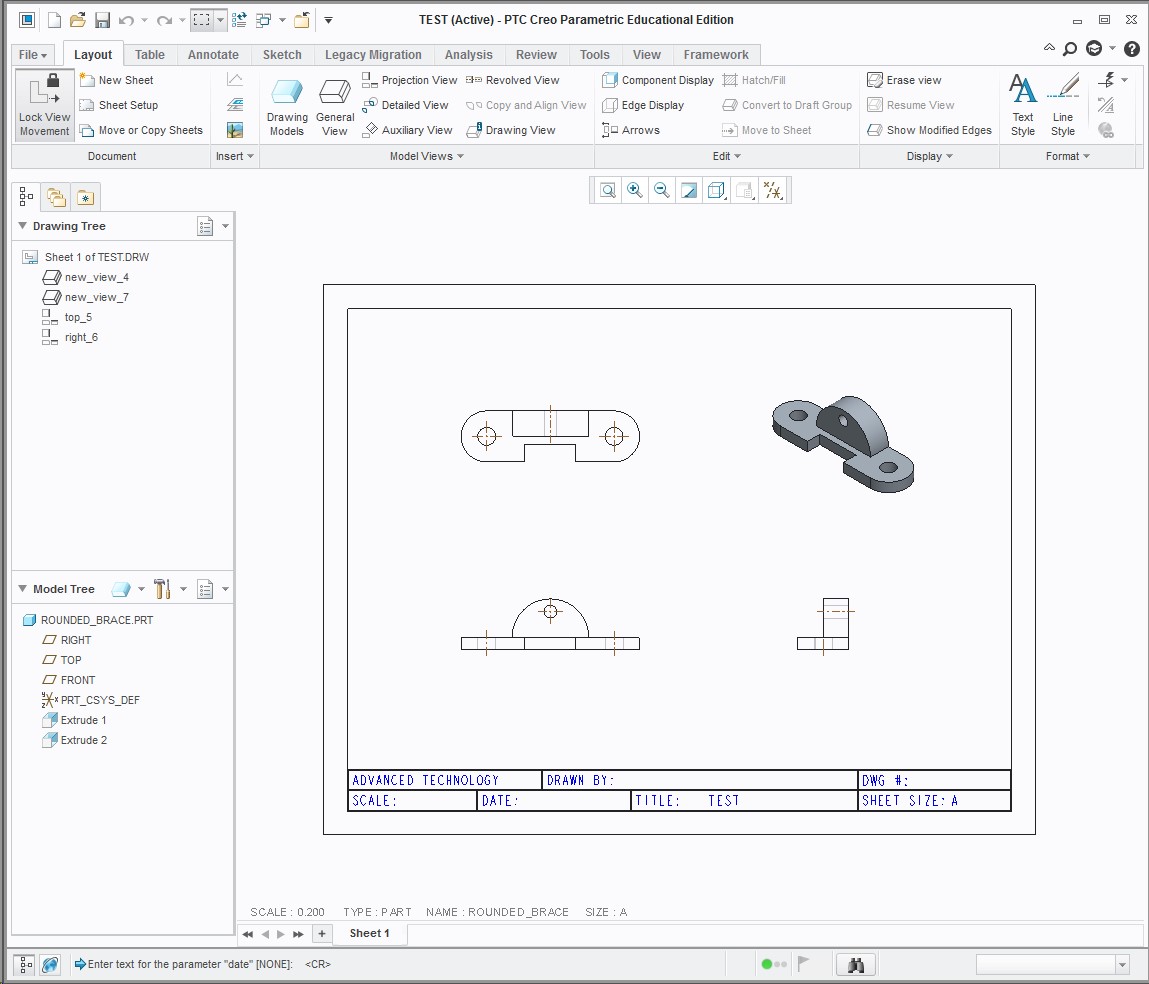
 

Before.jpgAfter.jpg


This thread is inactive and closed by the PTC Community Management Team. If you would like to provide a reply and re-open this thread, please notify the moderator and reference the thread. You may also use "Start a topic" button to ask a new question. Please be sure to include what version of the PTC product you are using so another community member knowledgeable about your version may be able to assist.
Best answer by BillChapman

Tables are copied to the drawing itself, and it seems like that is what you have when you re-open. You may just need to tell Creo where to look for the format files. Set the config.pro option:

PRO_FORMAT_DIR Z:\ProE_Library\formats

You can confirm this is the issue, by loading the format into session first, then retrieving the drawing.

4 replies

Mahesh_Sharma
22-Sapphire I
October 8, 2014

Andy,

Can you upload the format file?

1-Visitor
October 8, 2014
Mahesh_Sharma
22-Sapphire I
October 8, 2014

It is working for me without disappearing the border lines. I created a new part and used the format for drawing creation. Saved the drawing > Exit Creo and Start a new session and in that drawing was retrieving correctly.

As Bill suggested, set the config option pro_format_dir with value as location of format.

13-Aquamarine
October 8, 2014

Tables are copied to the drawing itself, and it seems like that is what you have when you re-open. You may just need to tell Creo where to look for the format files. Set the config.pro option:

PRO_FORMAT_DIR Z:\ProE_Library\formats

You can confirm this is the issue, by loading the format into session first, then retrieving the drawing.

1-Visitor
October 8, 2014

I added the PRO_FORMAT_DIR and pointed it to my format files, closed CREO and restarted. It is working now! Just one more question about that. Does that mean I should be saving my work in the same location as my config file or should I copy my config file to all my saved location?

Thanks for your help.

Mahesh_Sharma
22-Sapphire I
October 8, 2014

You can have config file in strat-in location for application.