1-Visitor
February 9, 2016
Solved

Boundary Blend Creo 2 vs Creo 3

  • February 9, 2016
  • 4 replies
  • 3593 views

Running Creo 3.0 M070 and Creo 2.0 M110.

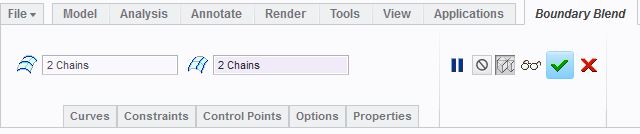
Creo 3.0 has a "Create as Solid" and "Create as Surface" option as well as a flip arrow.  I haven't found this documented anywhere.  It doesn't appear to make a difference between the 2 options, they both produce surfaces.  Any idea why its there?  I presume it could possibly consolidate BB with Solidify when applicable, but doesn't appear to work yet... See screenshots below.

Creo 3.0

BBCreo3.JPG

Creo 2.0

BBCreo2.JPG

Best answer by CoreySusie

The menu picks shouldn't be there in regular mode of Creo Parametric.  The issue has been resolved in Creo 4.0 and is working to be resolved in Creo 3.

https://support.ptc.com/appserver/cs/view/spr.jsp?n=4876657&source=Case%20Viewer

https://support.ptc.com/appserver/cs/view/solution.jsp?n=CS221190&source=Case%20Viewer

4 replies

1-Visitor
February 9, 2016

The boundary blend needs to create a watertight surface or watertight patch on an existing solid.

1-Visitor
February 9, 2016

I tried that with the solid option, still produces a surface patch only.  You have an example of it producing a solid directly out of the BB tool?

1-Visitor
February 9, 2016

I also find it interesting why they didn't speak of this in the Whats New in Creo 3.0 documentation but they talk about the Optimize button?

bb1.JPGbb2.JPGbb3.JPG

1-Visitor
February 9, 2016

Sorry, but i don't fully understand your example...could you post it?

1-Visitor
February 9, 2016

Solid boundary blend is for sheetmetal module

15-Moonstone
February 10, 2016

but the boundary blend for sheetmetal is already there in Creo 2.0.

Either its a bug..or someone need to dig in deep

CoreySusie1-VisitorAuthorAnswer
1-Visitor
February 11, 2016

The menu picks shouldn't be there in regular mode of Creo Parametric.  The issue has been resolved in Creo 4.0 and is working to be resolved in Creo 3.

https://support.ptc.com/appserver/cs/view/spr.jsp?n=4876657&source=Case%20Viewer

https://support.ptc.com/appserver/cs/view/solution.jsp?n=CS221190&source=Case%20Viewer