

Solved
center line of a slot
I am unable to locate center of a slot in drawing. Is there a specific way to make slot in model so that the axis can be located over there? Manually putting datum axes is not possible as we have many slots in model.

I am unable to locate center of a slot in drawing. Is there a specific way to make slot in model so that the axis can be located over there? Manually putting datum axes is not possible as we have many slots in model.
Yes you need an axis point in the center of your sketch when you create your extrude/cut. I made a sketch that sits in our sketch pallete that we can drag and drop in our sketch. It is 1.00 x .25 as a starting point but you can scale it once you put it into your sketch and obviously you can change all the dims once you have it placed, but this gives you a center axis that can be used for placement and dimensioning.
To do this you can put this slot_center_axis.sec file in your sketcher pallete load point and when you use your sketcher pallete in sketch mode, you will see it and be able to use it. I place my file here (although the "Creo 3.0\M030" will be different depending on your version of Creo):
Creo Loadpoint:\Creo 3.0\M030\Common Files\text\sketcher_palette\shapes
Then when you use the sketcher pallete, you find the shape you want to use and LMB click, hold, drag, and drop to the approximate location for placing the shape.
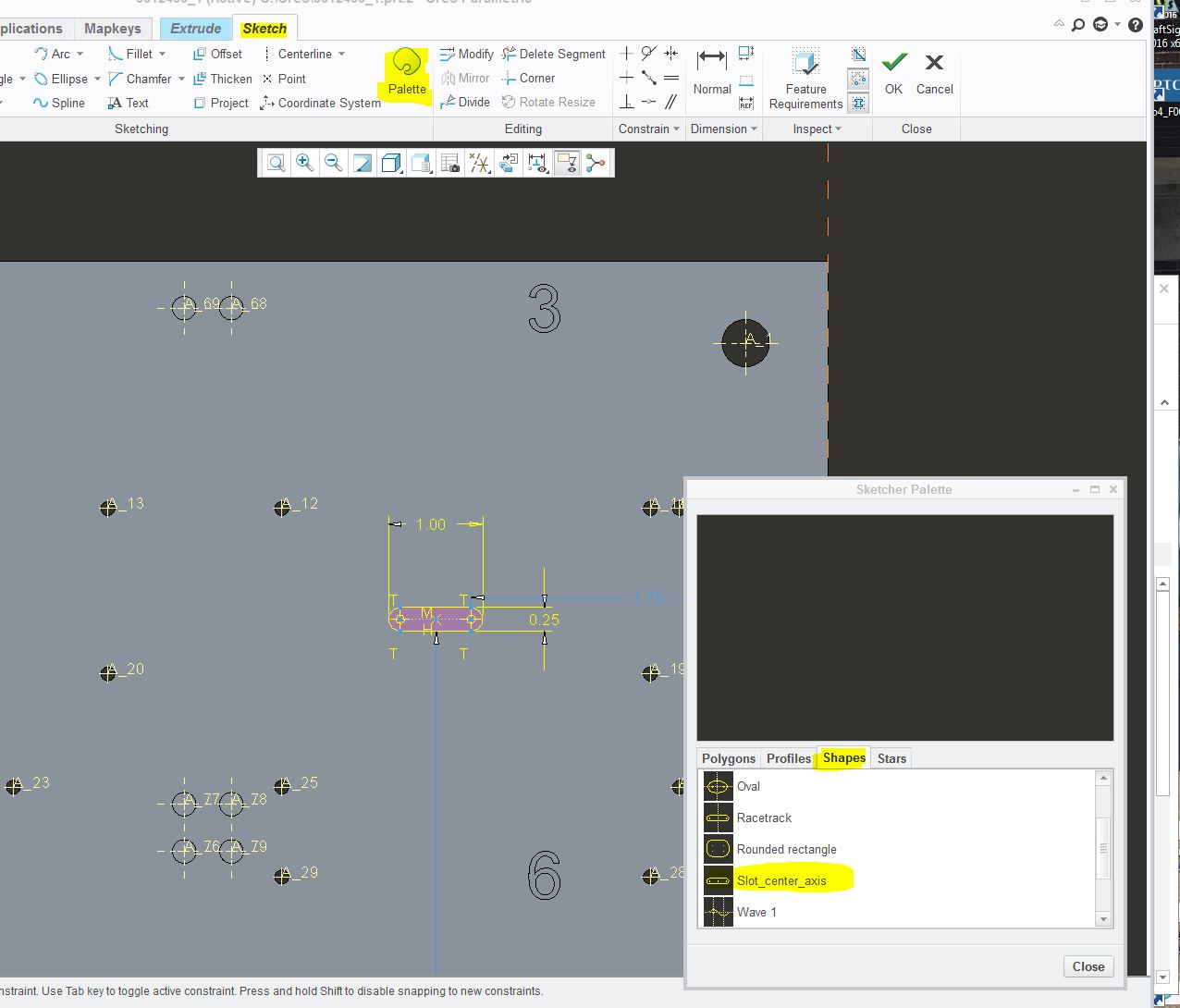
At that point you can change the import section options or just accept it and change the dimensions manual to suite what you are after.
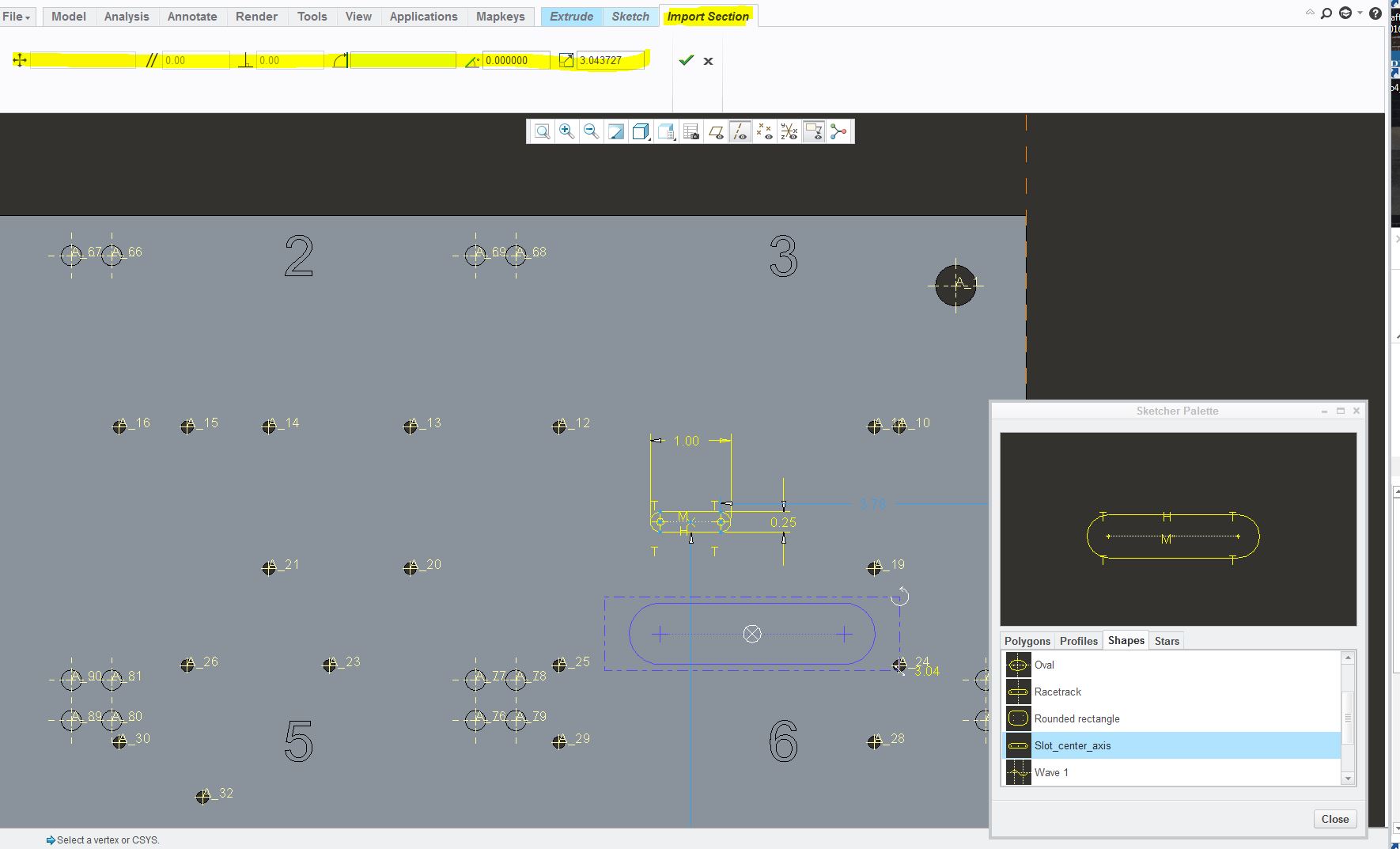
Hope this helps,
Shane V.
No account yet? Create an account
Enter your E-mail address. We'll send you an e-mail with instructions to reset your password.