

13-Aquamarine
June 15, 2017
Question

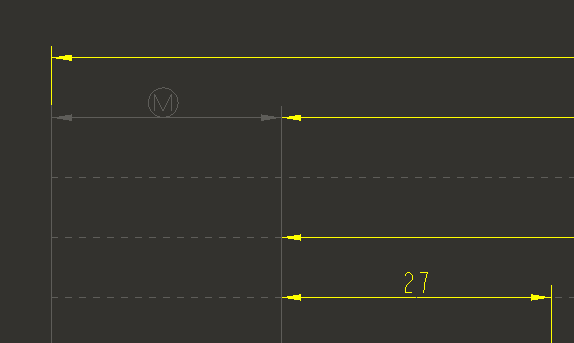
Created dimension showing grey (hidden line) in drawing

  • June 15, 2017
  • 2 replies
  • 3870 views

Any idea what's causing this?  It's a legacy-based drawing so it's possible there's a setting somewhere, but I can't find it if so.  I've regenerated, repainted and updated views...  Creo 3.
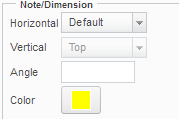
The dimension text at least is set to yellow (letter), and I've tried setting it to something else and back again:
Thanks for any help!

This topic has been closed for replies.

2 replies

13-Aquamarine
June 15, 2017

Okay, twenty minutes of continuing to work on the drawing and it's now fixed itself...

Patriot_1776
22-Sapphire II
September 26, 2018

Finding the same issue myself.  WTF????

1-Visitor
September 27, 2018
Perhaps the dimension has been “modified” through dim-bound function? You can check in the drawing by “sketching” a dimension on the same feature and seeing if it shows a different value.
Patriot_1776
22-Sapphire II
September 27, 2018

Like noted above, after a while, it just turned yellow by itself.  Weird.  But then, I'm having issues with this M130 datecode (PDF creation causes it to crash) so I'll upgrade to M170 and see if that fixes it.

Creo 3.0 F000 04-AUG-15
M060 22-SEP-15
M070 03-DEC-15
M080 04-FEB-16
M090 30-MAR-16
M100 29-JUN-16
M110 22-SEP-16
M120 10-JAN-17
M130 21-APR-17
M140 31-JUL-17
M150 28-NOV-17
M160 22-FEB-18
M170 01-JUN-18