


Solved
Creo Exporting Help
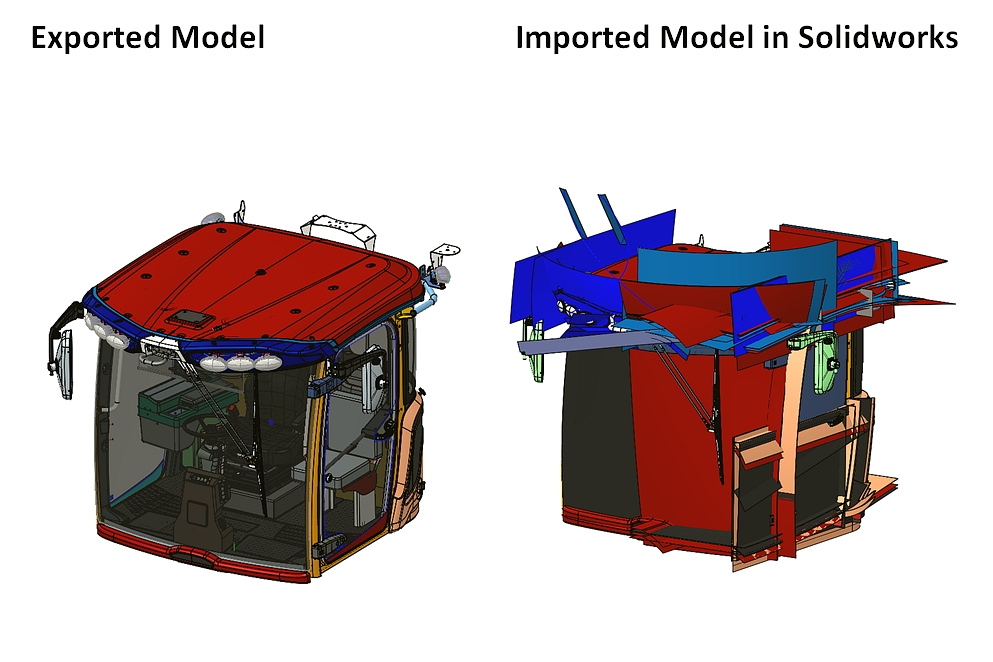
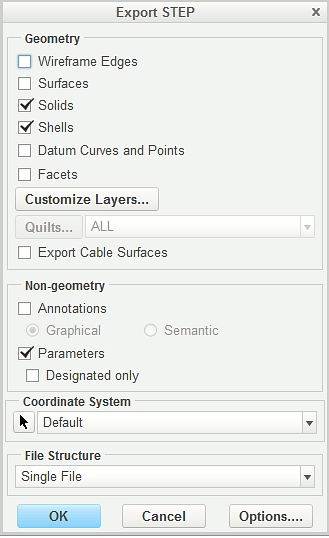
When I export my model as a step file (also tried IGES & Parasolid) the surfaces used to create various part shows up when importing into Solidworks. My Export STEP settings has surfaces unchecked (see picture below). If I open the step file back up in Creo it opens correctly but my customer uses Solidworks and sees all the surfaces after importing. How do I make sure these surfaces don't show up when exporting from Creo & importing into solidworks?
This thread is inactive and closed by the PTC Community Management Team. If you would like to provide a reply and re-open this thread, please notify the moderator and reference the thread. You may also use "Start a topic" button to ask a new question. Please be sure to include what version of the PTC product you are using so another community member knowledgeable about your version may be able to assist.