


Creo schematics xml interfaceing with cableing design not working porperly
Hi everyone!
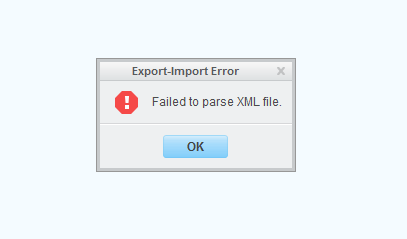
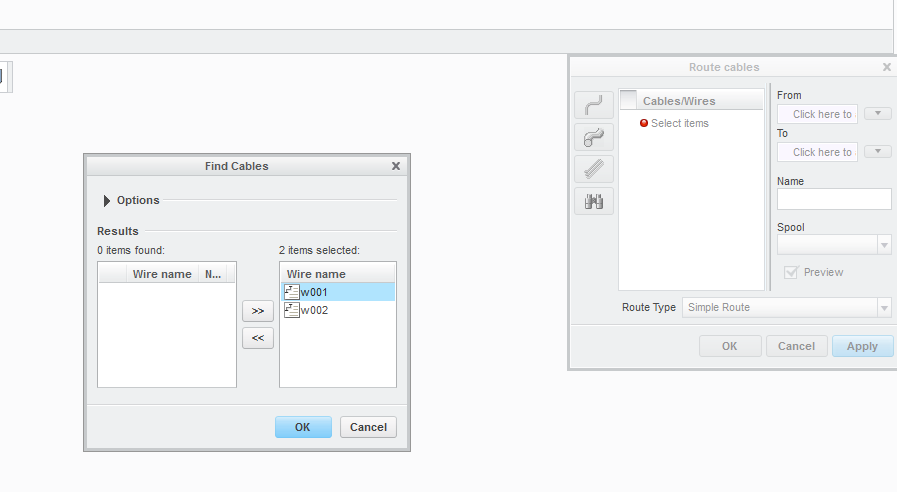
I've created an xml file with Creo schematics 3.0 successfully (when I clicked validate xml, it first sad: model_name not specified, I fixed that, and it seems to be good now). When I try to import it in Creo 2.0 it says an error (before I would do anything): "Failed to parse XML file". I click OK, and select the file I've exported, and Creo says it was imported successfully. When I auto designate the connectors, it finds them automatically as should, and as I checked it finds the ENTRY_PORTs too. It finds the wires too, when I try to add them in the "finding cables" dialog box, it looks good, I click OK, (see second picture) and nothing happens. The wires does not even appear in the "Route cables" dialog box (I guess if they would, Creo could find the routes to them). I don't really understand whats the problem here, I did everything according to the tutorials, but it doesn't seem to work correctly. I'm thinking of a compatibility problem now, I tried several thing, but that error message doesn't want to disappear. Is it possible, xml files exported from schematics 3.0 are not compatible with Creo 2.0? That's the only thing I can think about, but honestly I can't believe it. Please help me solve this issue. See the pictures below, for better understanding.
Regards,
Lac
This thread is inactive and closed by the PTC Community Management Team. If you would like to provide a reply and re-open this thread, please notify the moderator and reference the thread. You may also use "Start a topic" button to ask a new question. Please be sure to include what version of the PTC product you are using so another community member knowledgeable about your version may be able to assist.