1-Visitor
February 5, 2019
Question

Curve length on the drawing

  • February 5, 2019
  • 2 replies
  • 5415 views

Hi,

I am using Creo 3 and I am looking for a solution how to add the total curve length to the drawing.

When you measure this curve you are getting the total length.


thank you.
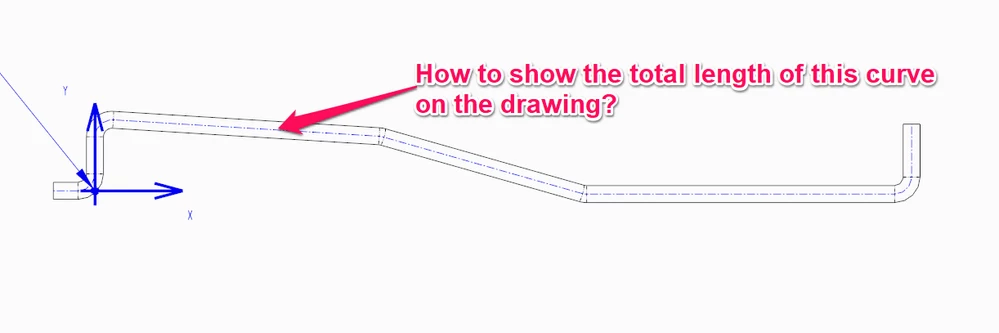
 

curve.png

2 replies

KenFarley
21-Topaz II
February 5, 2019

If you searched for something like "Creo using measurement in relation" or some such you would find lots of info about how to setup a feature that stores your analysis results so you can use them later in relations. Something like this:

Measured Dimension to Relation

If you can save analysis results to a feature and access them, you should be able to use the same techniques to pull them into a drawing as a note.

ArekTRI1-VisitorAuthor
1-Visitor
February 6, 2019

HI @KenFarley 


Thanks for the reply.


How to add this parameter to the note?


Sorry for the silly question but I am using Creo for 4 months only and find it very difficult.


Regards,

Arek


Mahesh_Sharma
22-Sapphire I
February 6, 2019

@ArekTRI 

Also, you can create a datum curve using points and add fillet. Later, measure Curve length and and save that measure result as feature. Create a parameter to get the value of parameter as value of length using relation  <Param>=LENGTH:FID_<Measure_Feature_Name>. This Param cal call in drawing to display the value. 

Share the file, if you can for further points. 

ArekTRI1-VisitorAuthor
1-Visitor
February 7, 2019

Hi @Mahesh_Sharma ,


thanks for the reply.


Any tutorial on how to do it?

Step by Step, please.

That would help me and the others.


Regards,

Arek

Mahesh_Sharma
22-Sapphire I
February 7, 2019

@ArekTRI 

Can you share the part file? I will try creating the steps referring that file..
